
In August 2026, Proxima Cloud CRM received two consecutive updates — Release v18.0 and Release v18.1.
Version 18.0 expands the capabilities of medical representatives, managers and administrators across several day-to-day workflows.
Key updates include:
- Voice-to-Visit for filling in visit results with AI;
- bidirectional background synchronization in the mobile app;
- related custom objects and multiple report tabs in HCP/HCO cards;
- Viber Carousel;
- Event Machine analytics;
- navigation to organizations;
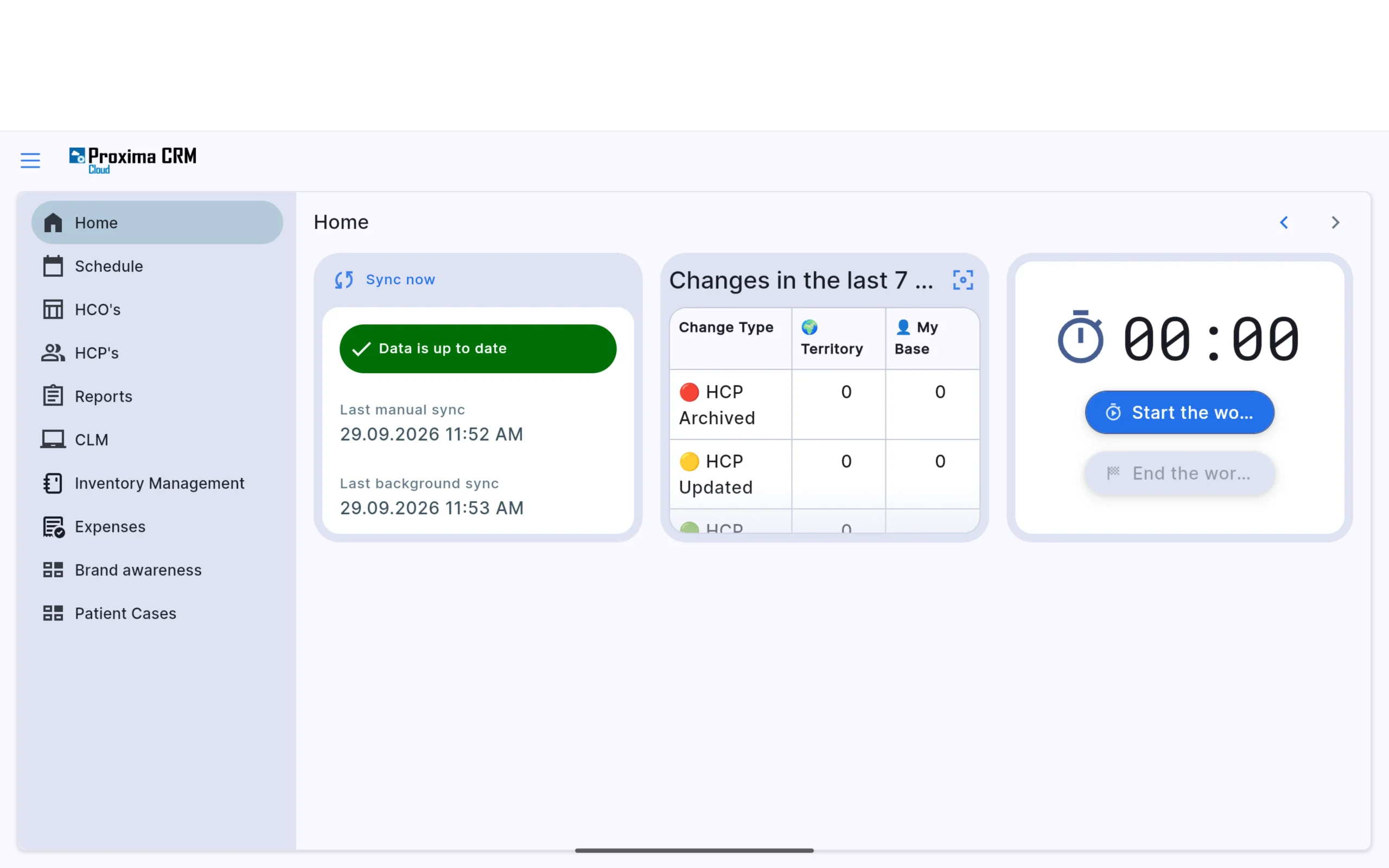
- the “Changes in the last 7 days” widget on the CRM home page;
- Material Manager and GeoForce updates.
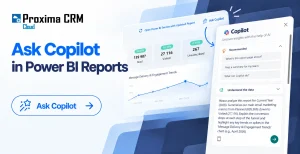
In Release v18.1, the development of AI functionality continued with the integration of Ask Copilot with Power BI reports and simplified Copilot access management for administrators.
This article provides an overview of the key improvements and new tools now available to Proxima Cloud CRM users.
We regularly cover all updates on the blog — follow our news.
Contents
1. Release v18.0 — August 7, 2026
Release v18.0 Infographic
1.1. Proxima CRM Product
The Proxima CRM Product updates cover several areas: AI analytics, customer engagement, visit administration, materials management and everyday user workflows.
New Features in Product Version 18.0
1.1.1. Voice-to-Visit: filling in visit results with AI
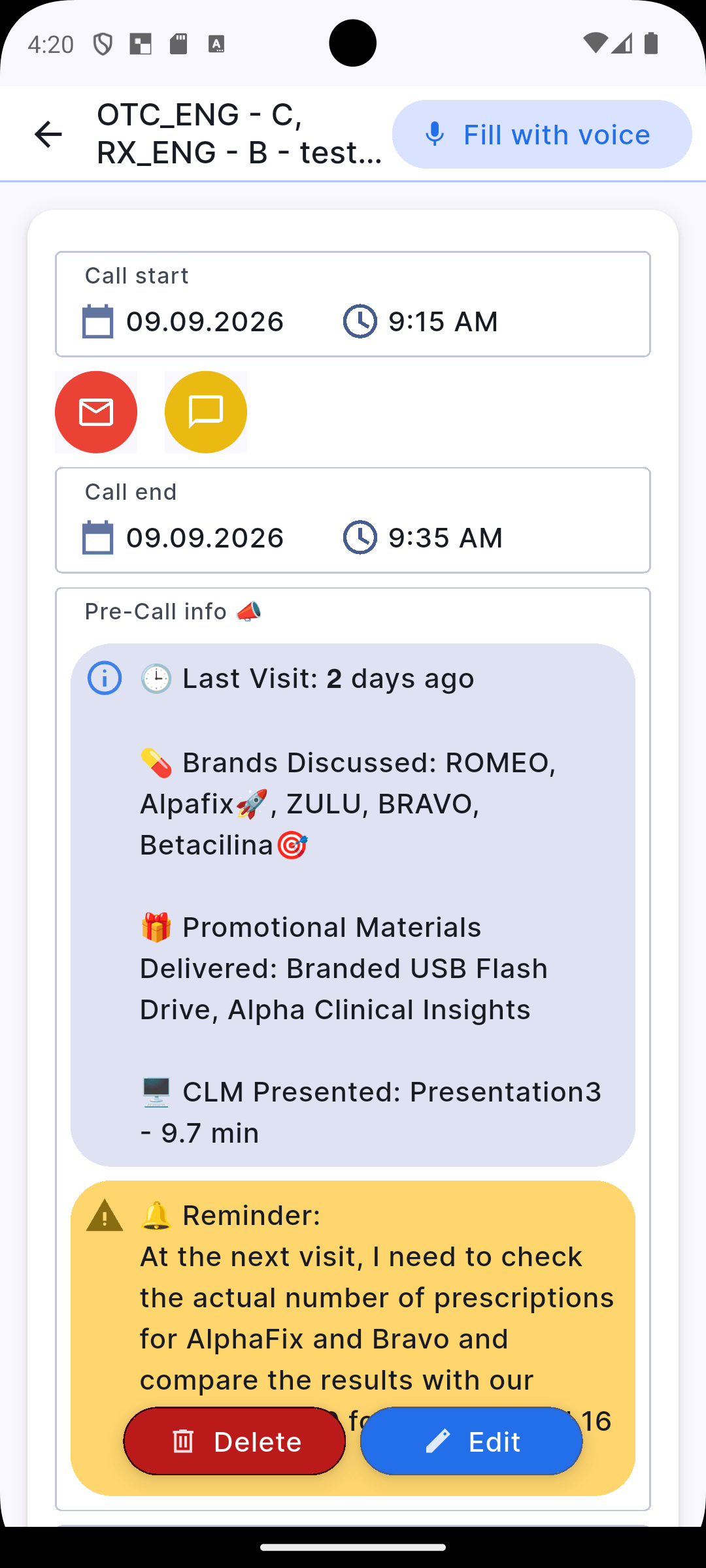
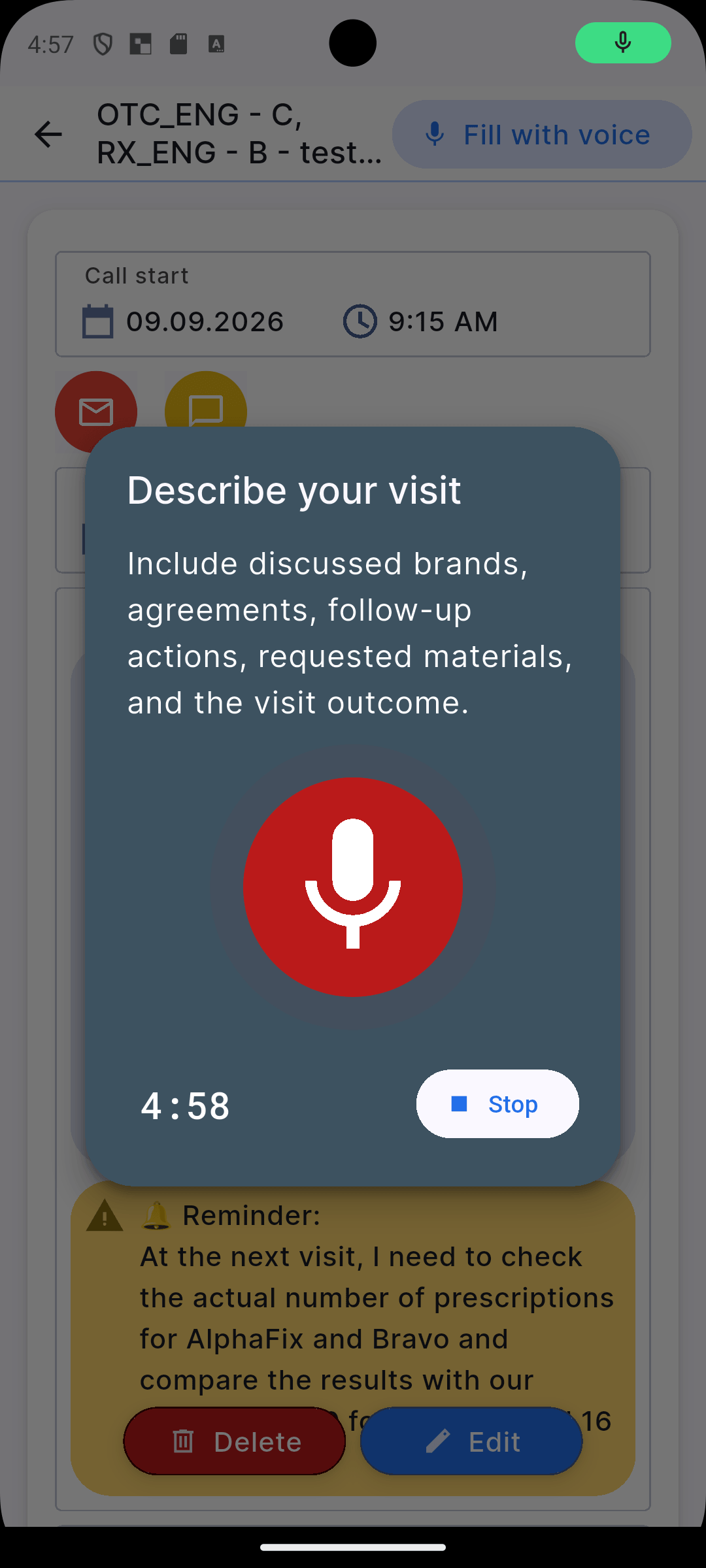
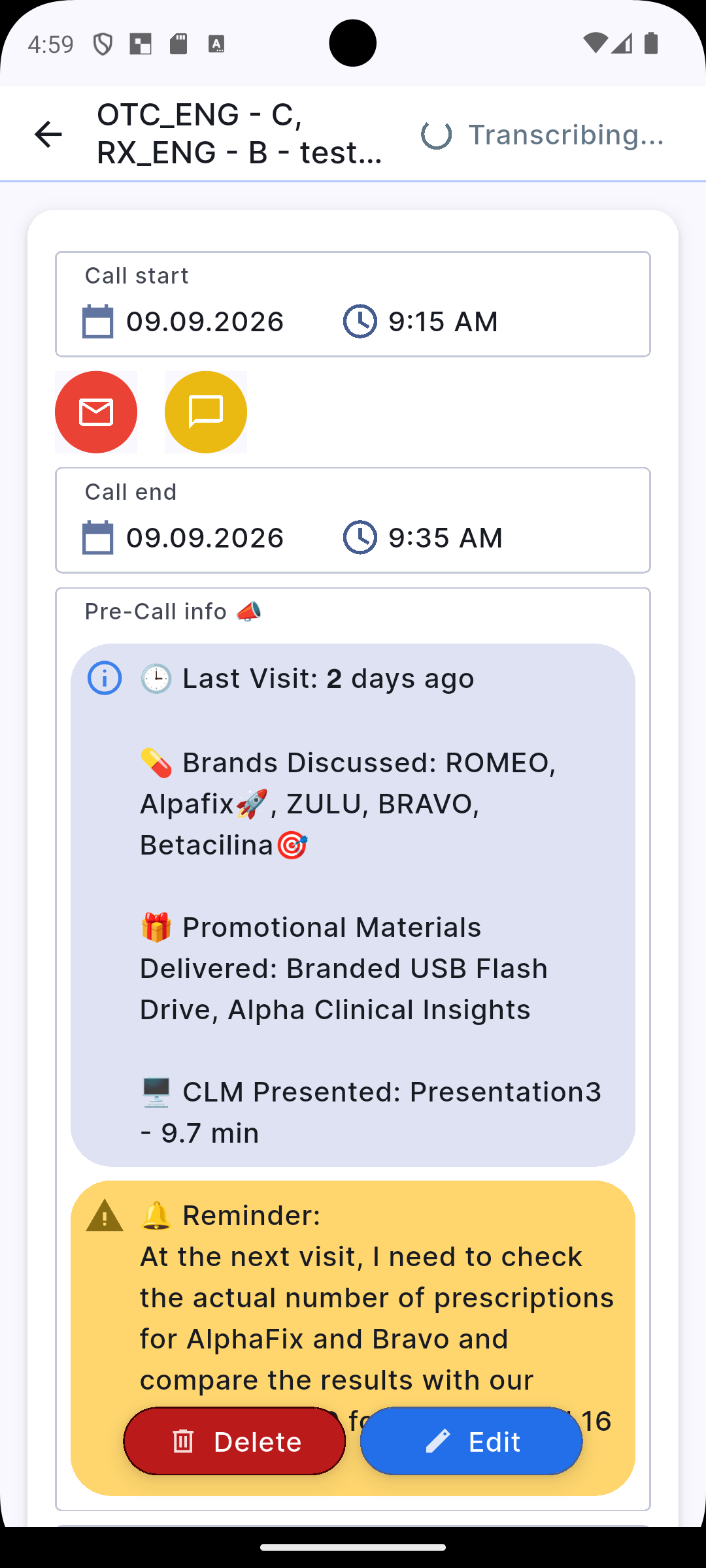
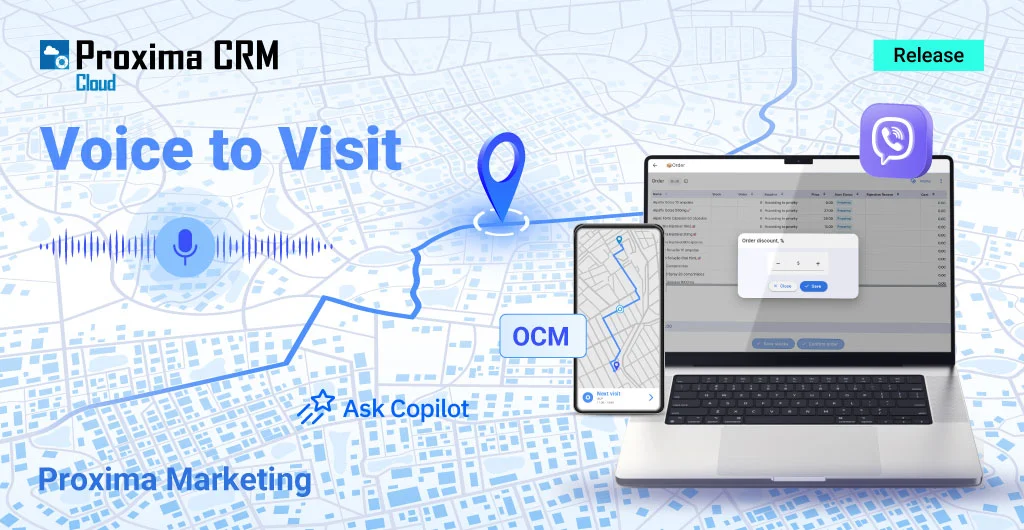
One of the key updates in Release v18.0 is Voice-to-Visit, a feature designed to make filling in visit results faster using voice.
Instead of entering information manually into separate fields one by one, a medical representative can describe the outcome of a meeting in natural language. The system transcribes the recording, analyzes it with AI and distributes the extracted information across the relevant fields in the visit card. The feature goes beyond simple speech-to-text conversion: it interprets the meaning and creates a structured visit result.
Voice-to-Visit works with five main data blocks:
- brands discussed;
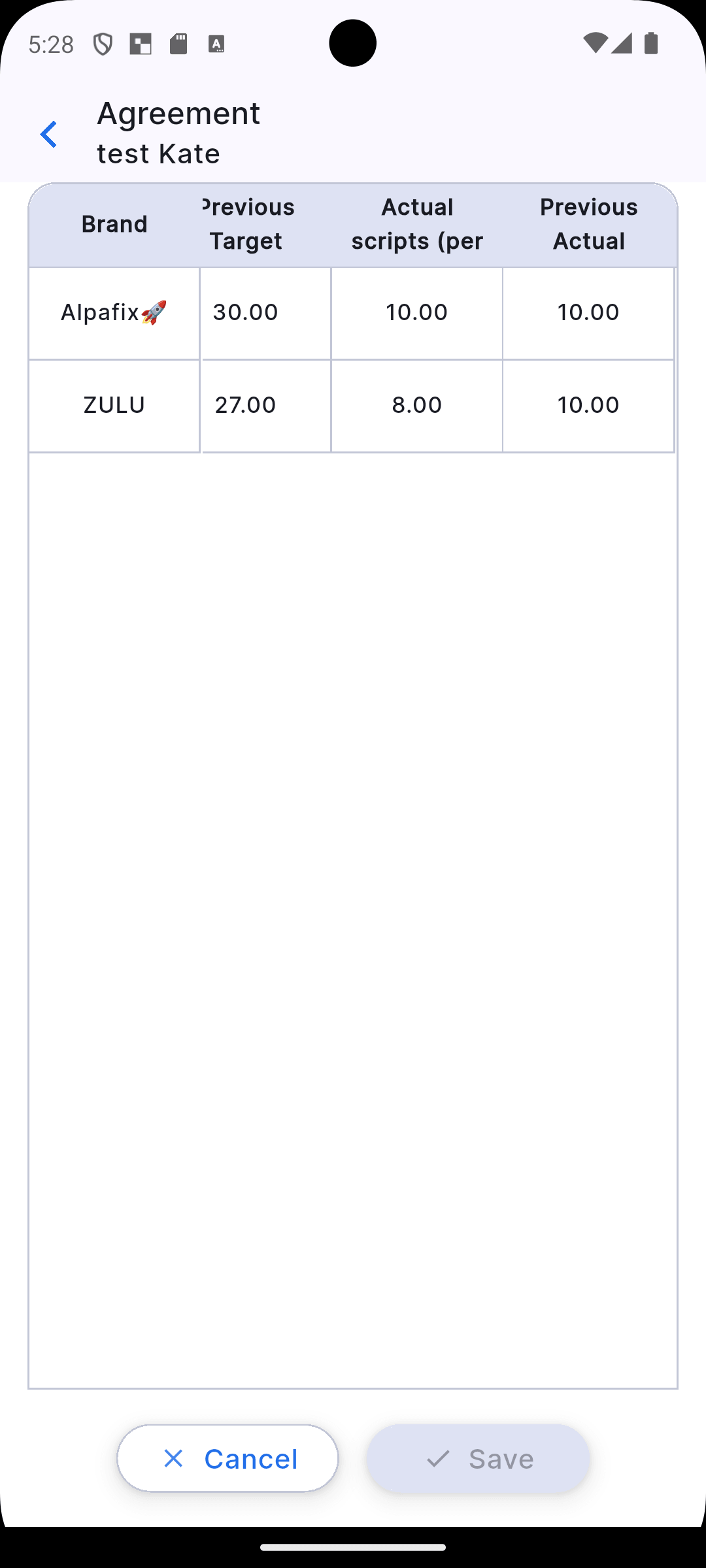
- agreements;
- promotional materials;
- visit outcome;
- reminder for the next visit.
The medical representative does not have to dictate all five blocks. Only part of the information can be provided by voice, while the rest can be entered manually.
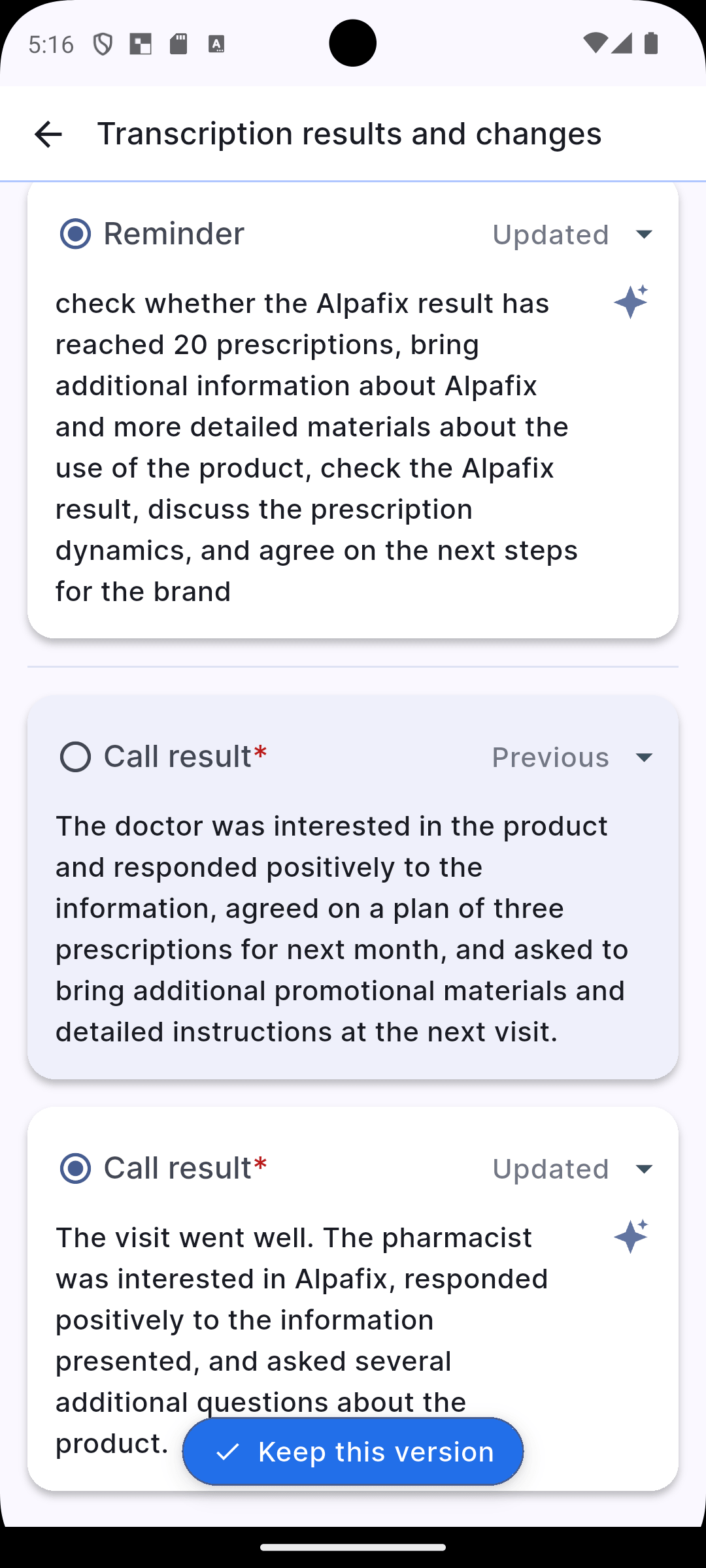
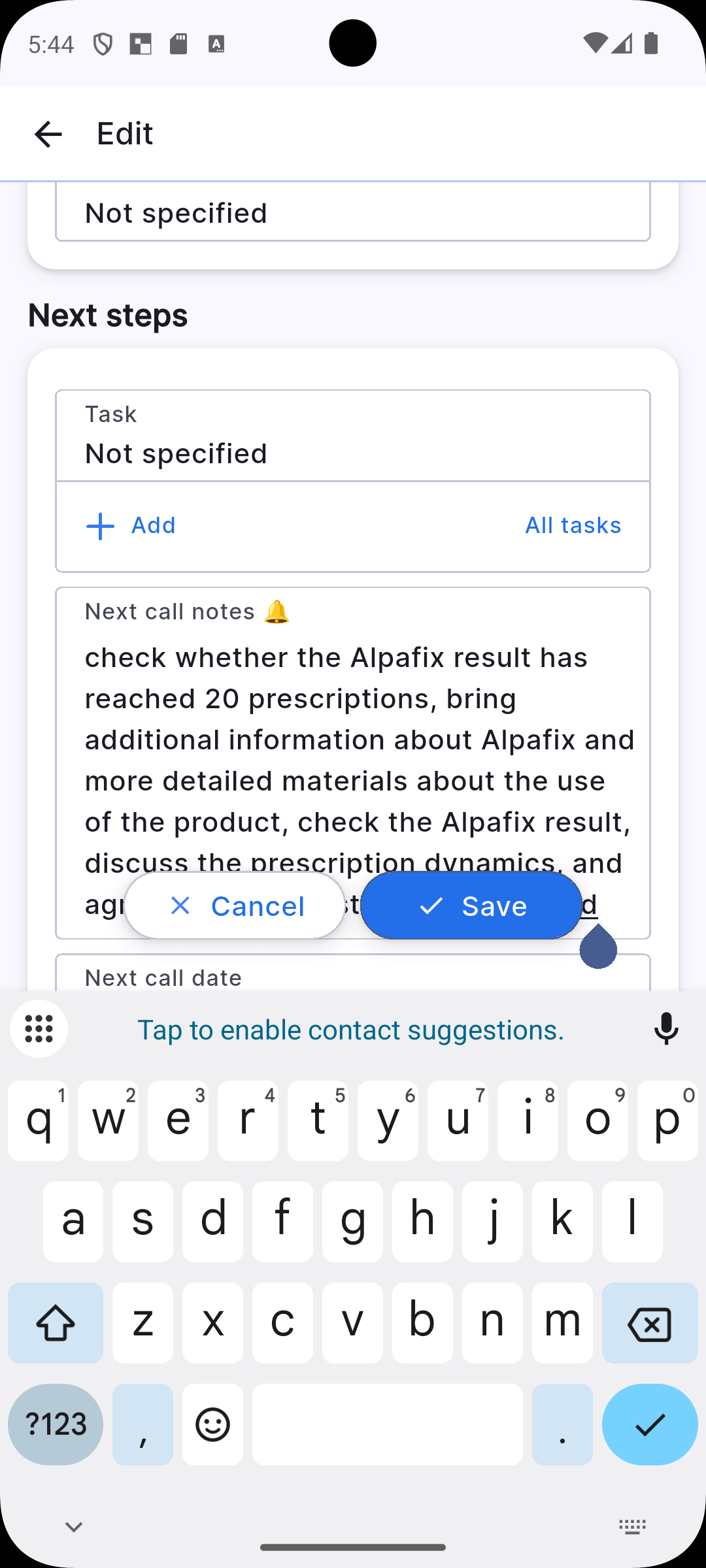
After the recording is processed, the user sees the AI-suggested values, can review the result, make any necessary corrections and only then save the changes.
As a result, Voice-to-Visit reduces routine data entry after a meeting while keeping the user in control of the final report.
Screenshot 1–3: Voice-to-Visit — Fill with voice button / Recording / Transcription.
Screenshot 4–6: selecting the transcription result / AI mapping / correcting visit fields.
1.1.2. User consent for audio recording during calls
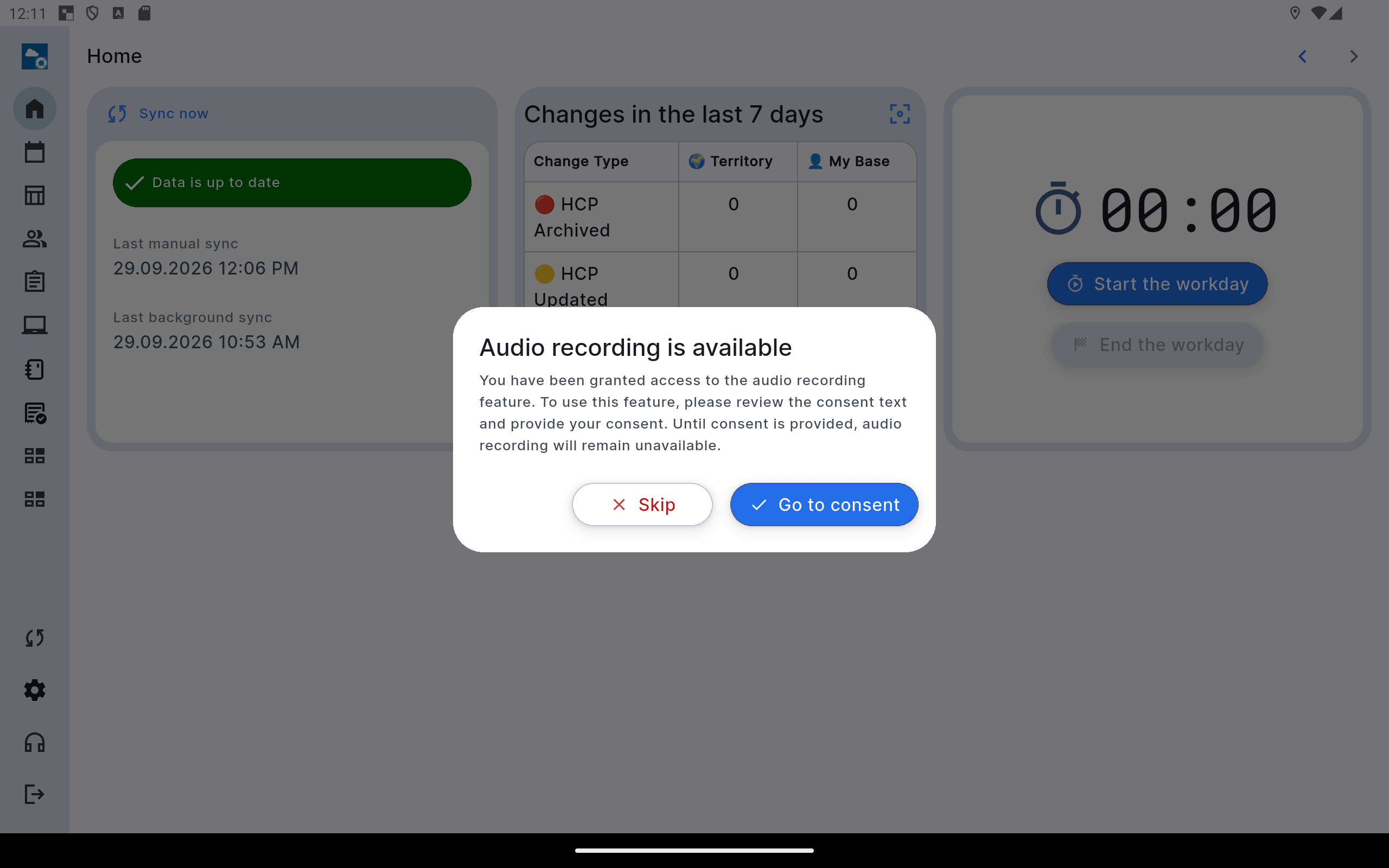
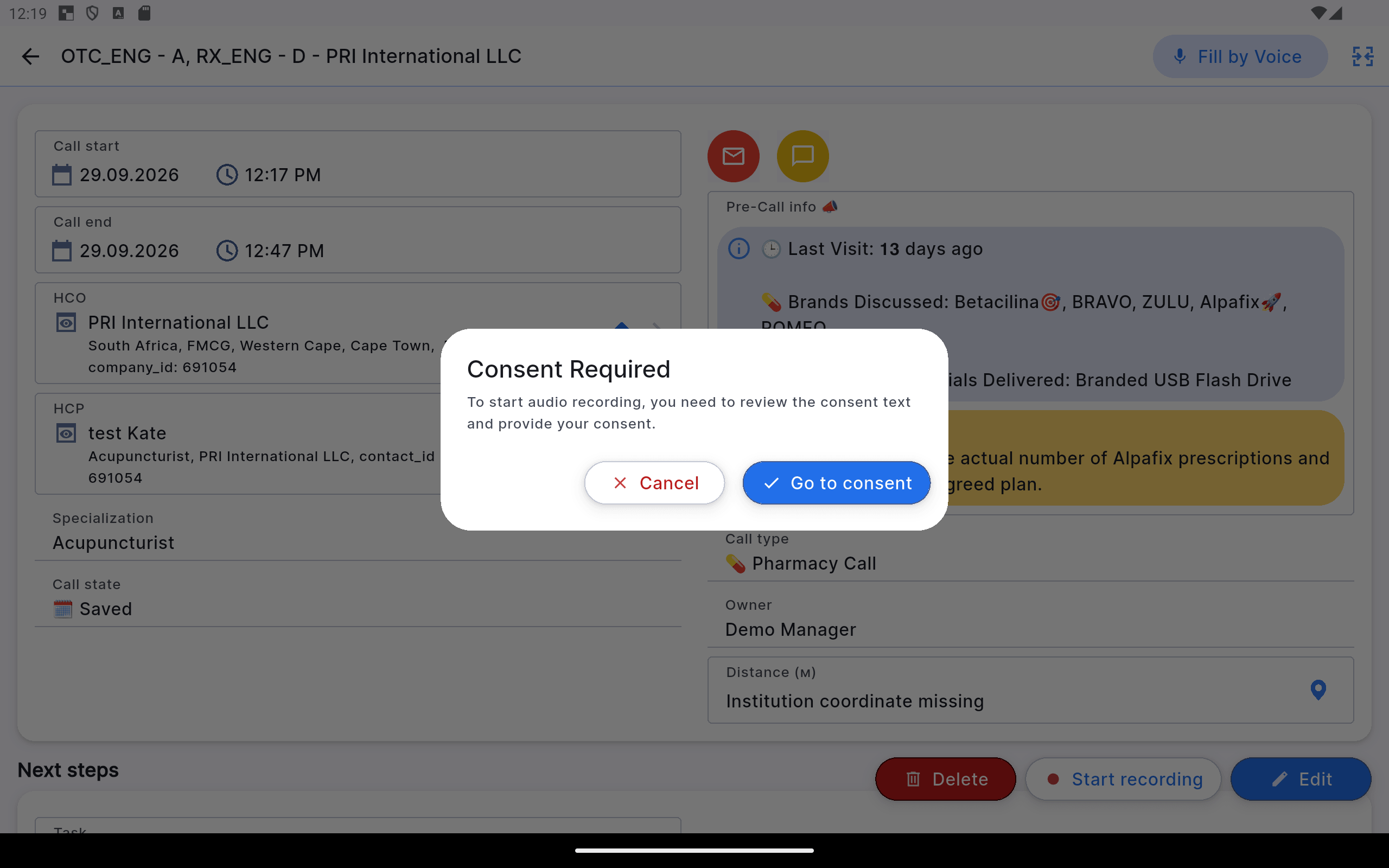
Before using audio recording for the first time, the user reviews the terms and confirms consent with a signature. Once confirmed, the system stores the consent and does not request it again.
The mechanism ensures transparent and mandatory confirmation of consent before working with audio from the medical representative (CRM user).
1.1.3. Viber Carousel in Proxima OCM: more content in one message
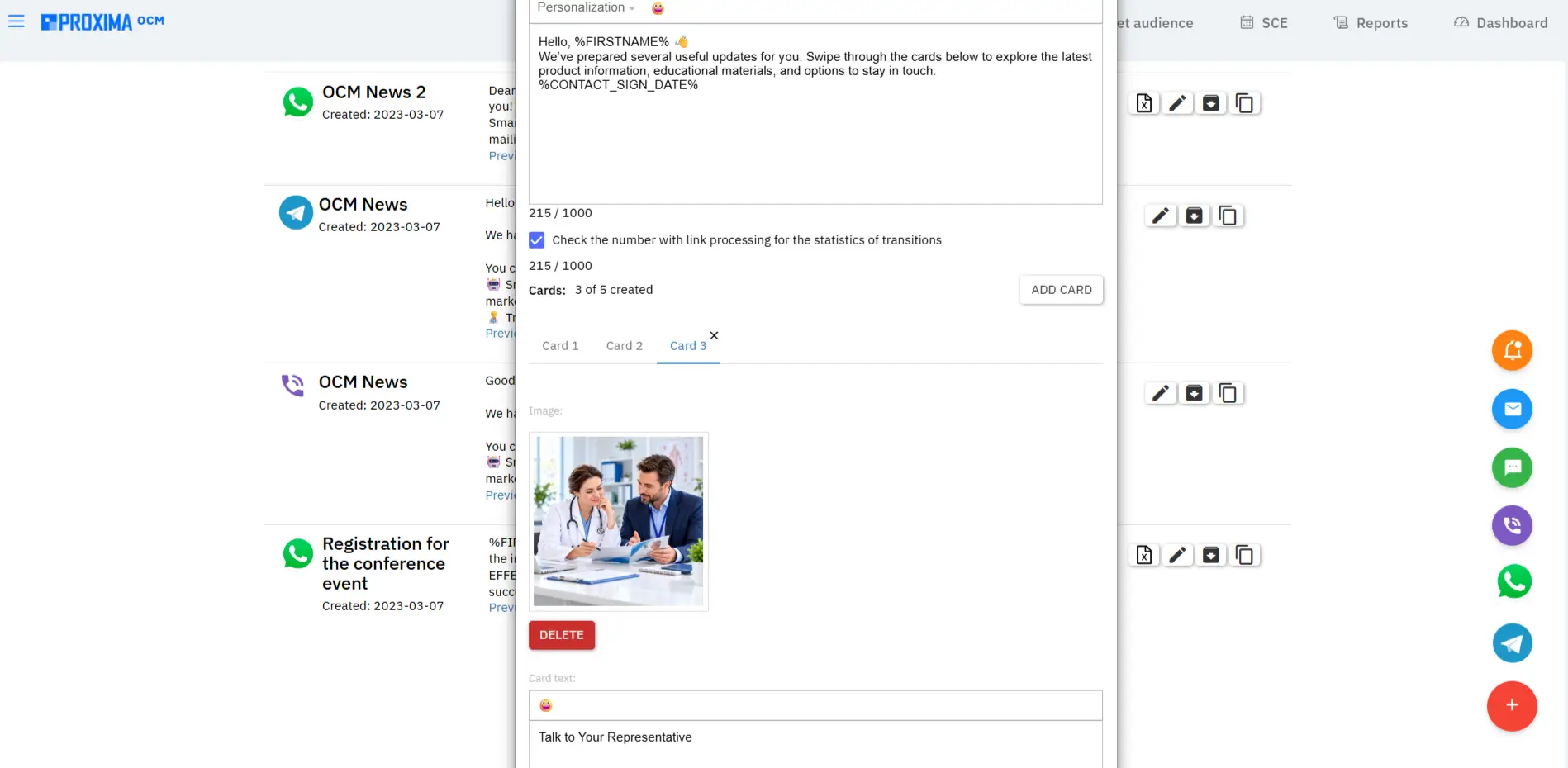
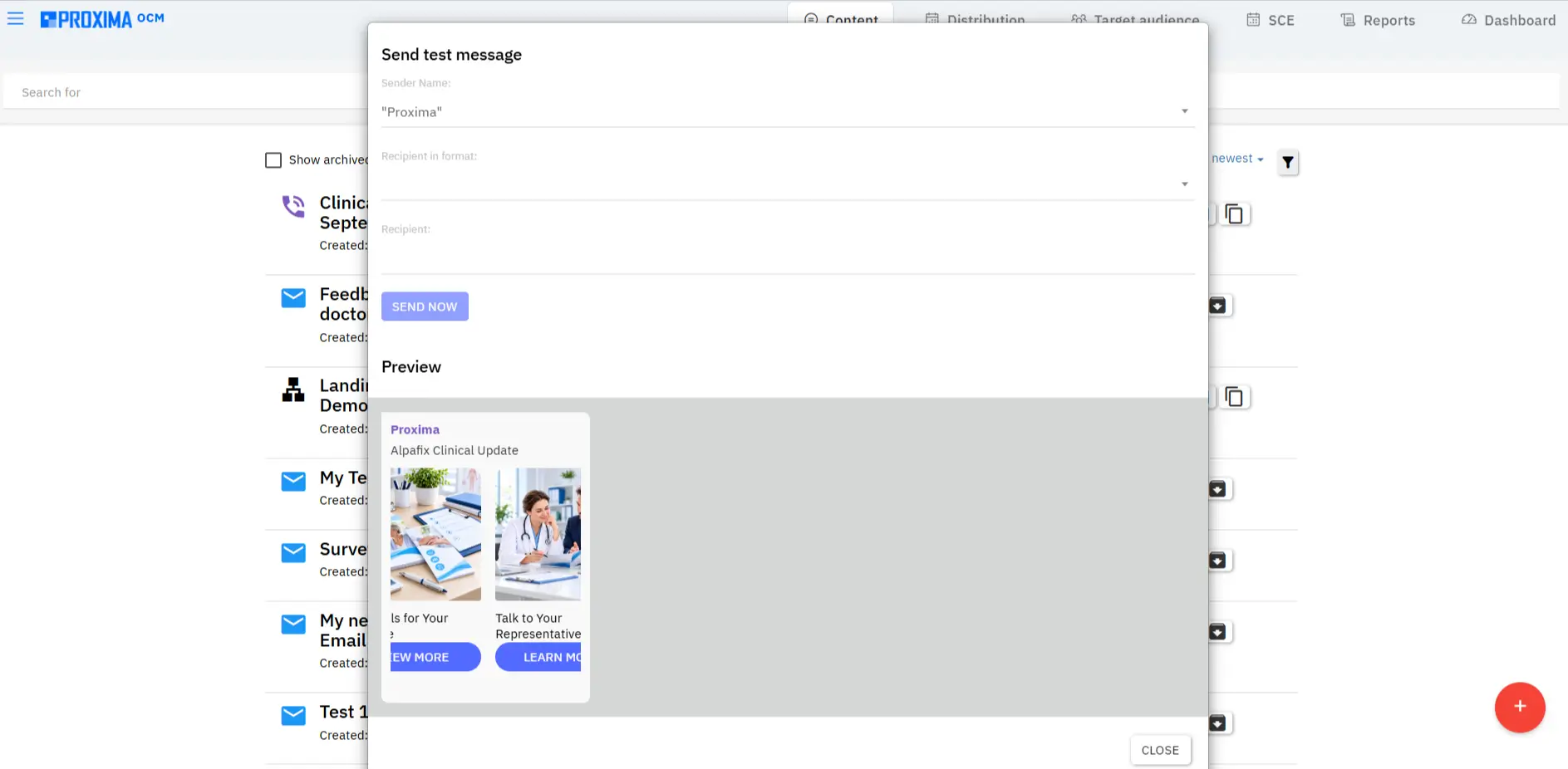
Release v18.0 expands Viber communication capabilities in Proxima OCM. Users can now create and send a Viber Carousel — a message with a horizontally scrollable set of cards. A carousel can contain up to five cards.
Each card can include an image, text and action buttons. This makes it possible to combine several informational or promotional blocks in a single message and make digital communication more visual and interactive.
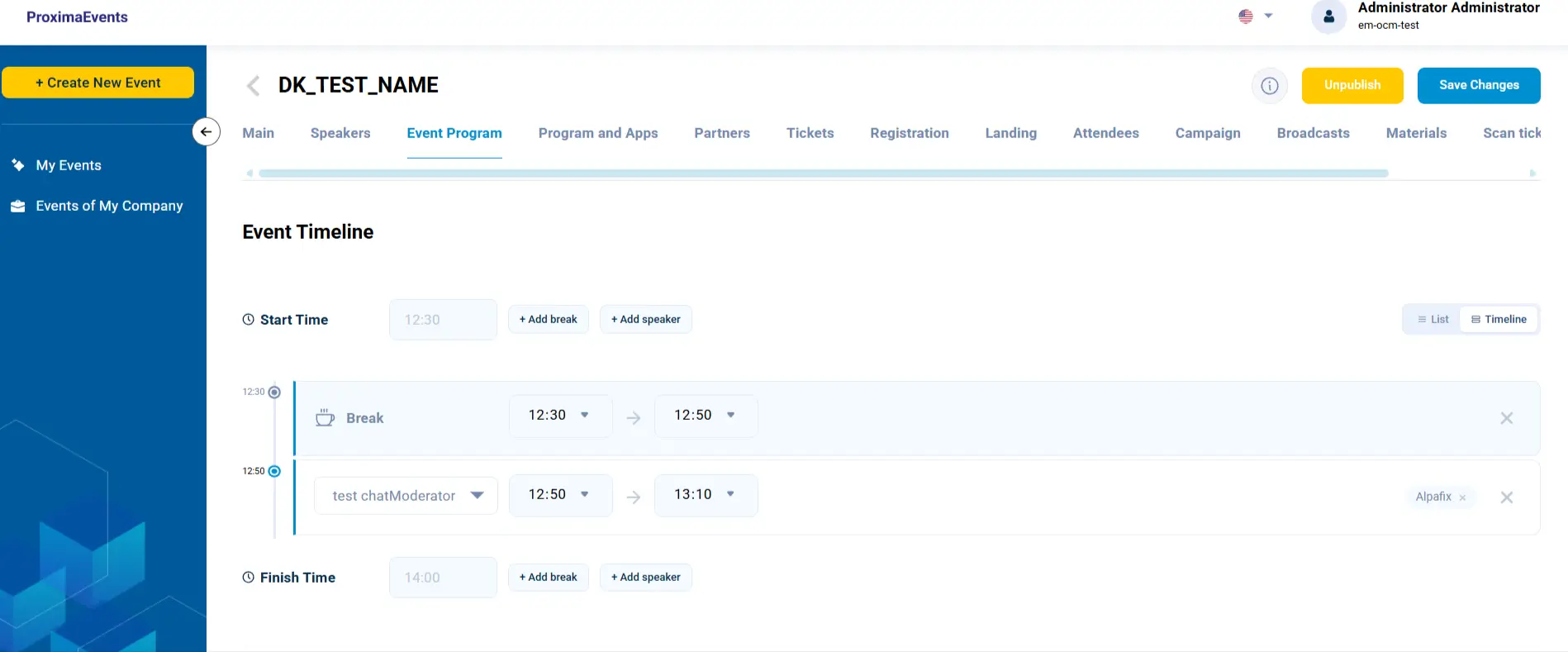
1.1.4. Event Machine: timeline tagging for engagement analytics
Event Machine now allows individual segments of an event timeline to be linked to products and speakers.
The Event Manager can tag the required segments with products and specify the speaker. After the event, chat activity — questions and answers — is matched to the corresponding segments.
This makes it possible to assess which presentations or topics generated the highest audience engagement and use these insights for future event planning.
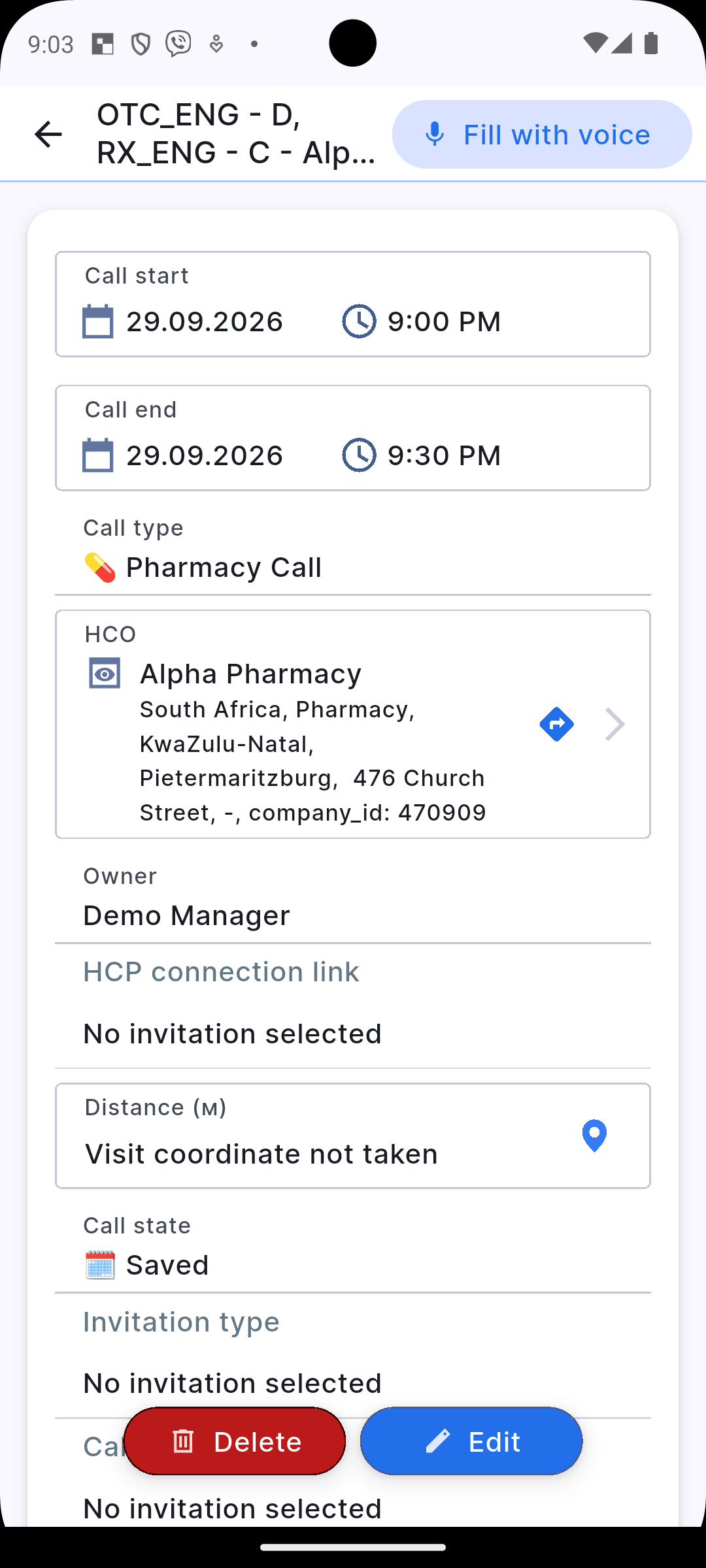
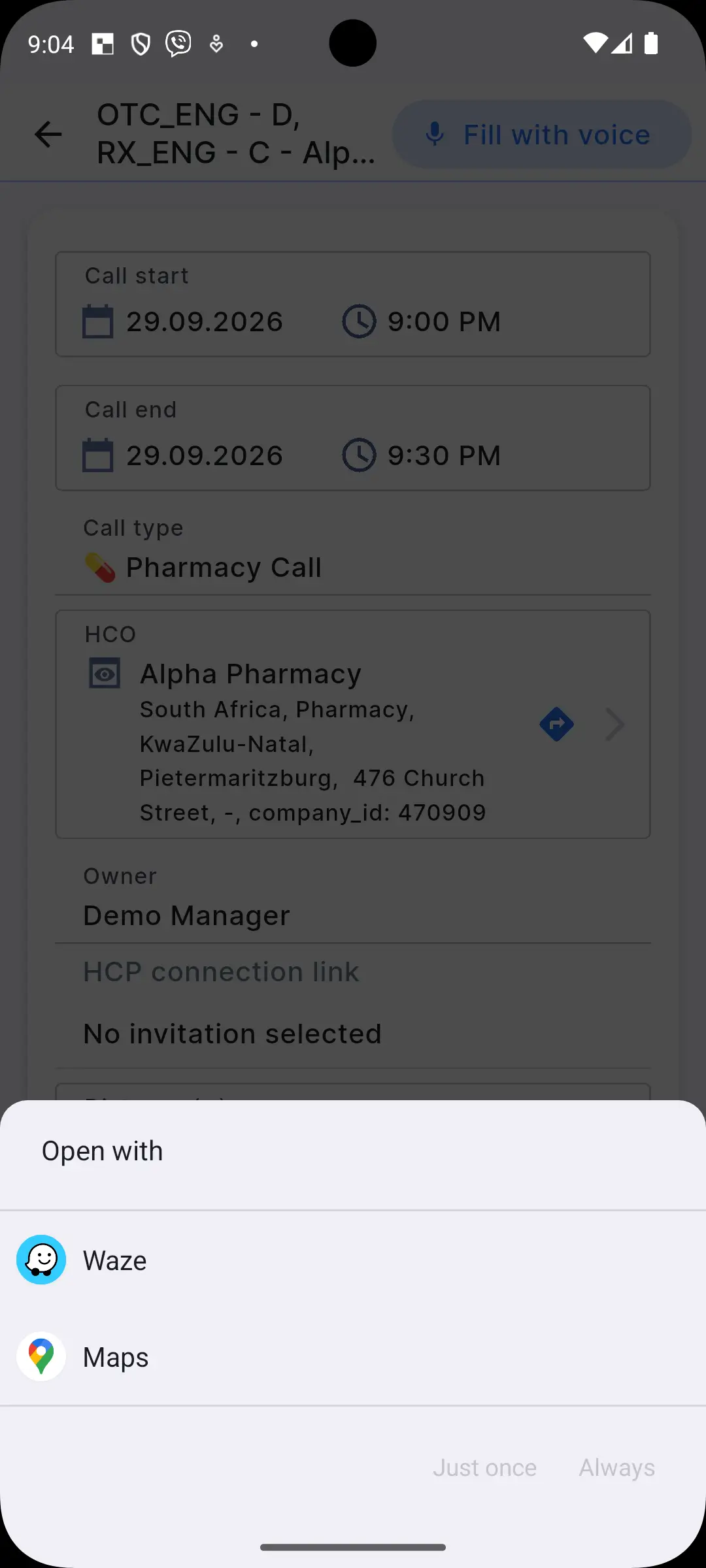
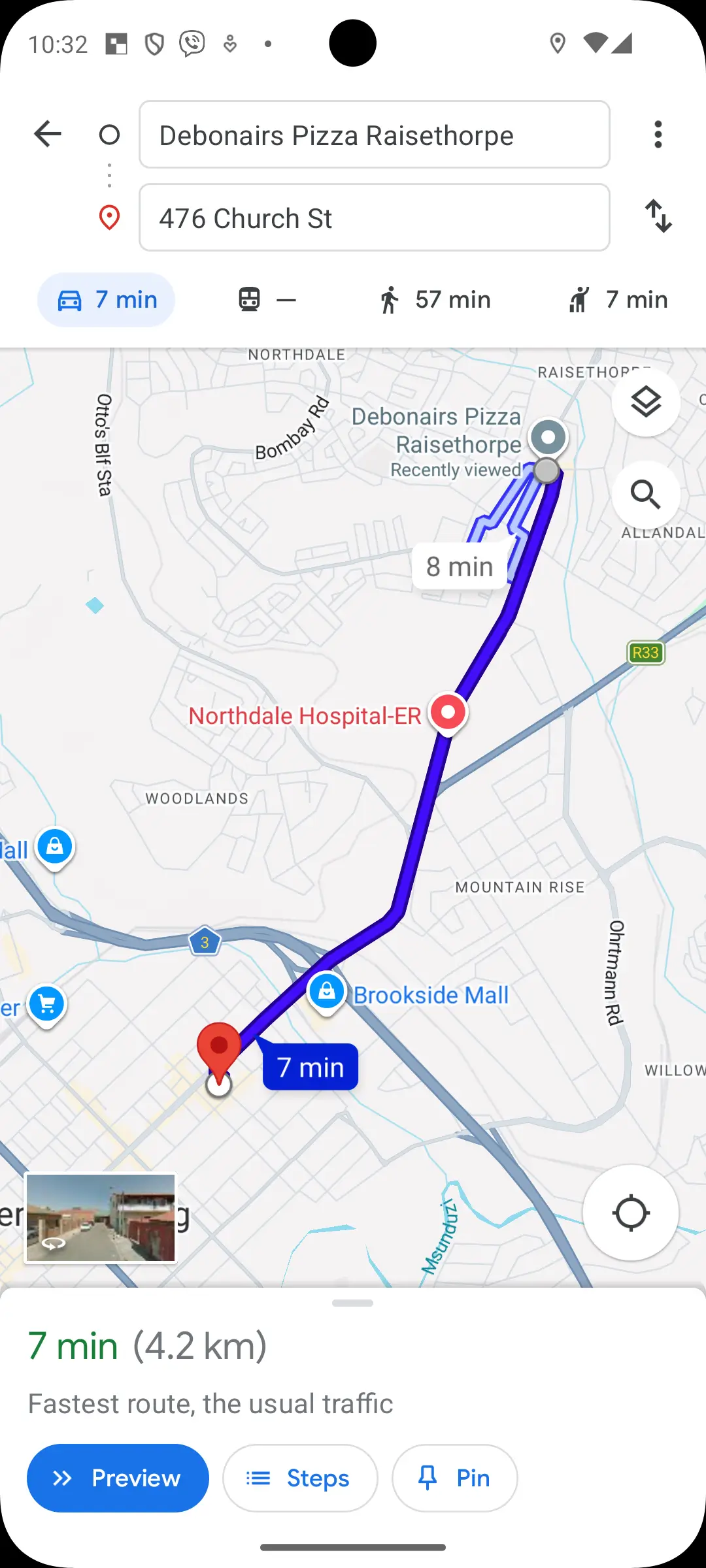
1.1.5. Navigate to an organization directly from CRM
A route icon is now available on visit and organization cards. By tapping it, the user can open the organization’s address in a navigation app — Google Maps, Waze or Apple Maps.
For a medical representative, this reduces the number of extra steps during the workday: there is no need to copy the address and search for it separately in a navigation app.
Screenshot 12–14: visit card with the HCO address and route icon, selection of an available navigation app, and a route to the organization address in Google Maps — navigation can be launched directly from the visit card.
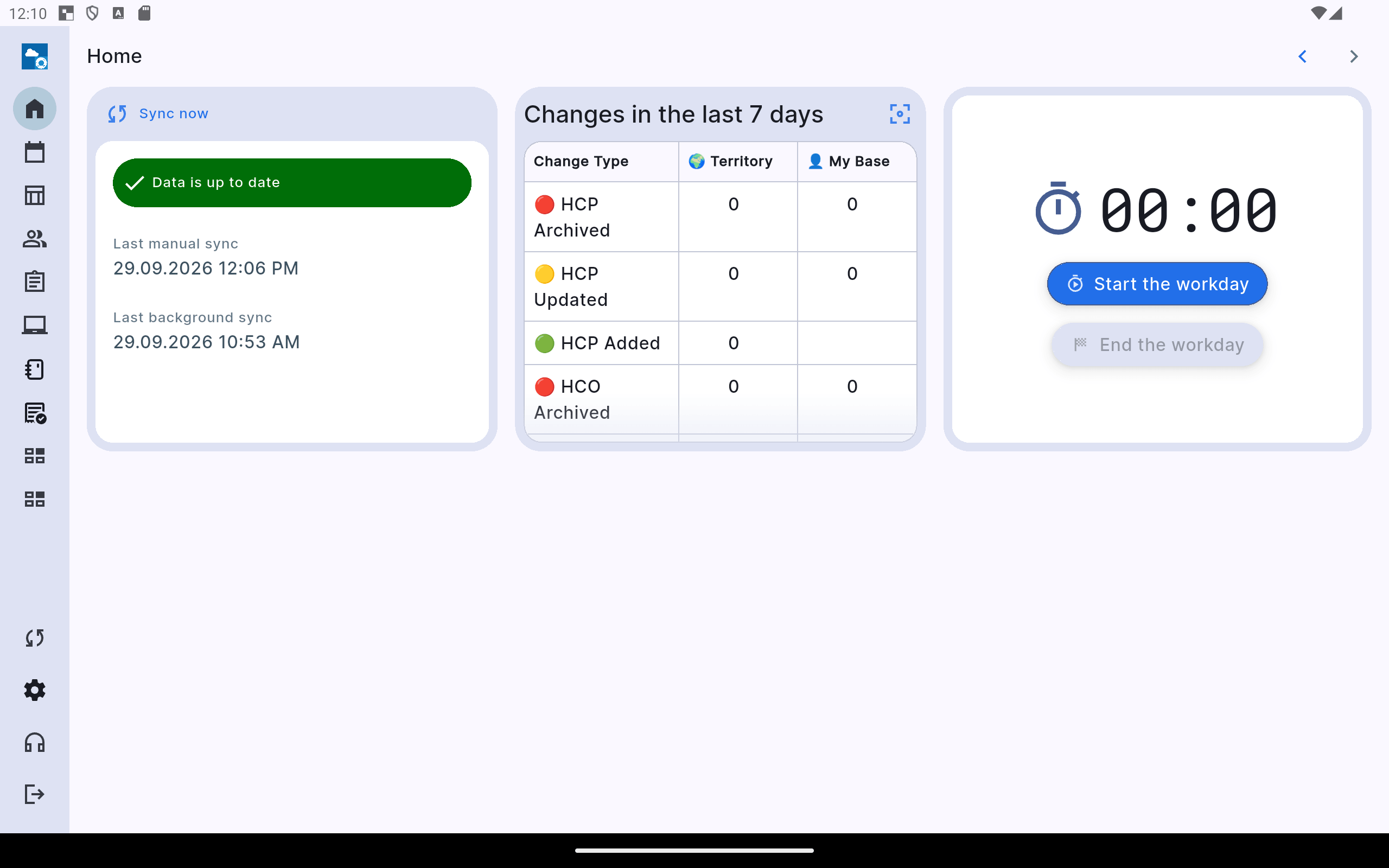
1.1.6. “Changes in the last 7 days” widget
A new widget on the Cloud CRM home page shows changes in the HCP and HCO database over the last seven calendar days.
Users can see how many records were added, updated or archived for their territory or assigned database.
This provides a quick view of how current the working database is immediately after logging in to CRM, without having to check the HCP and HCO lists separately.
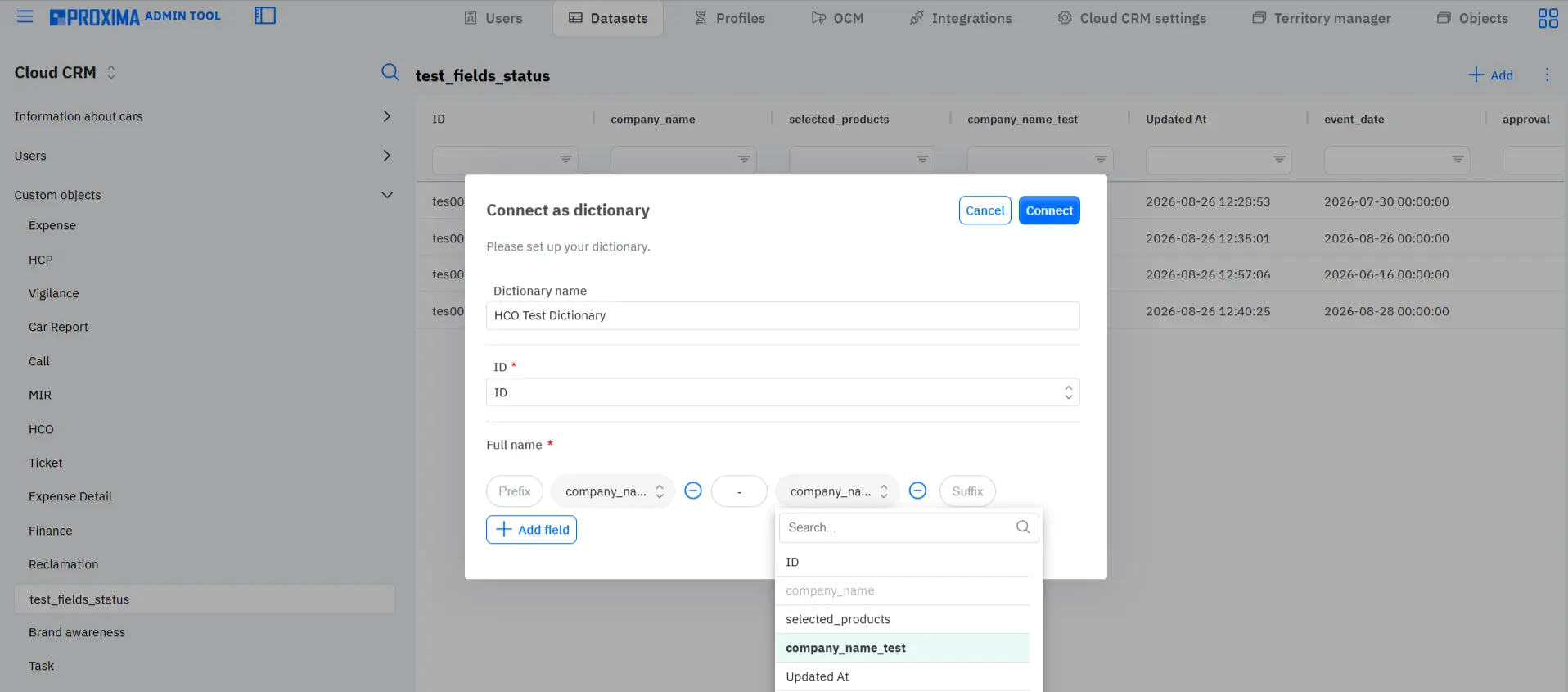
1.1.7. Reference list from selected Dataset fields in UserData 3.0
Reference list settings in UserData 3.0 have been expanded for administrators.
Administrators can now define which Dataset fields are used as the record identifier and which are used as the displayed name. Multiple fields can be combined into a single displayed name.
This helps create clearer record names and better adapt reference lists to each client’s data structure.
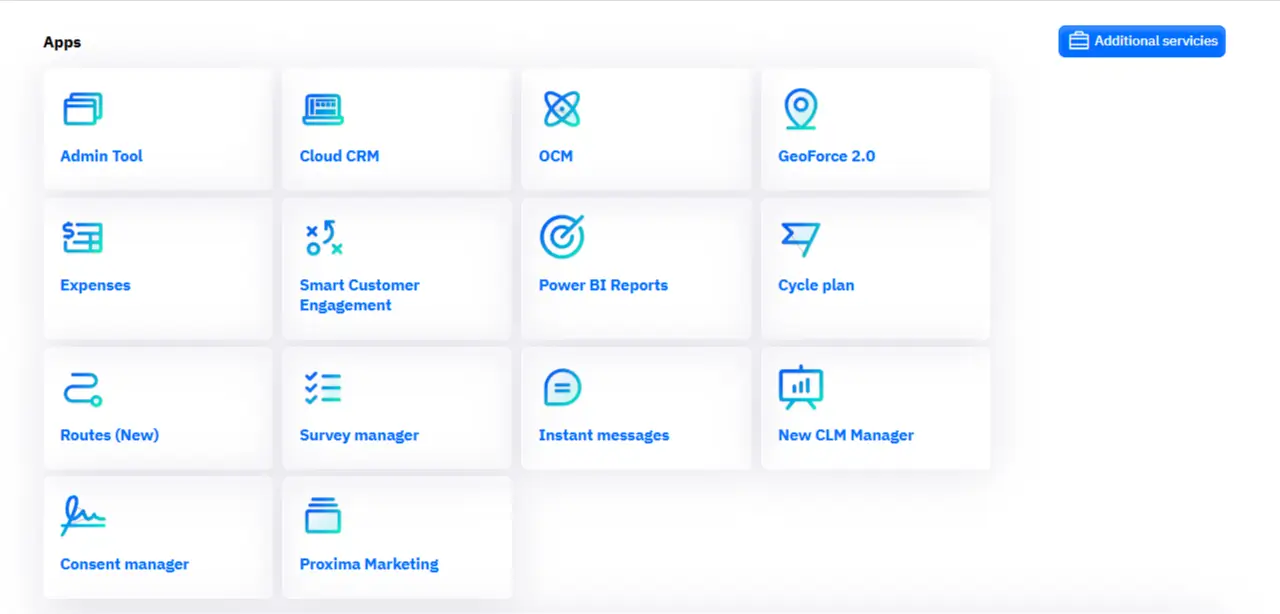
1.1.8. Proxima Marketing — quick access from Proxima Cloud CRM
A navigation tile has been added to the Cloud CRM home page, allowing users to open Proxima Marketing — a trade marketing management system — with one click.
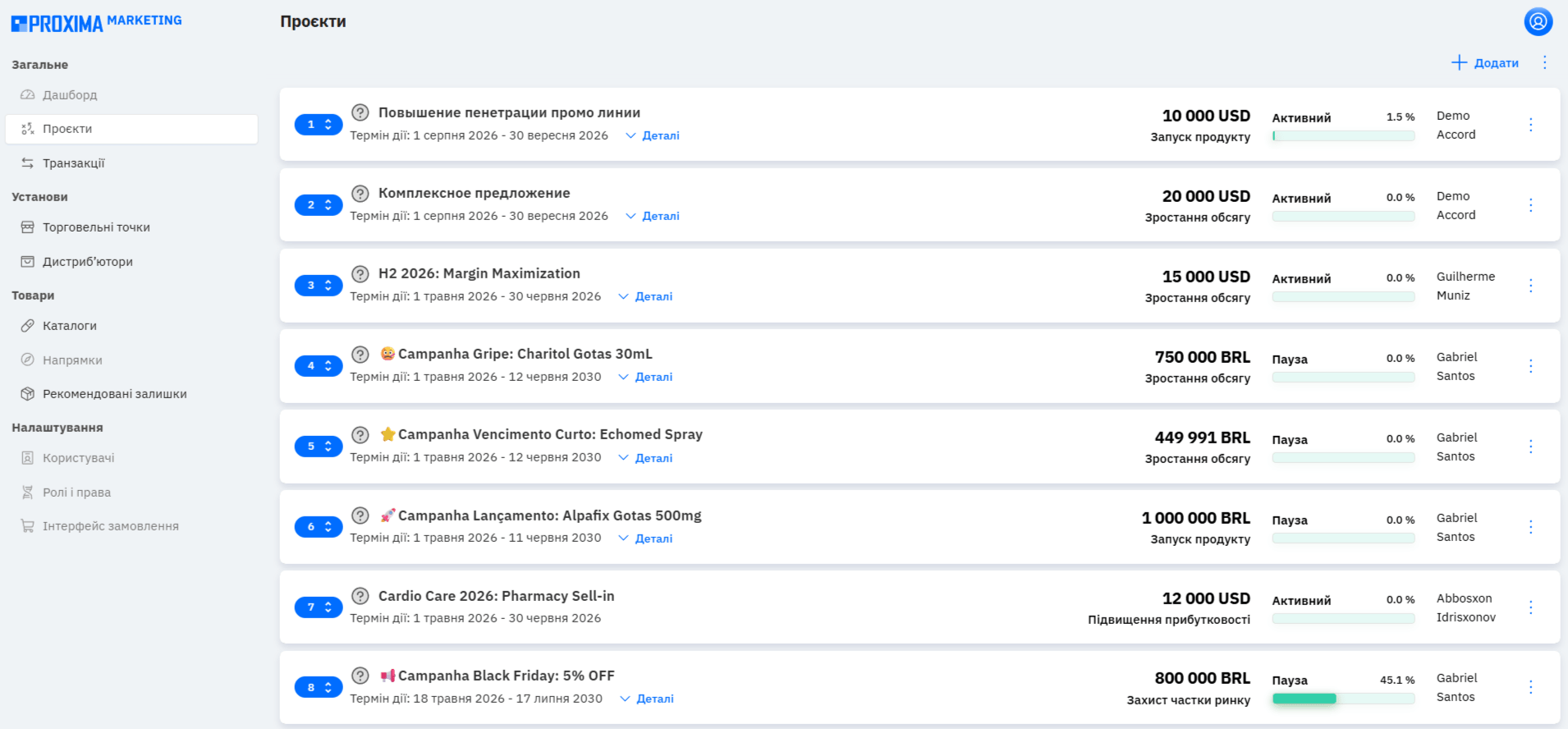
Proxima Marketing is a B2B solution for managing trade marketing programs between manufacturers and pharmacy retail. It helps turn marketing agreements, promotion terms and calculations into structured digital workflows.
At the core of Proxima Marketing is a no-code business rules builder where a marketer can independently define conditions, triggers and actions using the WHEN–IF–THEN principle. This makes it faster to launch and modify promotional mechanics without constant developer involvement, automate discounts and bonuses, and reduce the risk of errors caused by manual validation of conditions.
Built-in modules support marketing budget control, recommended inventory levels and performance analytics. The system records transactions, makes it possible to track budget utilization and creates a digital audit trail for marketing program execution.
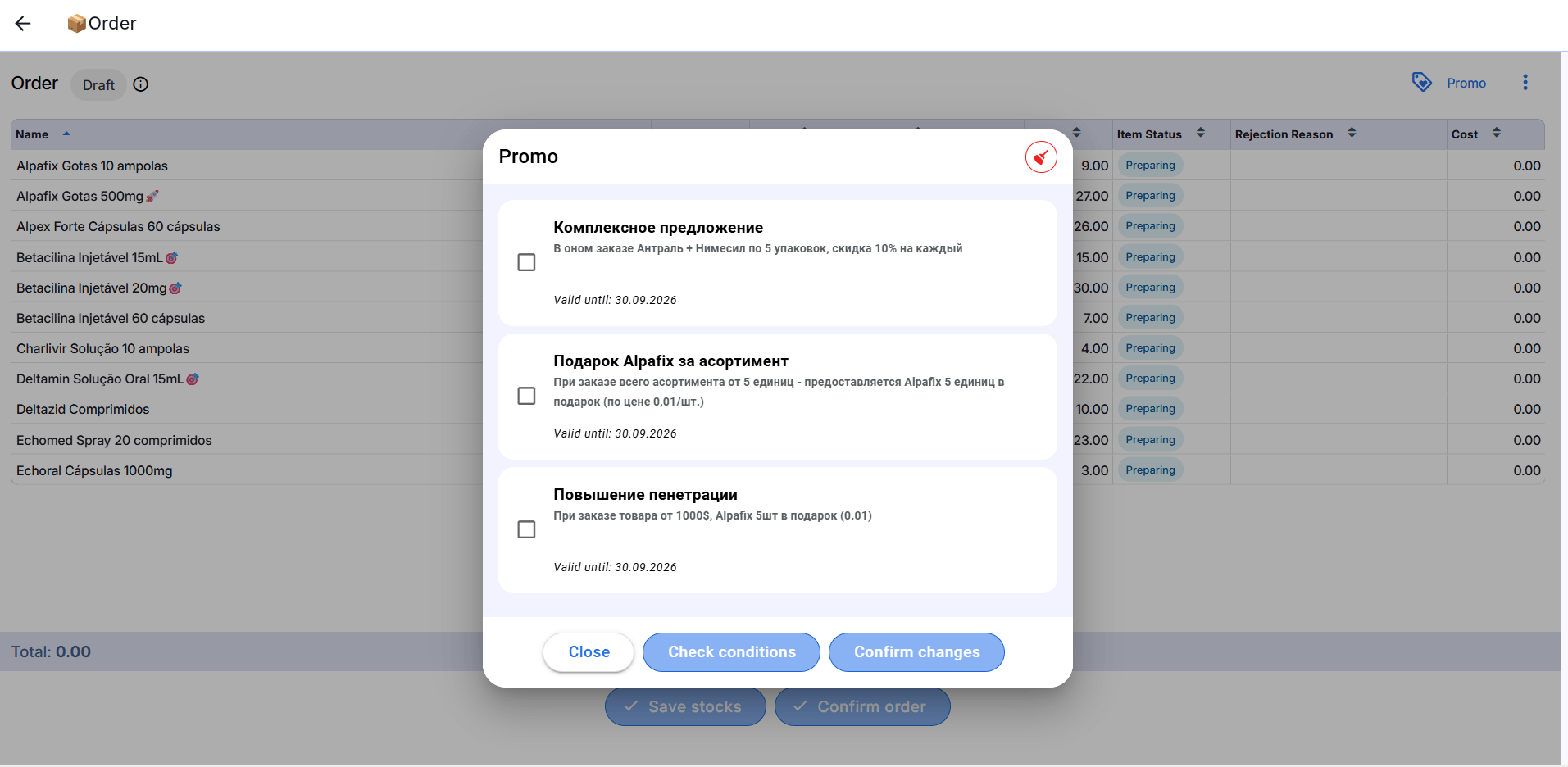
Through API and Webhooks integrations, rules configured in Proxima Marketing can be used by external operational systems, including ordering scenarios. Proxima Marketing integrates with the Pharm Ordering module — a built-in Proxima Cloud CRM tool for automating order placement during a representative’s visit.
This allows category managers, marketers and product managers to create and manage promotional marketing offers, while medical representatives can apply these bonuses directly during a visit. With a flexible and controlled engagement system in the form of a digital contract executed automatically by the system, manufacturers can increase pharmacy loyalty to their brands.
More details about the product are available in the dedicated → Proxima Marketing material and Pharm Ordering.
Product Improvements in v18.0
1.1.9. More reports in HCP/HCO cards in the mobile app
Previously, an HCP or HCO card in the mobile app supported only one report. After the update, the number of available report tabs is determined by system settings and is no longer limited to a single report.
This gives medical representatives more analytical context directly in the customer or organization card.
1.1.10. Material Manager: receiving and tracking materials by month
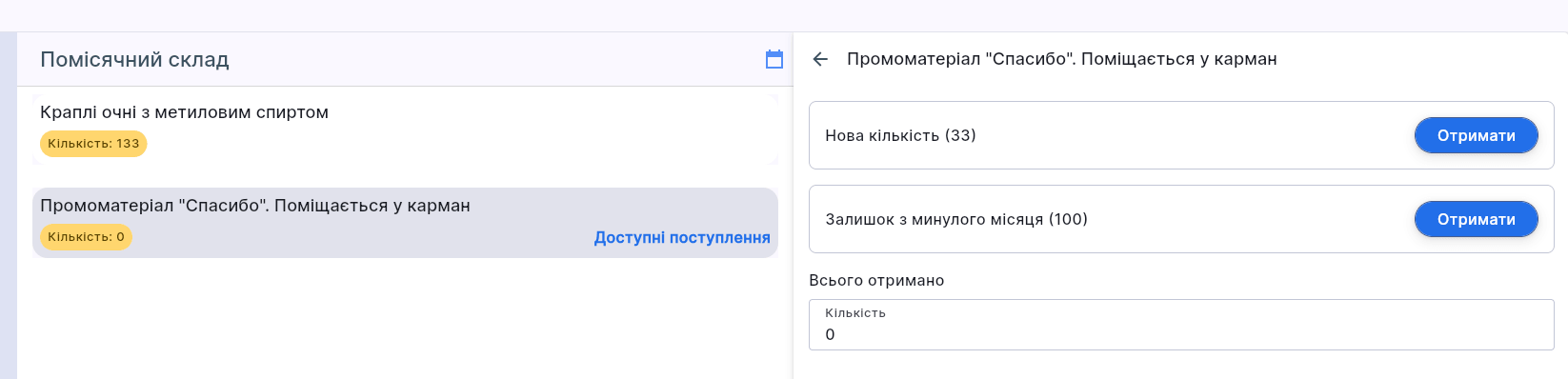
Material Manager now supports monthly receipt of materials and month-by-month balance tracking.
Users can work with materials by individual month:
view receipts for a selected period,
confirm newly received materials,
use balances carried over from the previous month if they were not fully used.
Both uploaded invoices and system-generated invoices for carried-over balances are supported. Previous periods can be viewed using the month filter, while the active month is shown in the header.
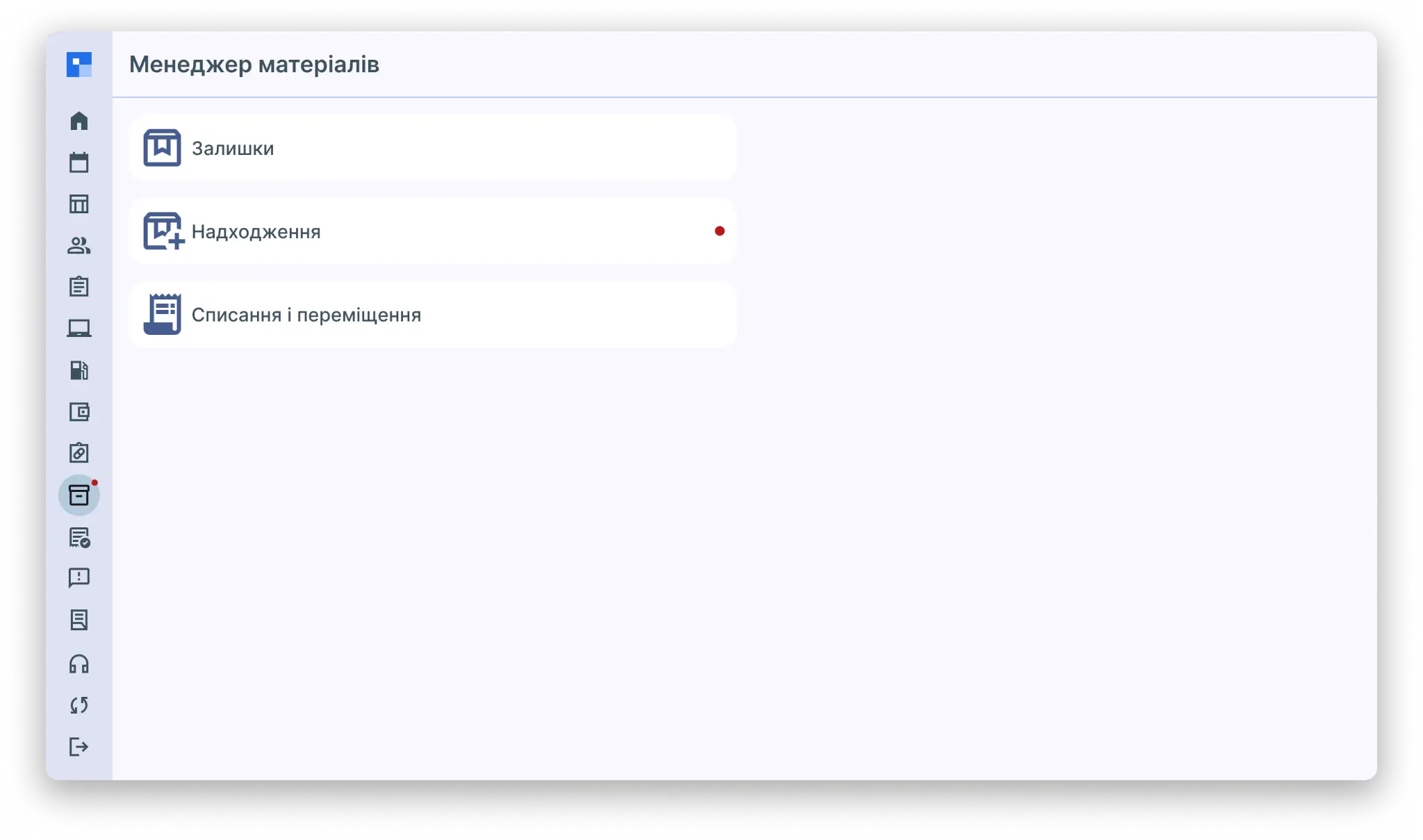
Managers now also receive notifications when new materials arrive at their warehouse.
1.1.11. Updated permissions for closed entities
Release v18.0 also improves permission logic for editing and deleting closed entities, including visits, tasks, fuel reports, accounts and pharmacovigilance records.
This gives administrators greater control over which actions are available to users after the corresponding processes have been completed.
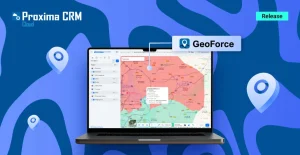
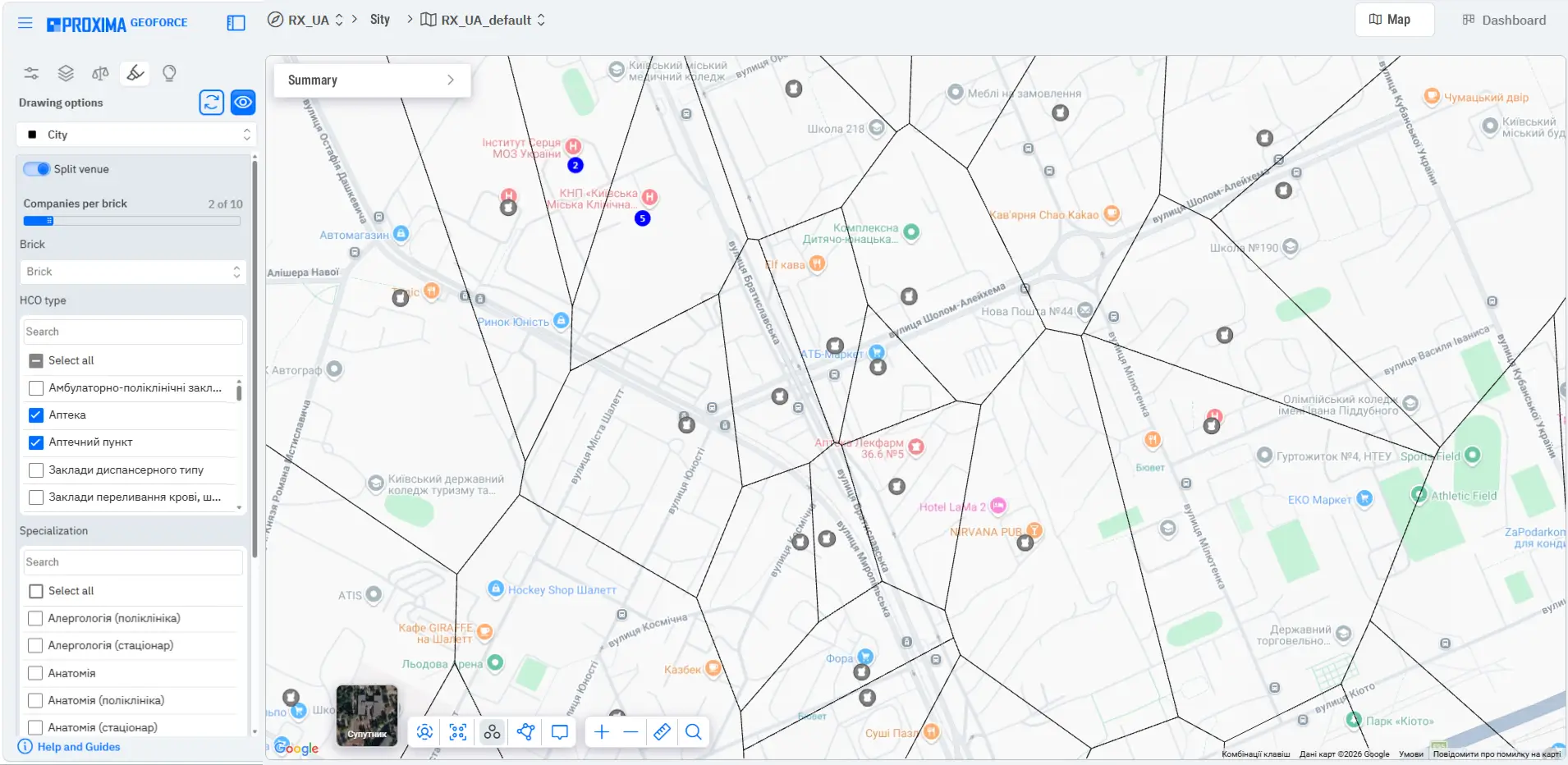
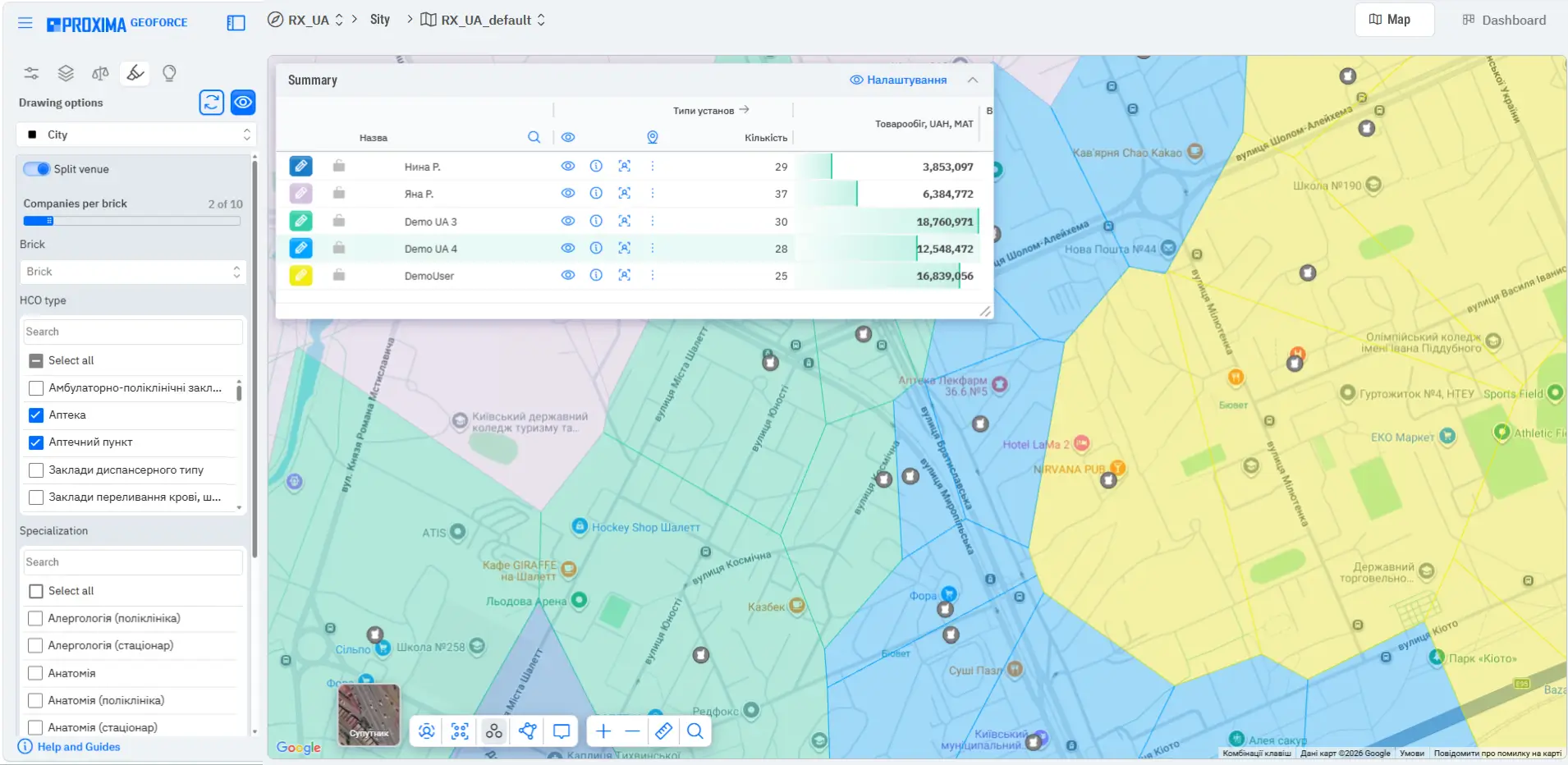
1.1.12. GeoForce: more control over Voronoi polygons
In GeoForce, users can set a target number of organizations for a single Voronoi polygon.
This provides more control over automatic territory splitting and makes it possible to adapt polygon generation to the required structure of the customer database.
1.2. Proxima CRM Platform
New Features in Version 18.0 of the Platform
1.2.1. Related custom objects directly in the HCP/HCO card
Another important card update is the ability to work with related custom object records.
A medical representative can open, create, edit and delete related records directly from an HCP or HCO card without navigating to a separate CRM section. The tab can be available even when the object has no records yet — the first record can be created directly from the card.
The administrator determines which custom objects are displayed in the card.
Note: an Internet connection is required to work with related custom object records. This functionality is not available offline.
1.2.2. Work without synchronization interruptions
The mobile app now supports bidirectional background synchronization.
Previously, users had to stop working and start synchronization to receive current data from the server. Now the app can send user-entered changes and receive new data in the background without blocking the main workflow.
Manual forced synchronization also remains available and works as before.
For medical representatives, this means fewer pauses during the workday and faster access to up-to-date information in CRM.
1.2.3. Warning before large imports
Administrators now receive a warning before resource-intensive data operations.
When uploading or updating 100,000 or more rows, the system warns about the large operation in advance. This allows the administrator to assess the operation before it actually starts.
2. Release v18.1 — August 12, 2026
Release v18.1 Infographic
2.1.Proxima CRM Product
New Product Feature in v18.1
2.1.1. From a Power BI report to a Copilot analytical answer
The main focus of Release v18.1 is simplifying work with Power BI Copilot.
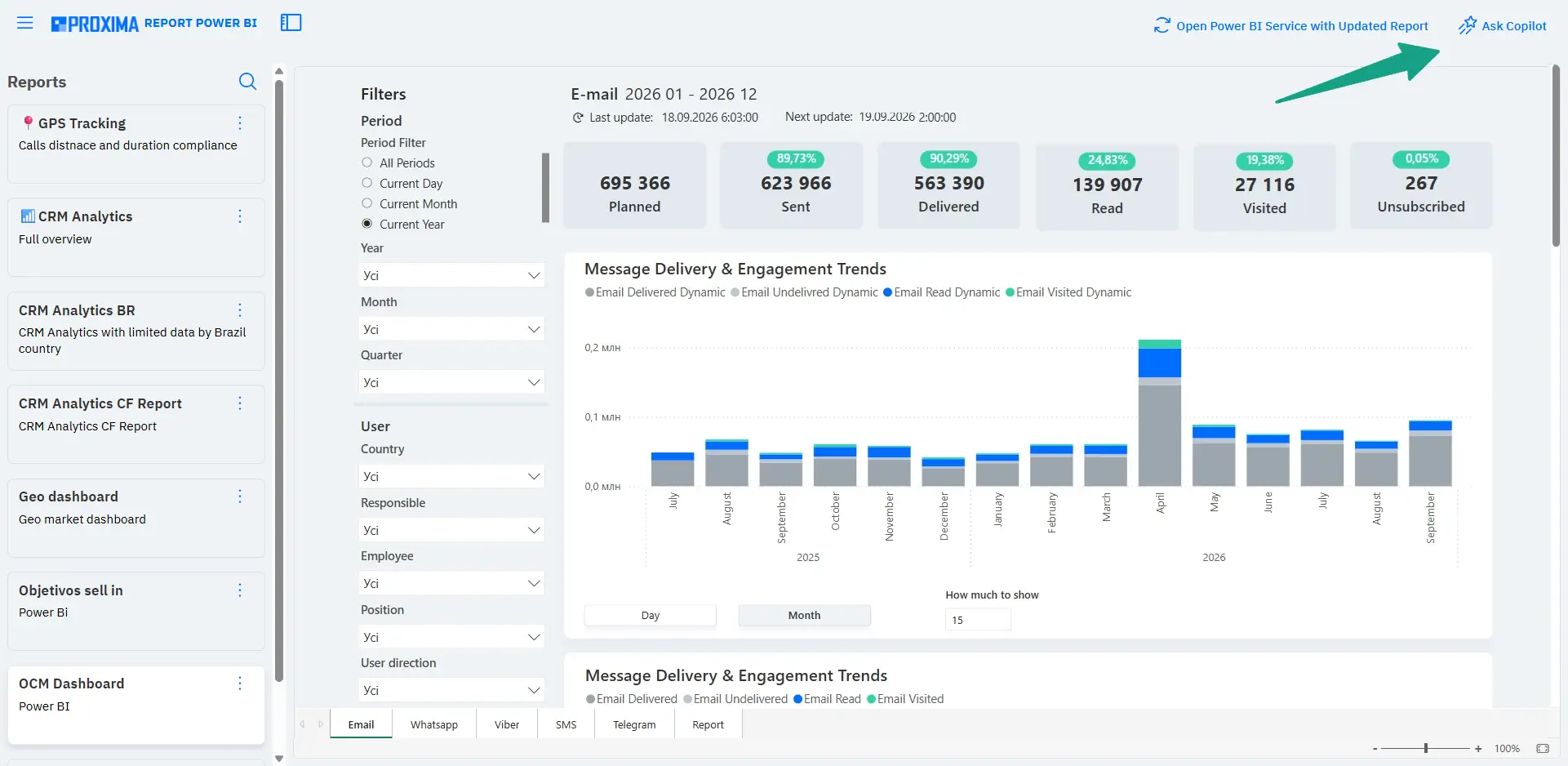
An Ask Copilot button has been added to the Power BI Reports section. Users can open the required report in Proxima Cloud CRM and go directly to the same report in Power BI Service — without manually searching for it.
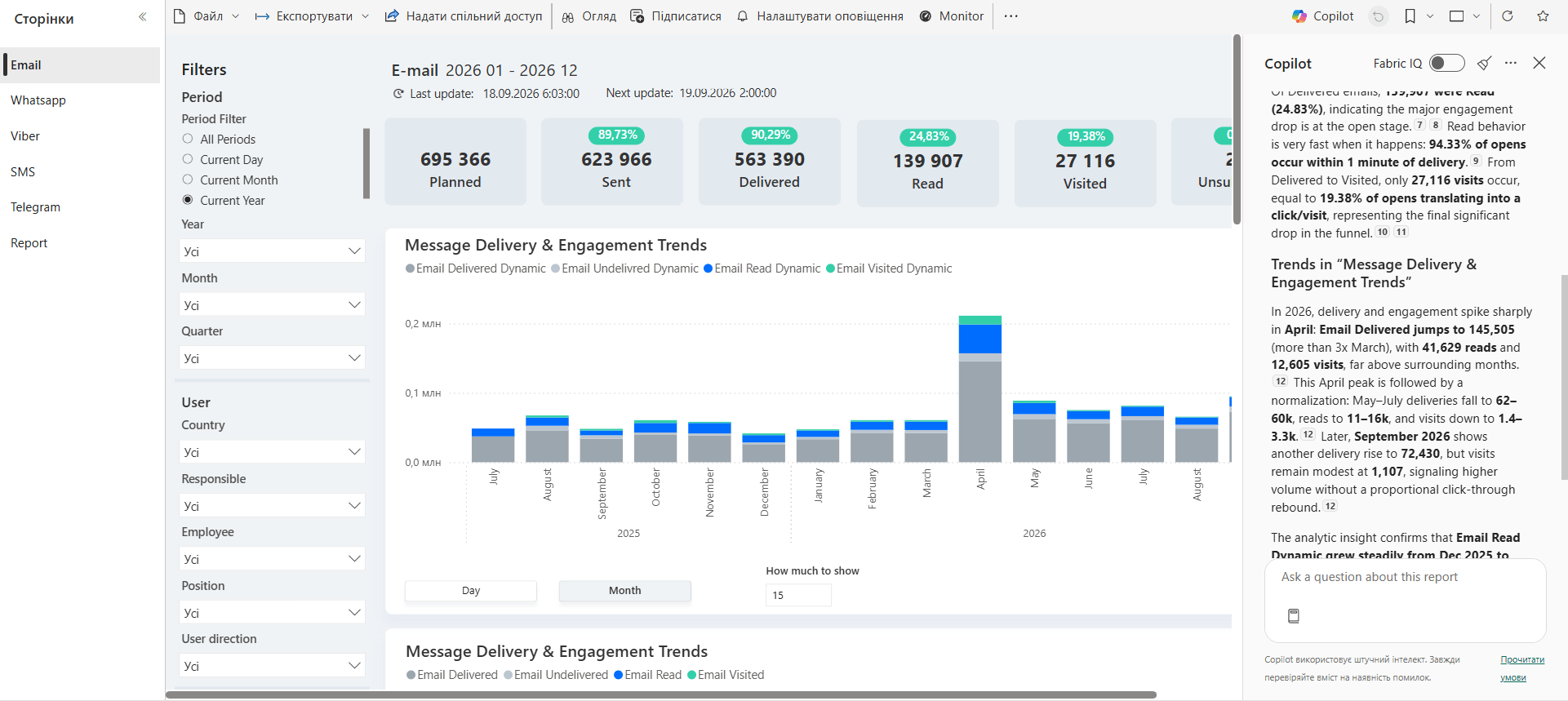
Users can then work with the data through Copilot in natural language: ask it to summarize key metrics, explain changes, identify trends, compare values or highlight anomalies.
Instead of reviewing individual visualizations one by one, users can move to a “question → analytical answer” workflow.
Ask Copilot does not replace the Power BI report itself — it adds another way to interact with the data when the user needs to quickly find an explanation or a specific metric.
2.1.2. Simplified Copilot Access management
Providing access to Power BI Copilot no longer requires manual configuration in Microsoft Entra ID. Administrators can enable access with a single Copilot Access toggle in the user profile, while the system automatically performs the remaining actions in the background.
The activation process correctly handles cases where the user already exists in the tenant, is already a member of the required security group, or already has the necessary settings configured. As a result, enabling access again does not create duplicates or errors.
Administrators can also disable Copilot Access at any time.
AI functionality is not enabled by force: access to Copilot is determined by the company’s AI usage policy and administrator settings.
What users get in Release v18.0 and v18.1
Release v18.0 and v18.1 develop Proxima Cloud CRM in several directions at once, but they share one goal — to reduce manual operations and make the required data available directly within the user’s working scenario.
Medical representatives can complete visit results faster with Voice-to-Visit, continue working without pausing for synchronization, access more information directly in HCP/HCO cards and navigate more quickly to the next visit location.
Managers gain more capabilities for materials control, engagement analysis and working with an up-to-date customer database.
Administrators gain more flexible management of data, access rights and AI functionality.
Artificial intelligence adds another layer to analytics workflows: from viewing a ready-made Power BI report to interacting with its data conversationally and getting the required insight faster.
Try the new Proxima Cloud CRM capabilities
New features are now available in the user and presentation environments.
To activate the required features, get advice on Release v18.0 and v18.1, or see the new Proxima Cloud CRM capabilities in action, contact your Proxima Cloud CRM administrator or get in touch with our team.
Try it free — a new CRM for the pharmaceutical business
Note: This article includes screenshots from a demo environment featuring anonymized or simulated data that does not belong to any real individuals.