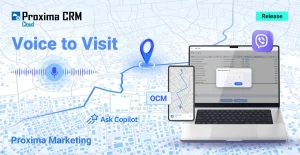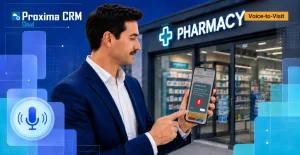


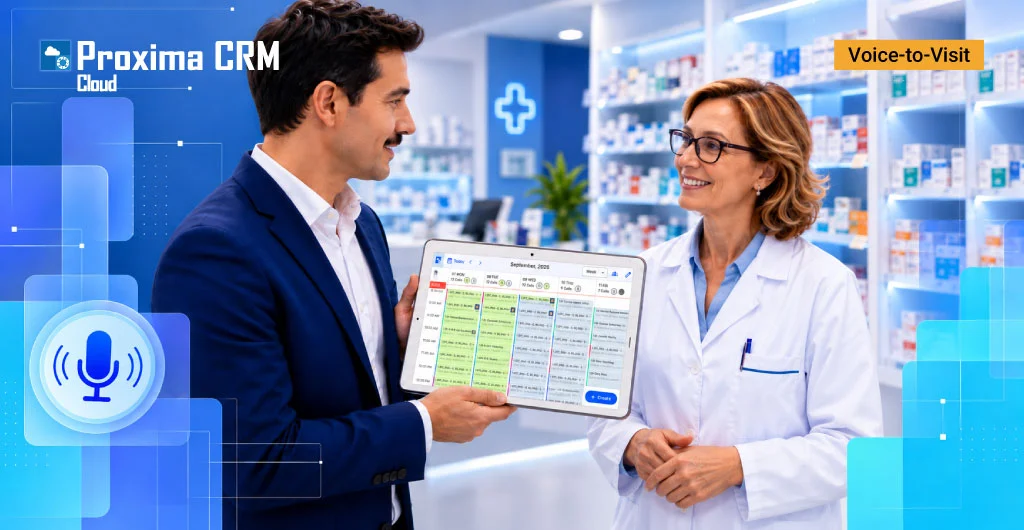
A medical representative may conduct many field visits during a single workday. After each meeting, the CRM needs to capture which brands were discussed, what agreements were reached, which materials were used or requested, what needs to be done during the next contact, and what the outcome of the meeting was.
The longer visit documentation is delayed, the greater the risk of losing important details. That is why Voice-to-Visit in Proxima Cloud CRM is being developed as a tool that allows meeting results to be entered immediately after the visit—in natural language, without manually completing each field separately.
Contents
Voice AI Assistants Are Becoming the New Standard for Pharma CRM
The use of voice input and AI for field teams is already becoming a noticeable direction in the development of CRM solutions for the pharmaceutical industry. Systems are moving from simple speech-to-text to contextual AI mapping in CRM.
Voice AI tools are used to simplify the documentation of HCP interactions and reduce manual data entry. AI assistants convert the user’s words into text and then intelligently populate CRM fields with recognized values. Voice scenarios and interaction with CRM are expanding.
The development of these capabilities in well-known pharma CRM platforms confirms a broader trend: AI is becoming increasingly integrated into the everyday processes of field teams, moving from the role of a standalone assistant to a tool embedded directly into the field team’s daily workspace.
From Voice to a Structured Business Card: How Voice-to-Visit Works in Proxima Cloud CRM
The market is moving toward greater use of AI technologies, and Proxima Cloud CRM is developing its own AI scenarios integrated into our clients’ business logic.
Technically, Voice-to-Visit in Proxima Cloud CRM v18.0 does not work like ordinary voice-to-text input.
We created a voice-based visit-card completion scenario in the mobile app, with mandatory user review of the data before it is saved.
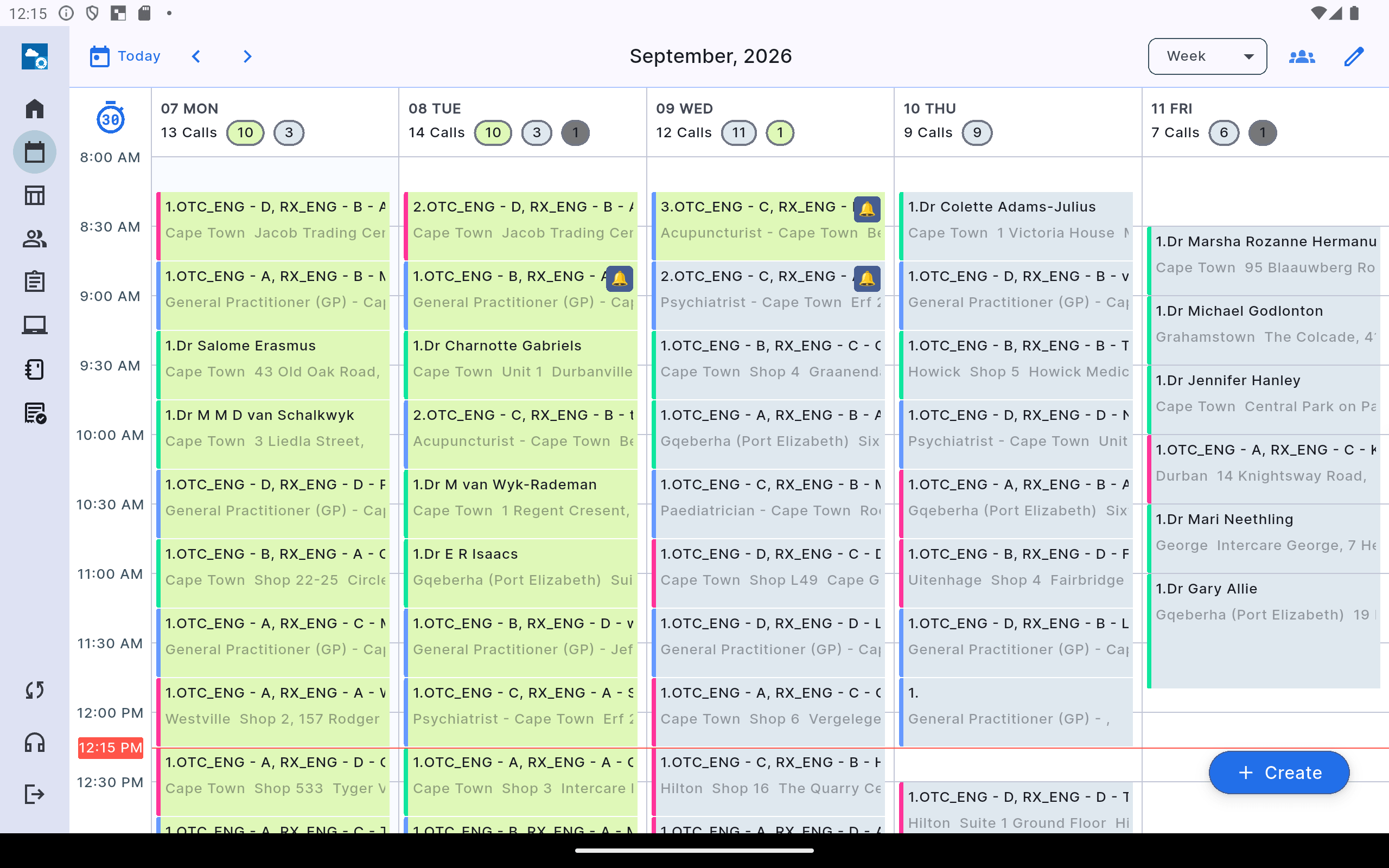
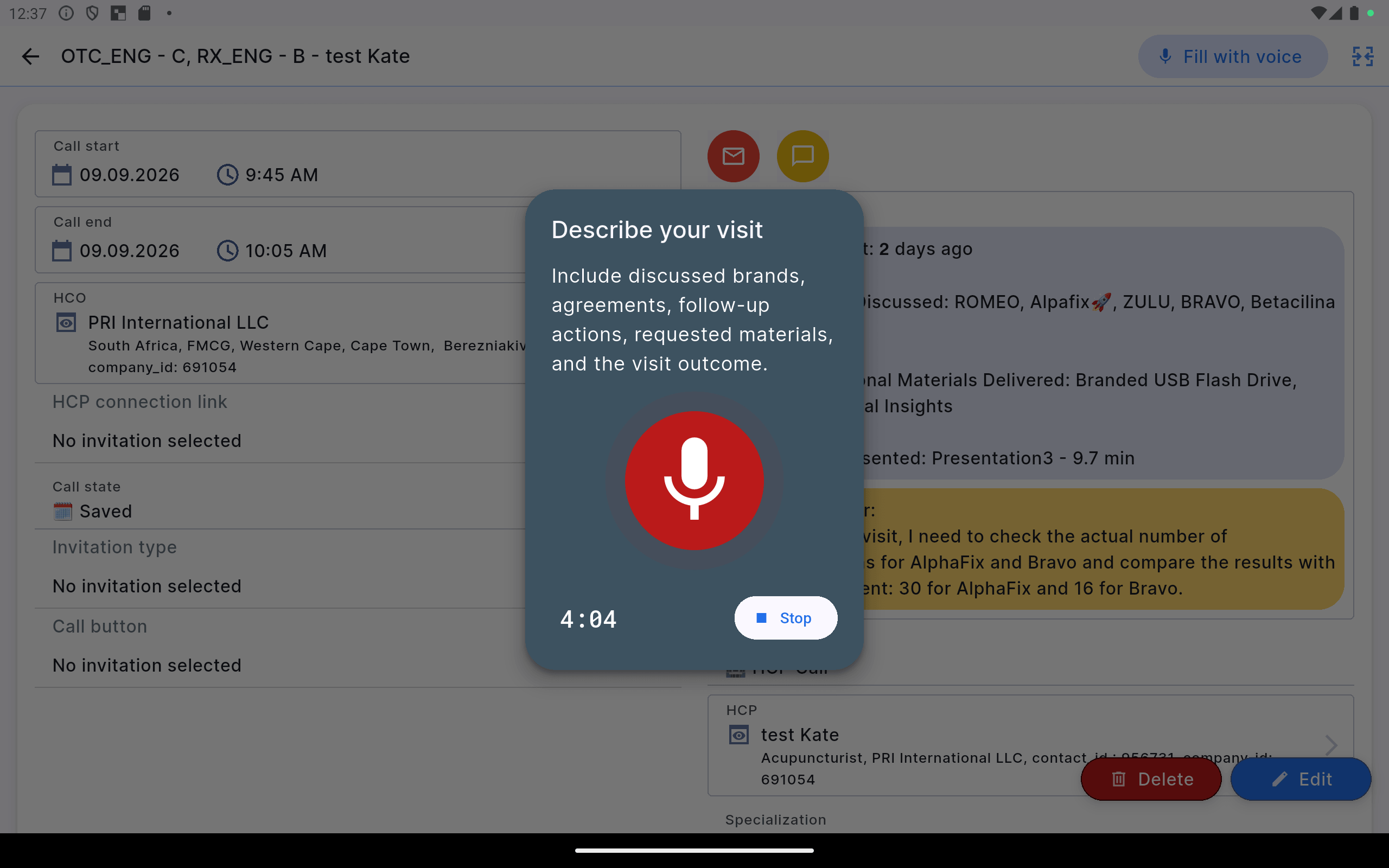
The medical representative dictates the outcome of the meeting, the system converts the audio into text, and then the LLM analyzes the content and context of the speech and performs mapping—determining which part of what was said should go into a specific CRM field.
As a result, one natural-language voice report goes through several stages:
voice → transcription → AI/LLM mapping → structured field values → medical representative review → visit save.
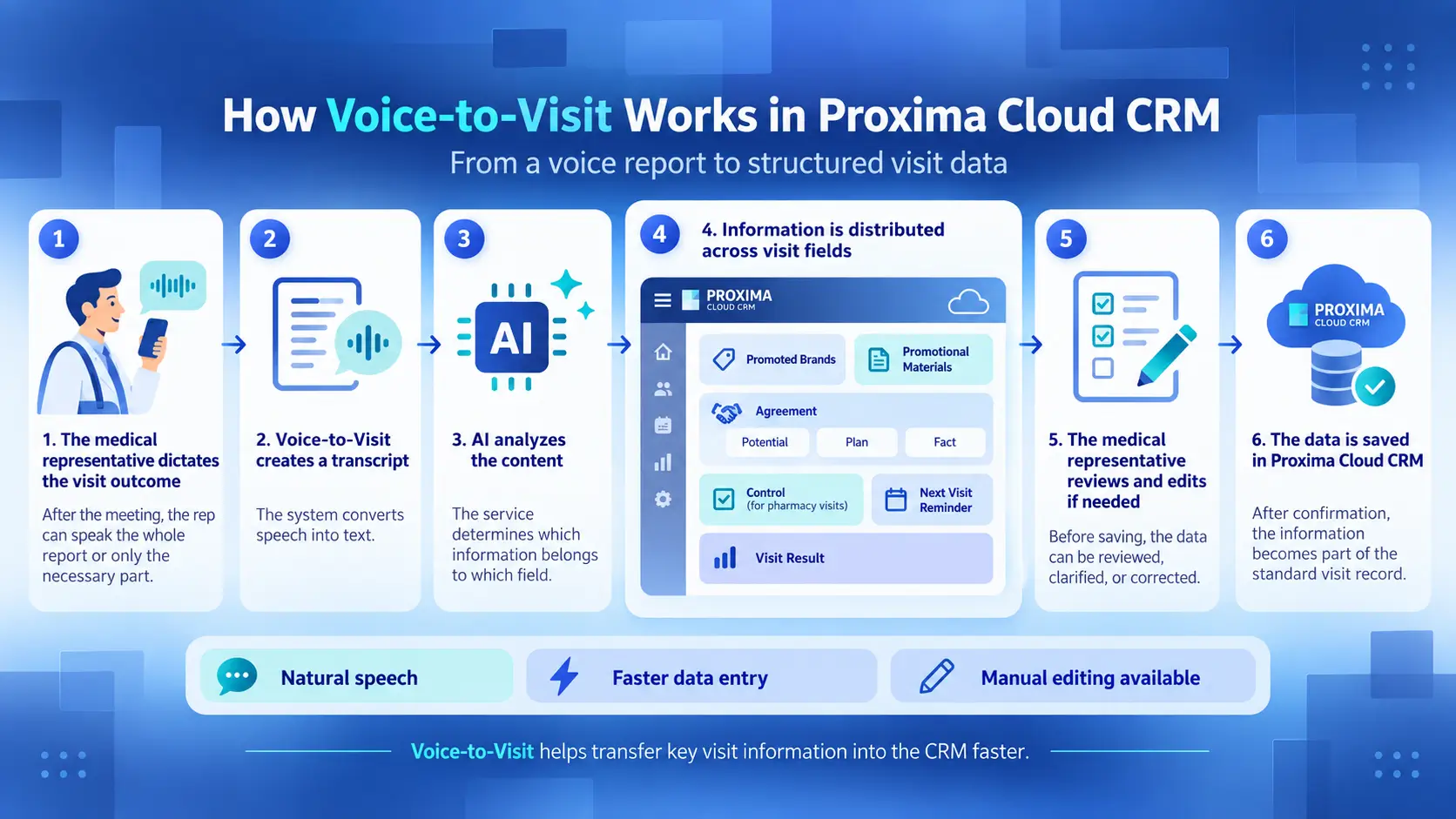
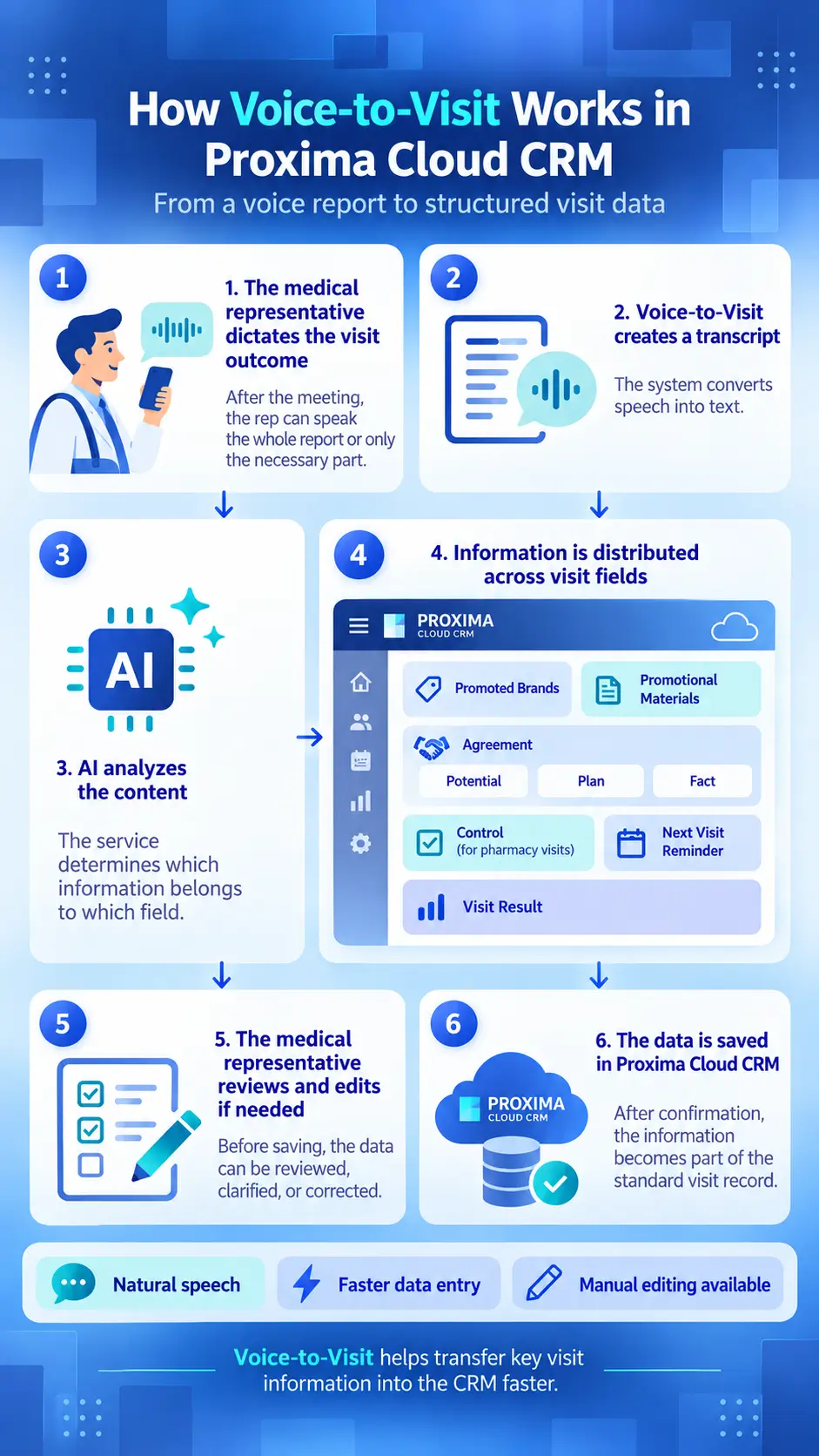
The LLM receives the visit-card structure of a specific Proxima Cloud CRM client environment and works with the values allowed in that environment. For example, for fields such as “Products” or “Materials,” the model should not invent new brands or materials: it matches what was said to what is already configured in the CRM.
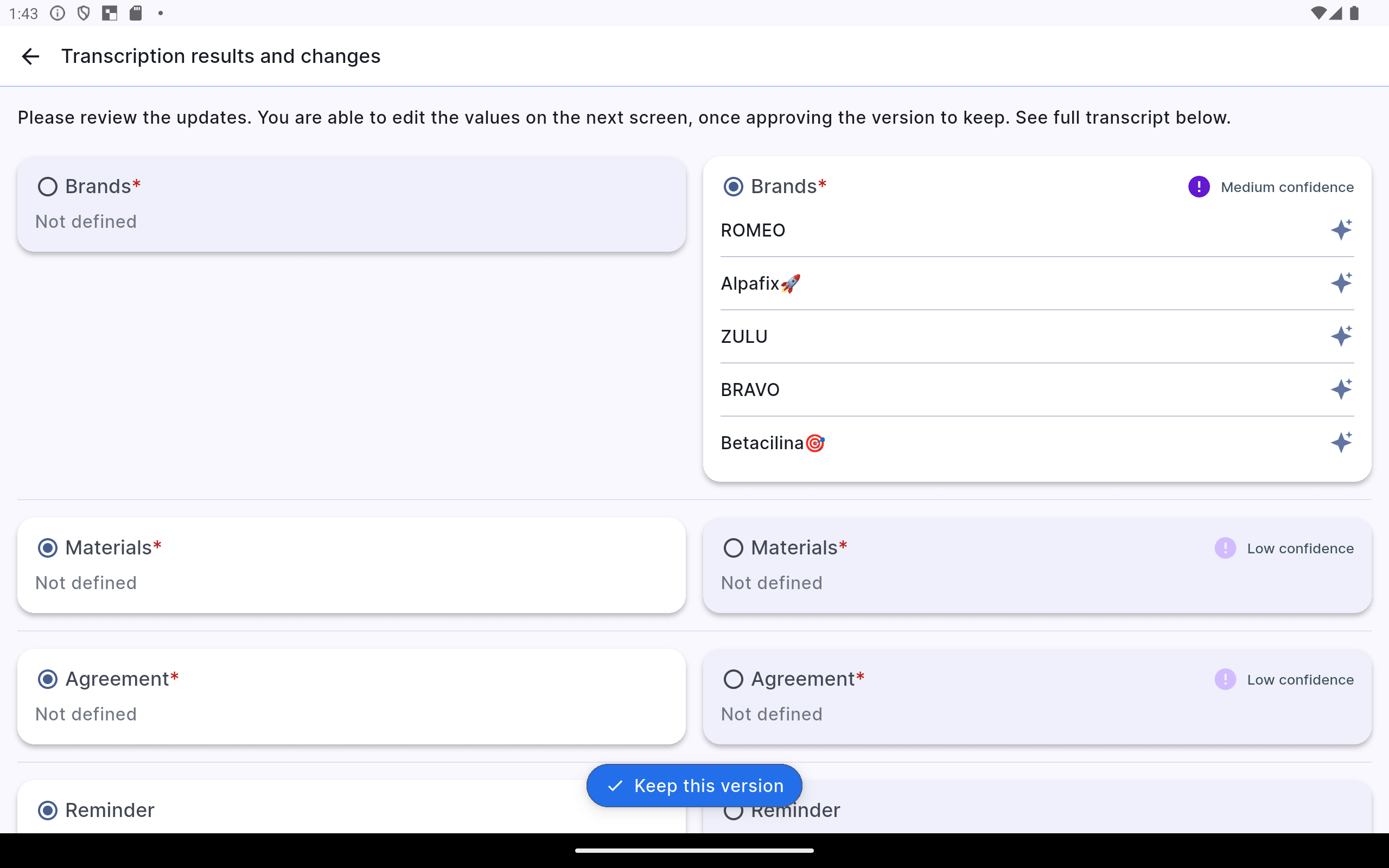
The AI result is generated in a structured format, and for recognized and interpreted data the model provides confidence levels for its interpretation (from the model’s perspective): High, Medium, or Low.
Five Target Fields for Voice-to-Visit
Voice-to-Visit is designed to work with five main groups of visit-card data.
| CRM Field | What the System Looks for in the Speech |
|---|---|
| Products — $brand | Drug brands that were discussed or promoted during the visit |
| Agreement — $agreement | Specific agreements and commitments reached as a result of the meeting |
| Reminder — $reminder_next_call | What needs to be done or checked during the next contact |
| Materials — $materials | Materials that were used/delivered or requested |
| Call Result — $call_result | The final outcome and tone of the meeting |
Brands, Agreement, and Call Result are required visit-card data in the basic business logic.
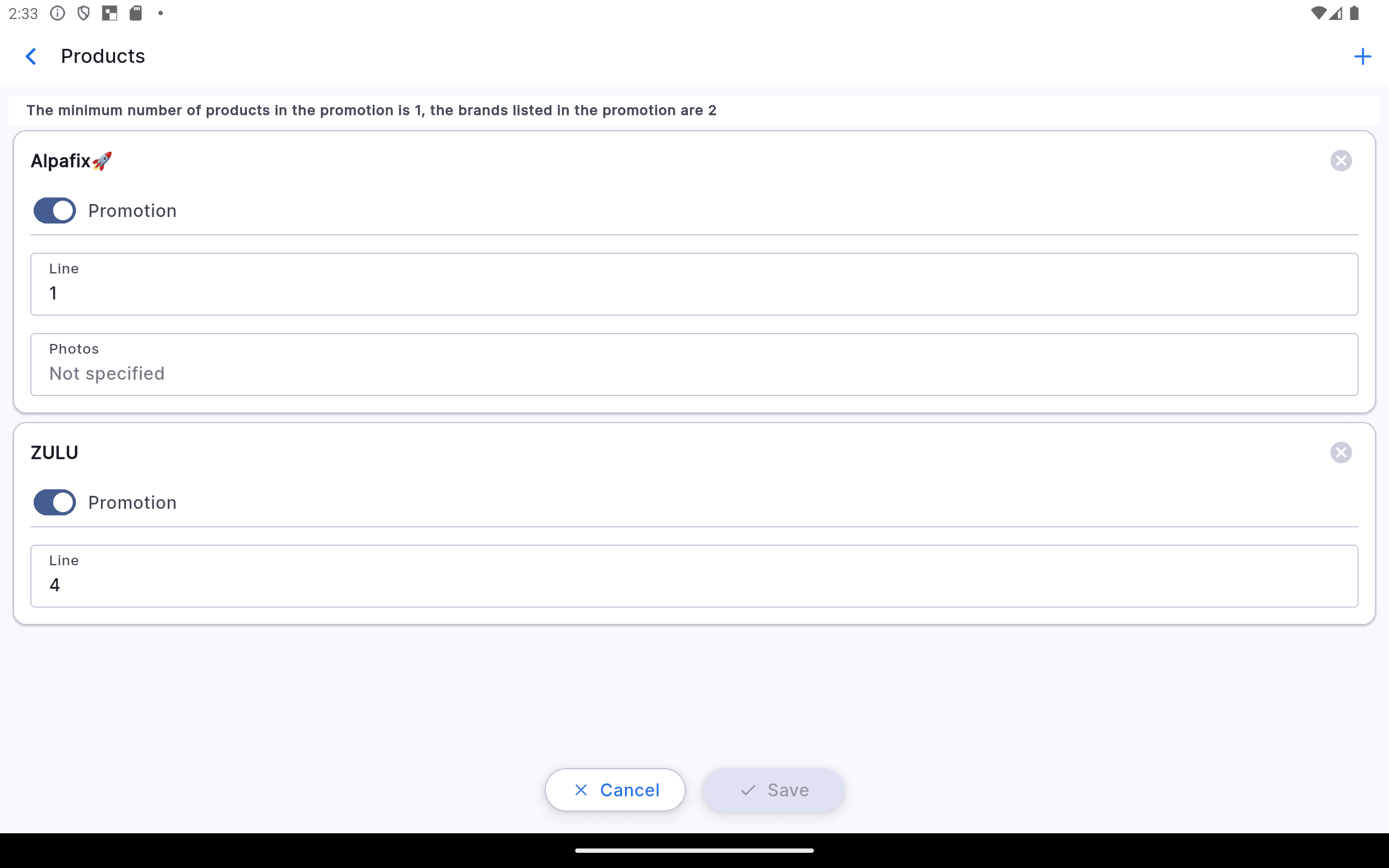
1. Products (Promoted Brands): The System Works with Actual Brands in the Client Environment
If a field team employee says:
“During the visit, I promoted the Alpafix brand,”
Voice-to-Visit should match Alpafix to a product available in Proxima Cloud CRM.
AI selects a value from the configured list and does not create a new value on its own.
If the brand has already been added to the visit from the cycle plan, Voice-to-Visit works together with the current visit structure, and after processing the user can still review and adjust the list.
2. Agreement: How “Potential,” “Plan,” and “Actual” Become CRM Data
Agreement is one of the most illustrative examples of AI mapping.
In a business scenario, a pharmaceutical company representative should not have to open each column and enter the numbers manually. They can simply say:
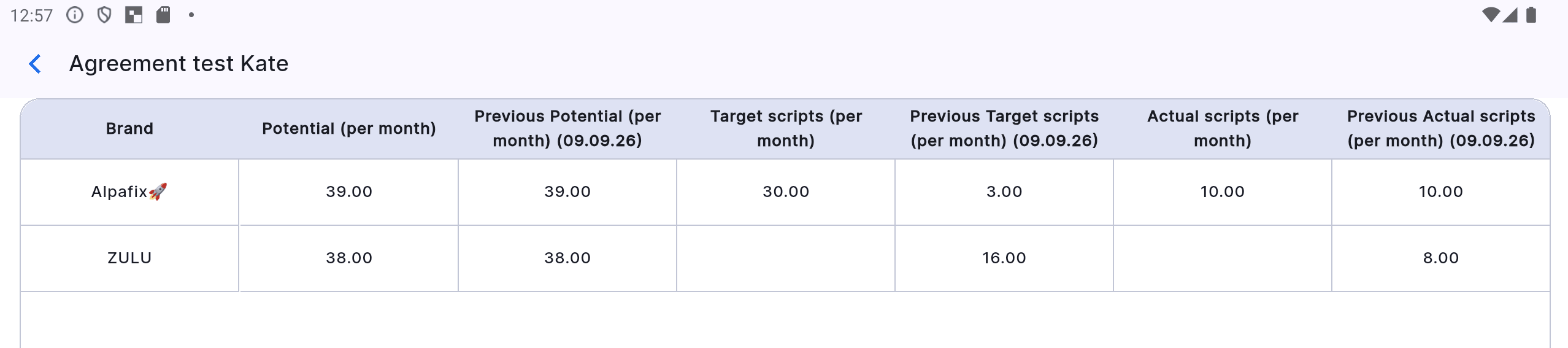
“For Alpafix, Potential is thirty-nine, Plan is thirty, Actual is ten.”
In CRM, these concepts correspond to structured Agreement metrics:
For example, the spoken commands:
Potential = 39, Plan = 30, Actual = 10
should populate the following Agreement fields for Alpafix:
Potential (per month) = 39, Target scripts (per month) = 30, Actual scripts (per month) = 10
3. Materials: Relevant Materials Only
Voice-to-Visit can identify materials that the physician requested or that the medical representative used or left during the meeting.
These may include media containing CLM presentations, specified brochures, and other promotional materials. For structured values, the system uses the list of materials defined for the meeting, preconfigured in the relevant client CRM environment, and available to that employee.
For example:
“Alpafix brochures were used.”
If the Alpafix brochures are available to this user and linked to the Alpafix brand, they can be identified as Promotional Material.
This helps avoid situations where AI creates names of reference objects in CRM that do not actually exist.
4. Reminder (Next Visit): AI Identifies a Future Action
Phrases such as:
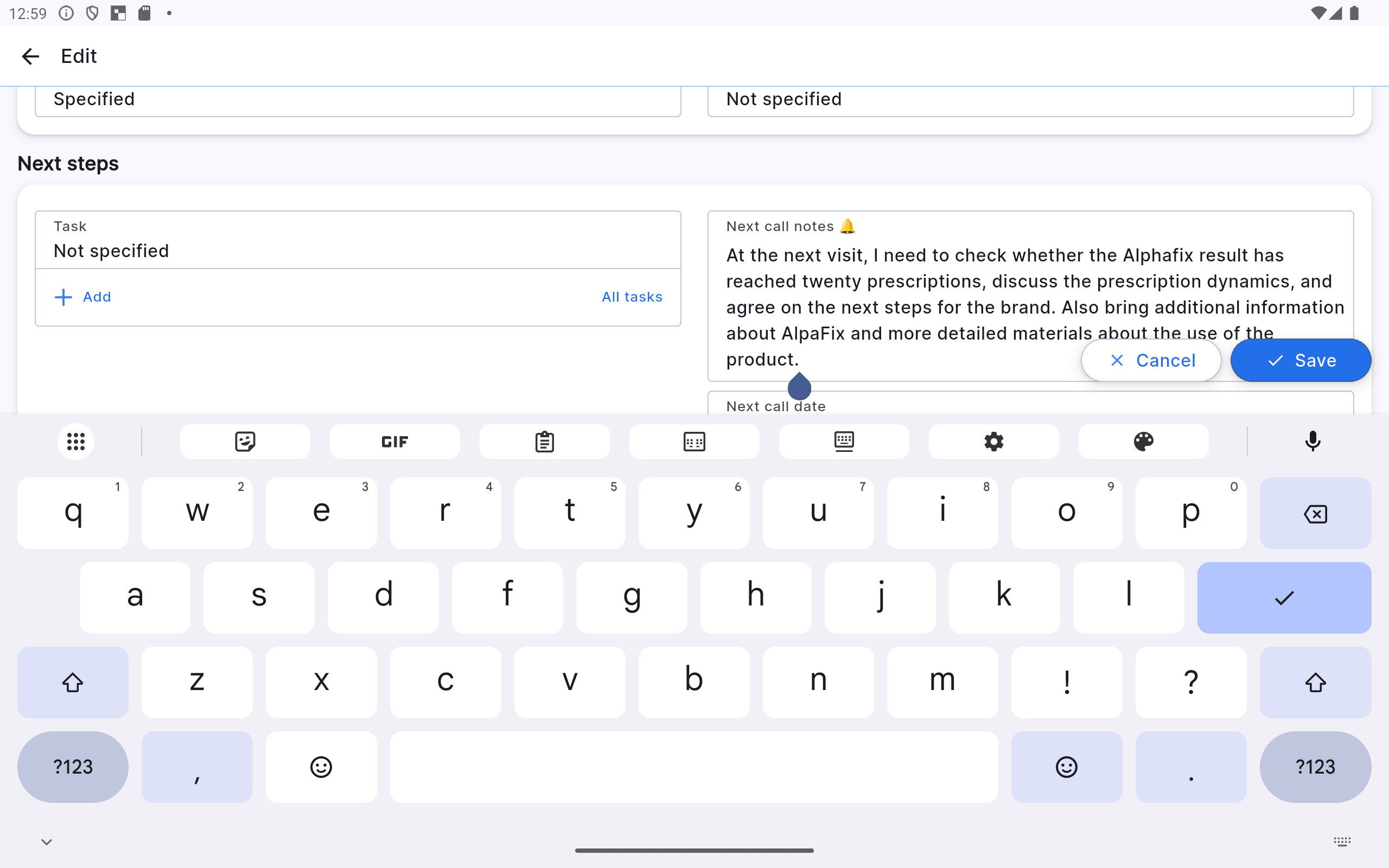
“At the next visit, I need to check the actual number of prescriptions,”
or
“The physician asked me to bring additional materials,”
serve a different function from the description of a meeting that has already taken place.
The LLM identifies these parts of the speech as Reminder (to Next Visit)—a specific action, task, or time reference for the next contact—and writes a short text into the corresponding field. It will appear in the notes for the next visit.
5. Call Result: Free-Form Content, Structured Result
The medical representative can describe the outcome of the meeting naturally:
“The visit went well. The physician was interested in the product and responded positively to the information.”
AI analyzes the content and tone and matches them to an allowed result configured for the specific client environment—for example, a positive, neutral, or negative result, or the need for a follow-up visit.
You Do Not Have to Dictate All Five Fields
Voice-to-Visit supports partial completion.
A person can dictate only the agreements, or only the result and the next action.
The remaining data can be left unchanged or completed manually. This scenario is supported: after AI processing, the user receives the data for review and can edit any field before saving.
The Medical Representative Always Reviews the Result
The LLM does not make the final decision for the user.
After transcription and mapping, the review screen opens. The user sees the recognized data and the AI confidence level—High, Medium, or Low.
The medical representative can:
- accept the suggested changes;
- correct individual values;
- add data manually;
- reject the suggested version.
The Feature Continues to Evolve
Voice-to-Visit is AI functionality, so the quality of its work depends not only on transcription but also on the accuracy of mapping business context to the structure of a specific CRM.
During testing, the team checks different visit types, wording variations, brand and material names, numerical metrics, and partial-completion scenarios. Based on these tests, interpretation rules, configuration, and model behavior are refined.
It is more accurate to say not that “AI automatically learns after every phrase,” but that Voice-to-Visit is continuously refined based on real test scenarios and user feedback.
What This Means for Proxima Cloud CRM Clients
The value of the technology is determined not by voice recognition itself, but by how naturally AI is embedded in the medical representative’s real workflow.
In Proxima Cloud CRM, Voice-to-Visit works directly with the visit card: the system does not simply create a transcript; it analyzes the content of the speech, matches it to the structure of the specific client environment, and distributes the data across fields. The medical representative can dictate the entire report or only the required part, review the AI-suggested result, edit it manually, and continue working in the familiar CRM visit card.
This is the practical advantage of the Proxima Cloud CRM approach: Voice-to-Visit does not create a parallel AI process, but becomes part of the company’s already configured CRM logic—with its brands, materials, reference data, fields, and working rules. At the same time, the feature is being developed as part of the Proxima Cloud CRM mobile app, rather than as a separate voice-note tool.
For comparison, competing CRM platforms may charge an additional fee for AI features or impose specific platform requirements for iOS/iPadOS. All AI functionality in Proxima Cloud CRM is included in the Basic Plan.
For a pharmaceutical company, the result is simple: less manual administrative work for the field team, faster entry of visit results, and more structured data in CRM while the details of the meeting are still fresh. This reflects the broader direction of Proxima Cloud CRM—from an activity-tracking system to an intelligent platform where AI, analytics, and automation help medical representatives and managers work with data faster and more meaningfully.
Try the Voice-to-Visit feature
Voice-to-Visit is available as part of the ongoing development of Proxima Cloud CRM and helps move key visit information into CRM while the meeting context is still fresh.
If you are already a Proxima Cloud CRM user, ask your administrator to enable Voice-to-Visit. Try the feature and share your comments and suggestions with us.
Looking for a CRM for your business? Try the Proxima Cloud CRM demo version.
See how Voice-to-Visit works in practice using a voice report after a physician visit. Читайте в блозі → «Voice-to-Visit in Action: A Medical Representative’s Voice Report in the Proxima Cloud CRM Visit Card»