More Efficient Planning, More Data, And More Stable System Performance: Release v.16 Proxima Cloud CRM Is Now Available

Release v.16 Proxima Cloud CRM

In May 2026, the Proxima Cloud CRM team introduced several platform updates at once: the main Release v.16.0, as well as minor versions v.16.1 + v.16.2.

In this article, we review the key changes in Release v.16, their practical value for Proxima Cloud CRM users, and the updates that are already available in client environments.

Follow the releases in the blog — we publish them on an ongoing basis.

Contents

1. Release v.16.0

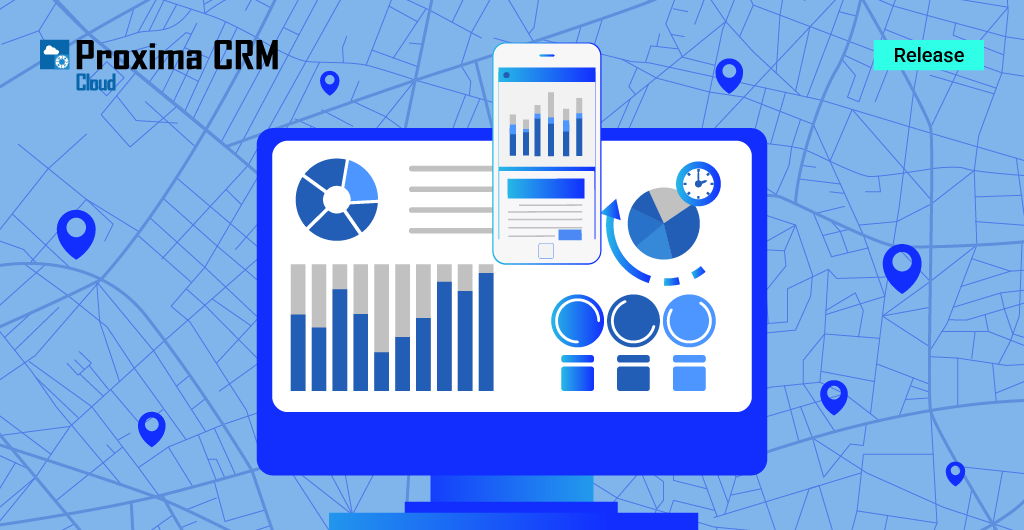
Infographic. Release v.16.0

Key Changes In Release v.16

In version 16.0, the team focused on:

  • developing planning tools for field teams;
  • improving data management;
  • working with promotional materials and samples;
  • developing Custom Objects and Territory Manager;
  • Power BI analytics.

The update also improves stability in the web and mobile versions, synchronization and data logic across platforms.

This allows users across all platforms to work consistently, reducing the number of errors, improving data accuracy, and providing a convenient experience in the system.

1.1. New Capabilities In The Proxima Cloud CRM Application

New features in the Proxima Cloud CRM application are focused on daily field team workflows. Users will be able to plan visits faster and promptly adjust their work schedule, add extended information to photos, add clickable links, and track the use of promotional materials and samples.

The goal of these changes is to reduce manual actions, make data more complete, and simplify the user experience during a visit.

1.1.1. New Features

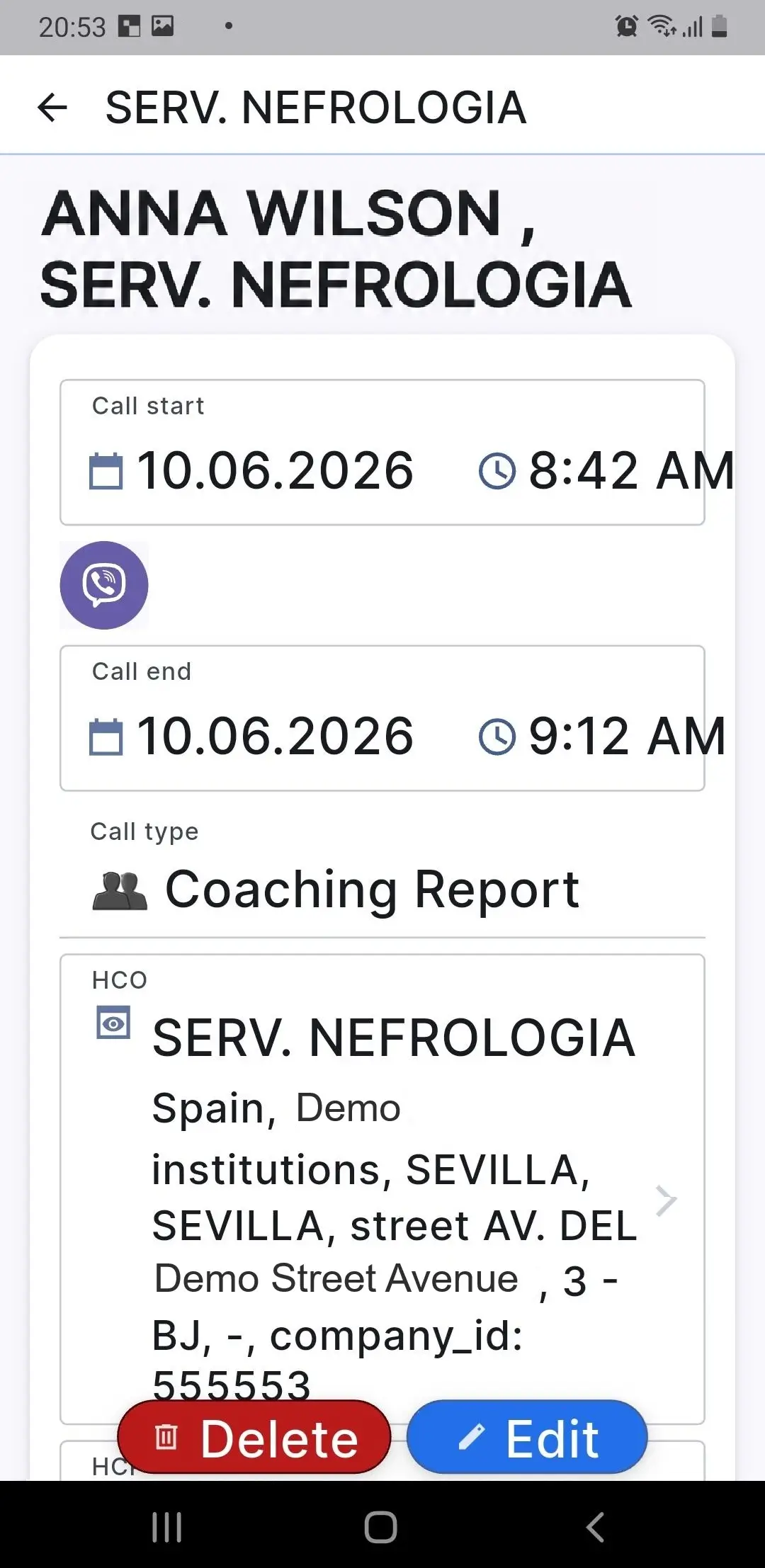
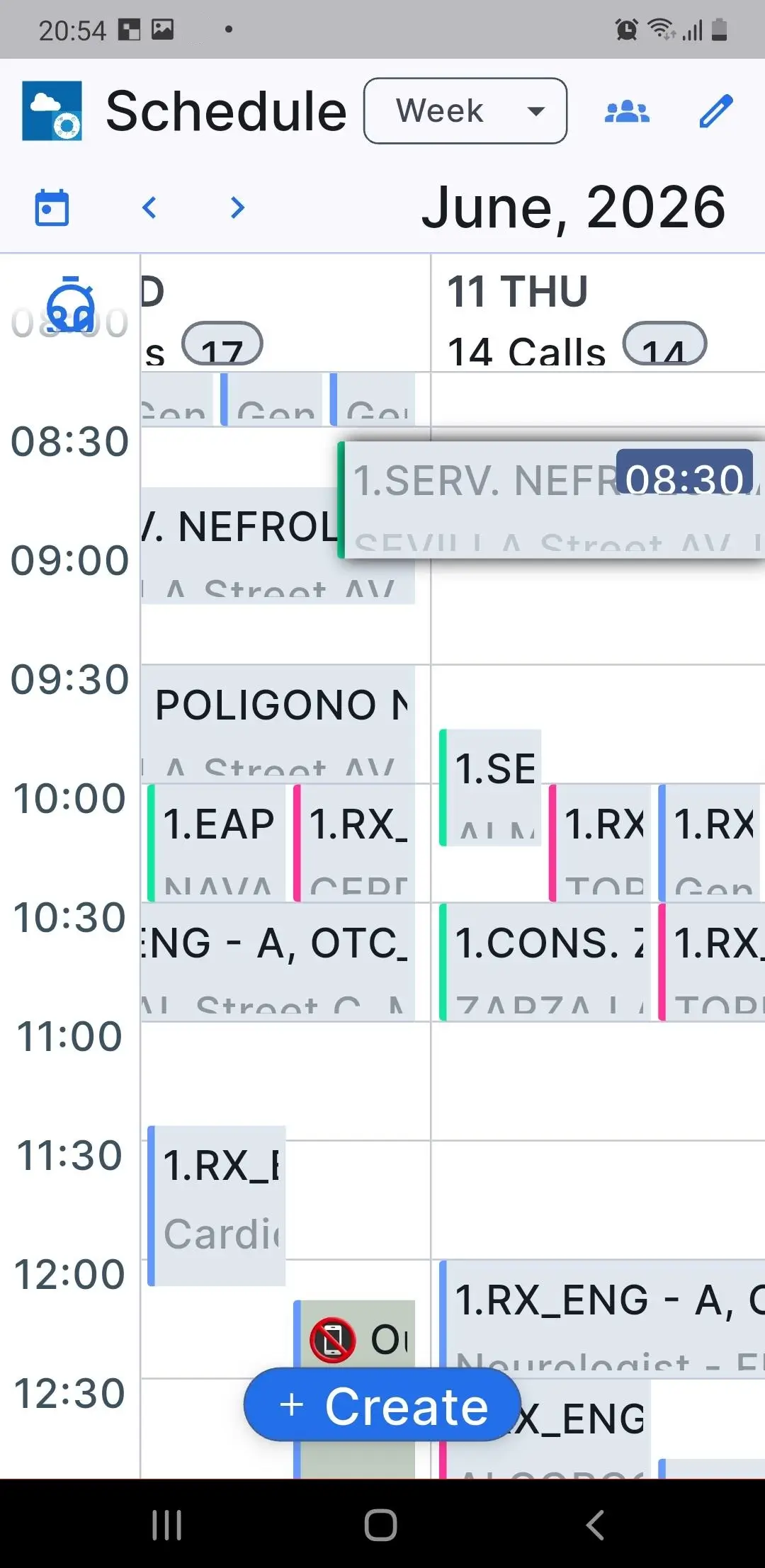
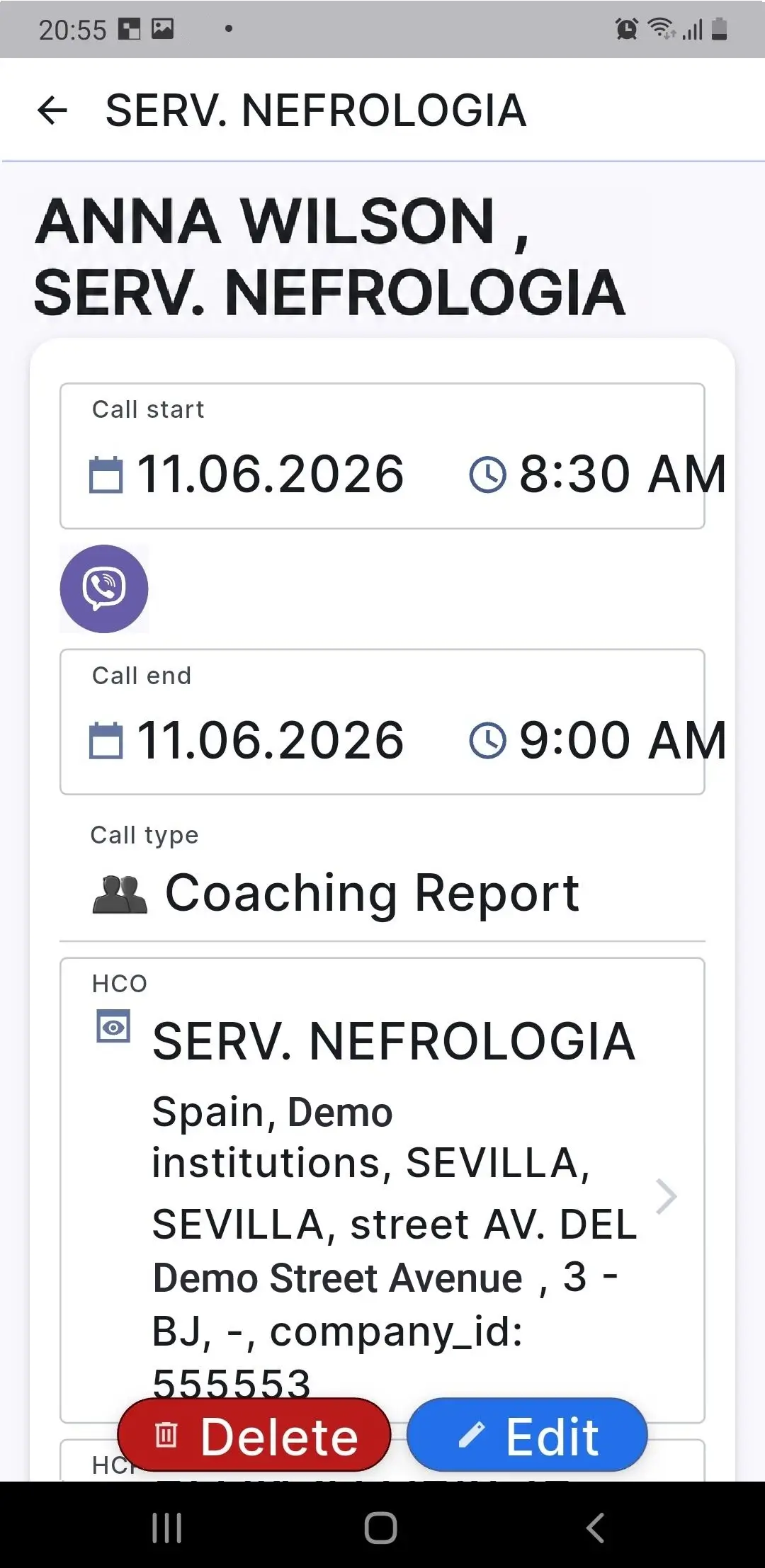
  • Flexible Visit Planning (Drag-and-Drop)

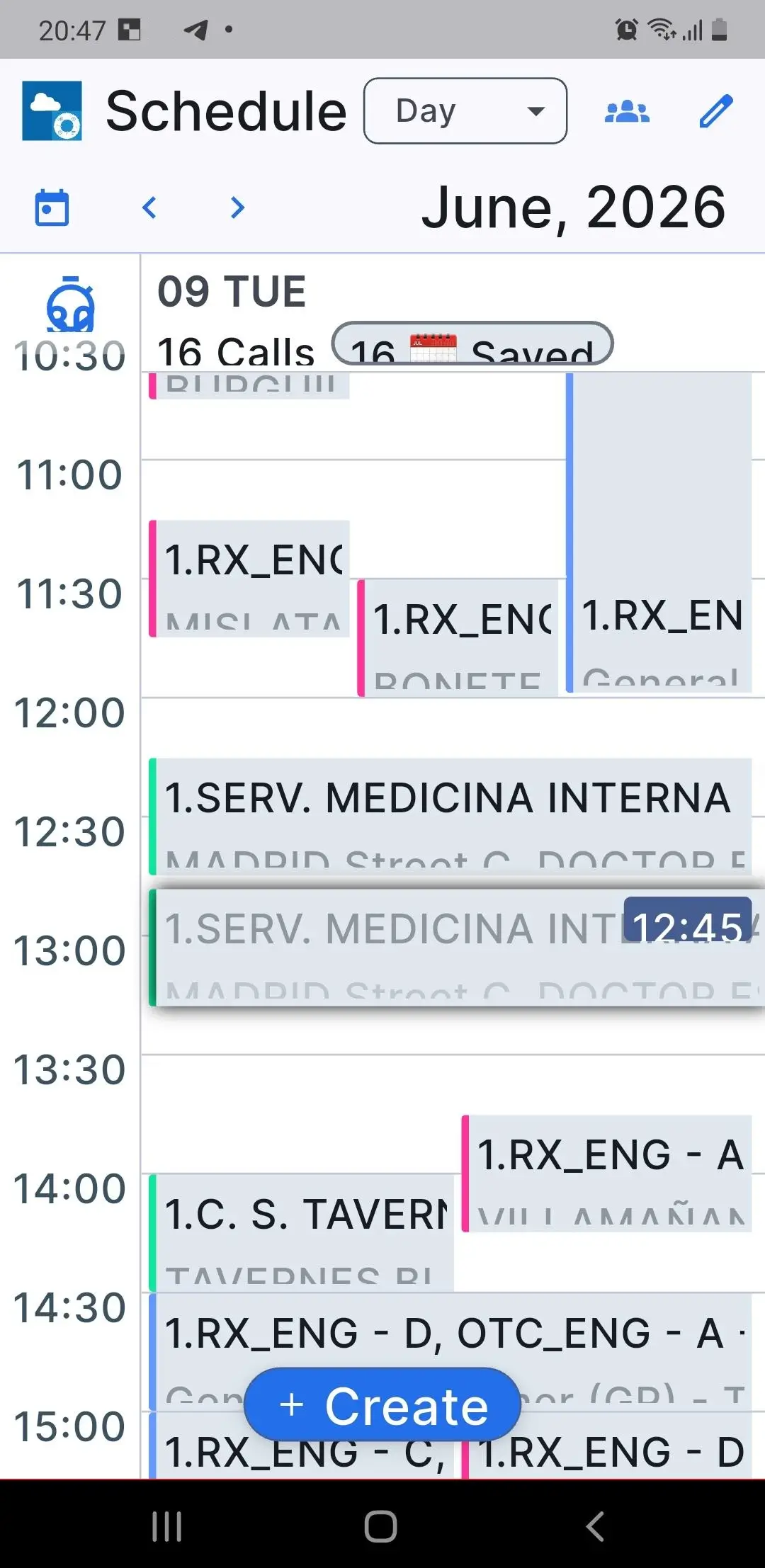
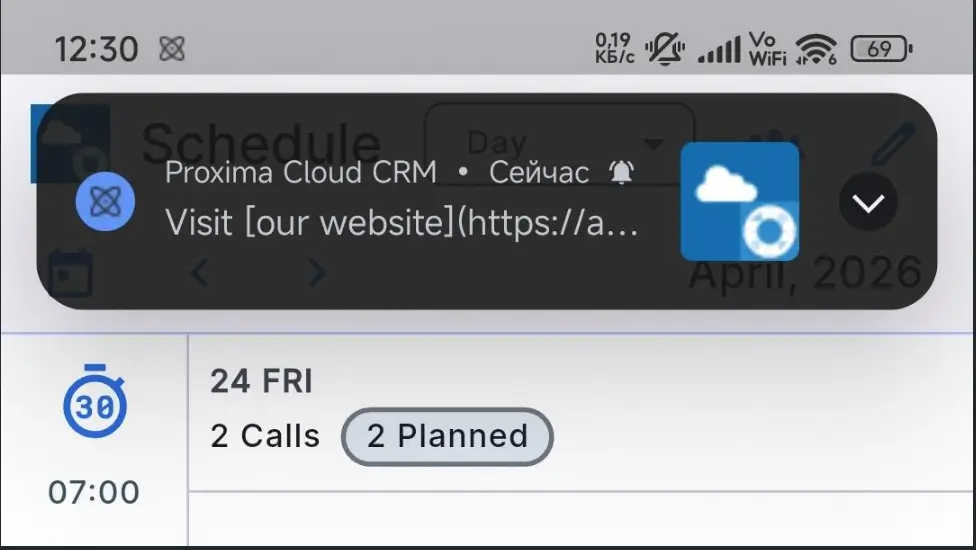
Medical representatives can now quickly plan and adjust visits using Drag-and-Drop in the Day and Week calendar sections.

The user can move a visit to the required time slot without additional manual editing. This simplifies daily planning for field teams, especially when the schedule needs to be adjusted quickly during the workday or week.

Screenshots 1-4. Visit Planning (Drag-and-Drop). The user can quickly change the visit plan, for example on a mobile phone, and adjust the schedule using Drag-and-Drop in Day and Week modes.

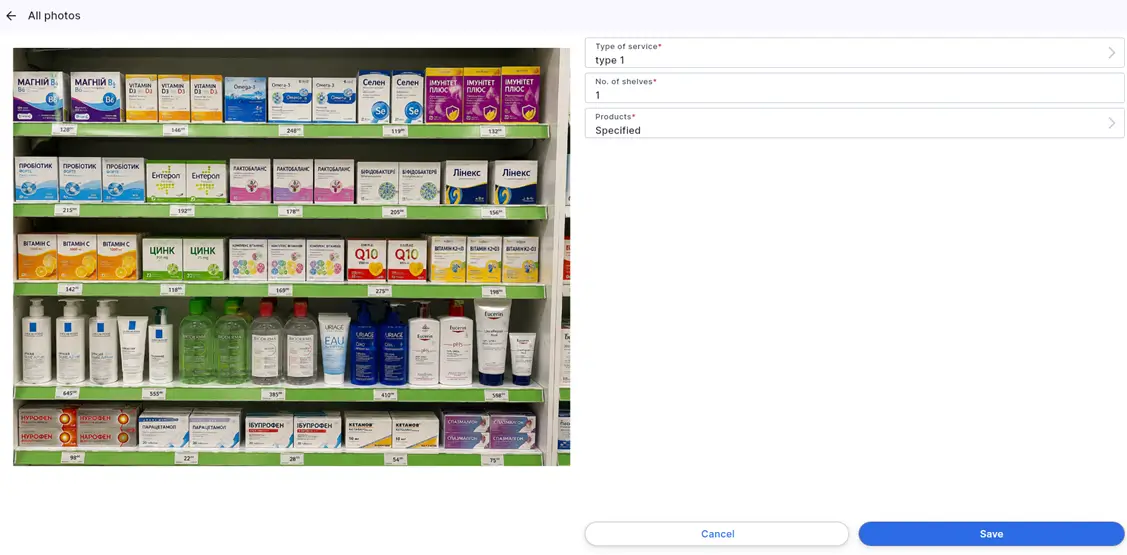
  • Photo Report Descriptions In Proxima Cloud CRM

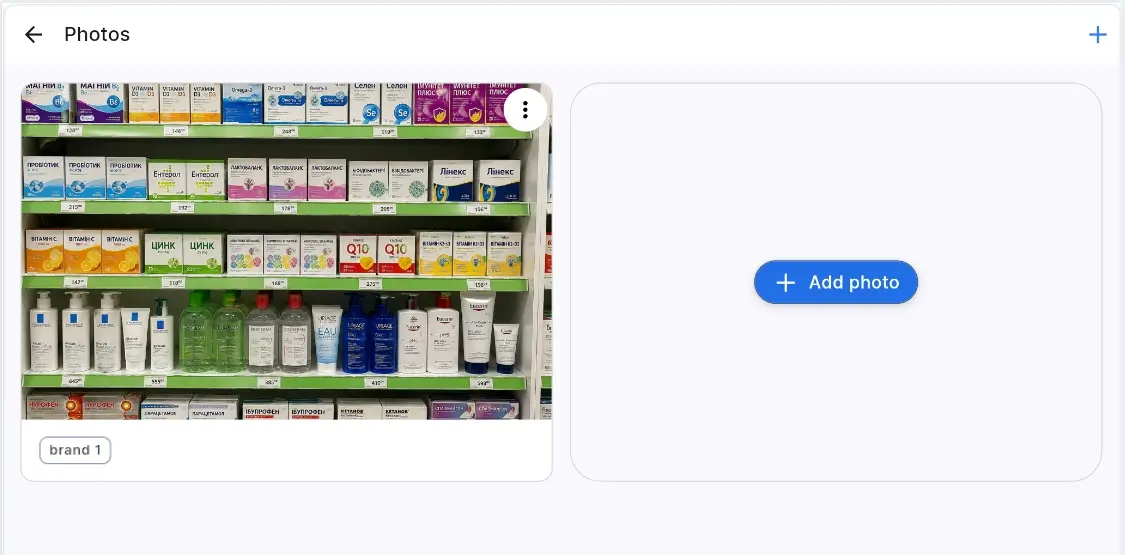
Photo reports have become more informative. Additional data can now be added to a photo in a visit: photo type, number of shelves, and linked brands.

This allows photos to be used not only as visual confirmation, but also as a structured data source for further analysis. Teams can more accurately assess brand presence, shelf work in pharmacies, and the quality of field activity execution.

Photo Report Descriptions Proxima Cloud CRM
Screenshots 5-7. Photo Report descriptions: photo type, number of shelves, and linked brands can be added to a photo.
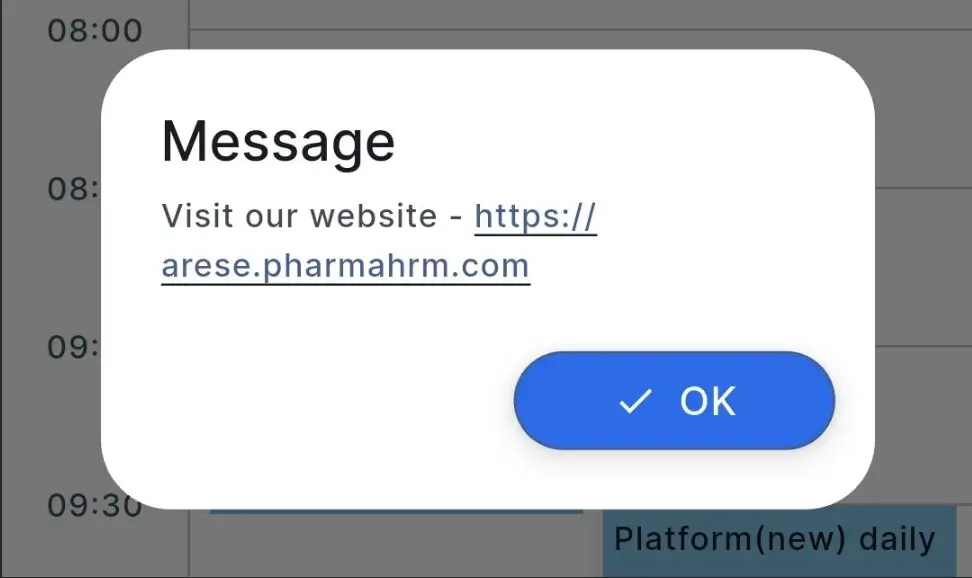
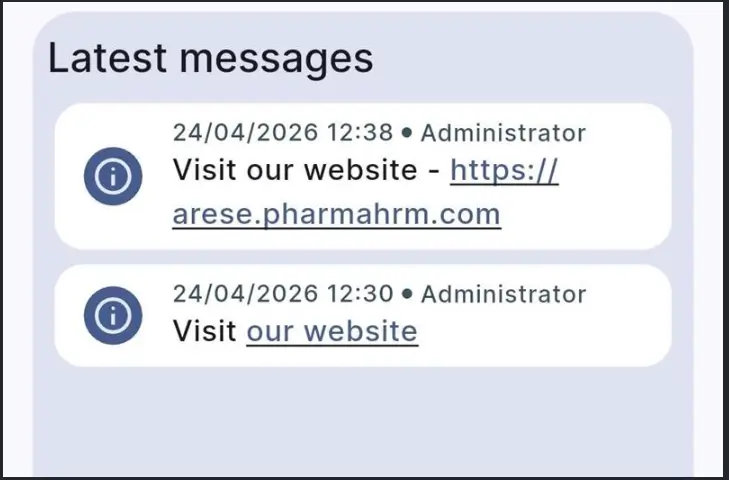
  • Hyperlinks In Instant Messages

Instant Messages now support clickable links. Users can share direct links to Proxima Cloud CRM screens and instructions or to external resources. 

This shortens the path to the required information: instead of manually copying, the user can follow the link directly from the message.

Screenshots 8-10. Hyperlinks in Instant Messages: the user can go to a CRM screen, instruction, or external resource directly from the message.

.

  • Material Manager (Web)

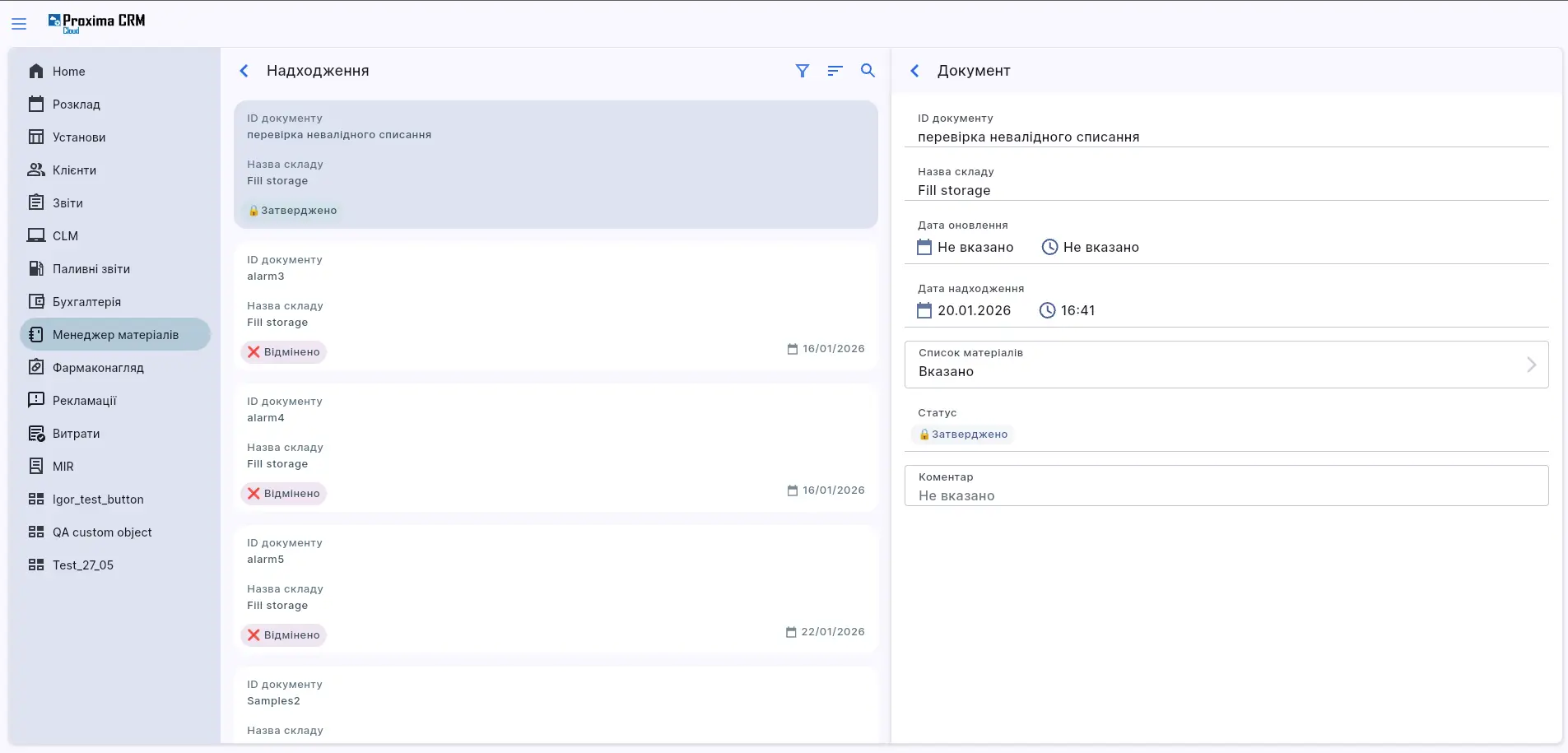
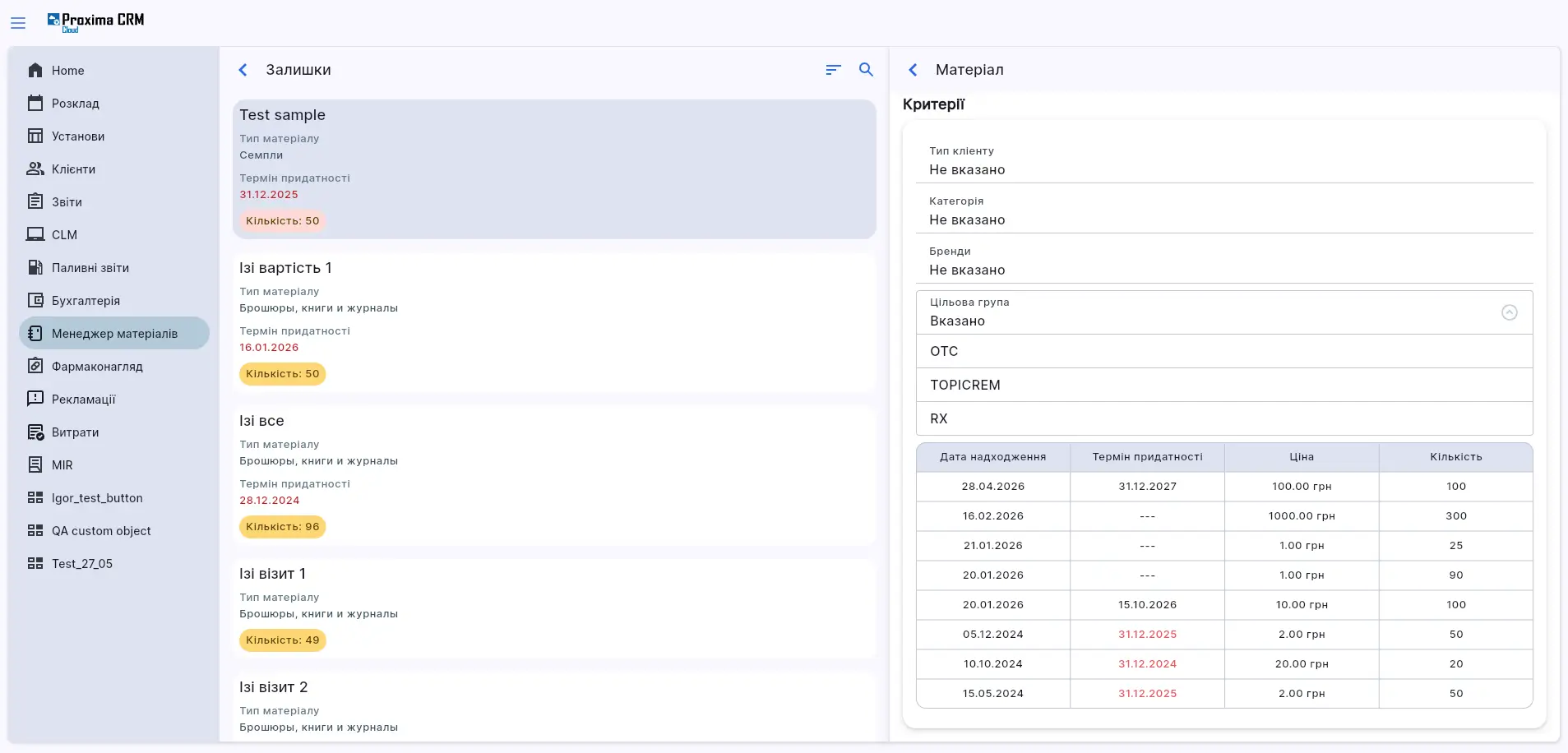
Promotional materials management in Proxima Cloud CRM and sample management are now available in the web version. This is an important update for users who work with materials during visits and control inventory, limits, and issuance rules.

Promotional materials and samples can be managed with consideration of available stock, expiration dates, brands, categories, target groups, and client types.

The system also controls limits by quantity, amount, and period. If the user exceeds the configured limit, the system blocks the action and highlights the violated restriction.

Group visit scenarios are supported separately: users can add participants and specify materials or samples separately for each of them.

Material Manager Proxima Cloud CRM
Screenshots 11-12. Material Manager (Web): management of promotional materials and samples in the web version with consideration of limits, stock, and issuance rules.

1.1.2. Improvements

  • Unified Search Across All Platforms

Search in Proxima Cloud CRM has become consistent across platforms. Previously, results could differ across Web, iOS, and Android. Now users receive the same results regardless of device.

Search also considers all language versions of data configured in the system.

  • Automatic Draft Cleanup

Unsaved records are now deleted automatically. This helps maintain cleaner lists and show users only current, confirmed information.

This cleanup reduces the number of temporary records in lists and helps avoid confusion between unfinished and confirmed data.

  • Interface And Data Consistency

Interface clarity has been improved across different modules, and data behavior has been unified. As a result, work in the system becomes more consistent, and users can navigate more easily between different sections.

  • CLM Presentations

Work with CLM presentations in HTML format has been improved: scaling has been corrected, flickering has been reduced, and visual artifacts have been eliminated.

This makes presentation viewing more stable and convenient for users when working with materials.

1.2. New Capabilities For The Proxima Cloud CRM Platform

The platform update in Release v.16.0 focuses on working with custom data and territories. These changes are important for companies that adapt CRM to their own business processes, work with a complex client structure, and need flexible territory management.

1.2.1. New Features

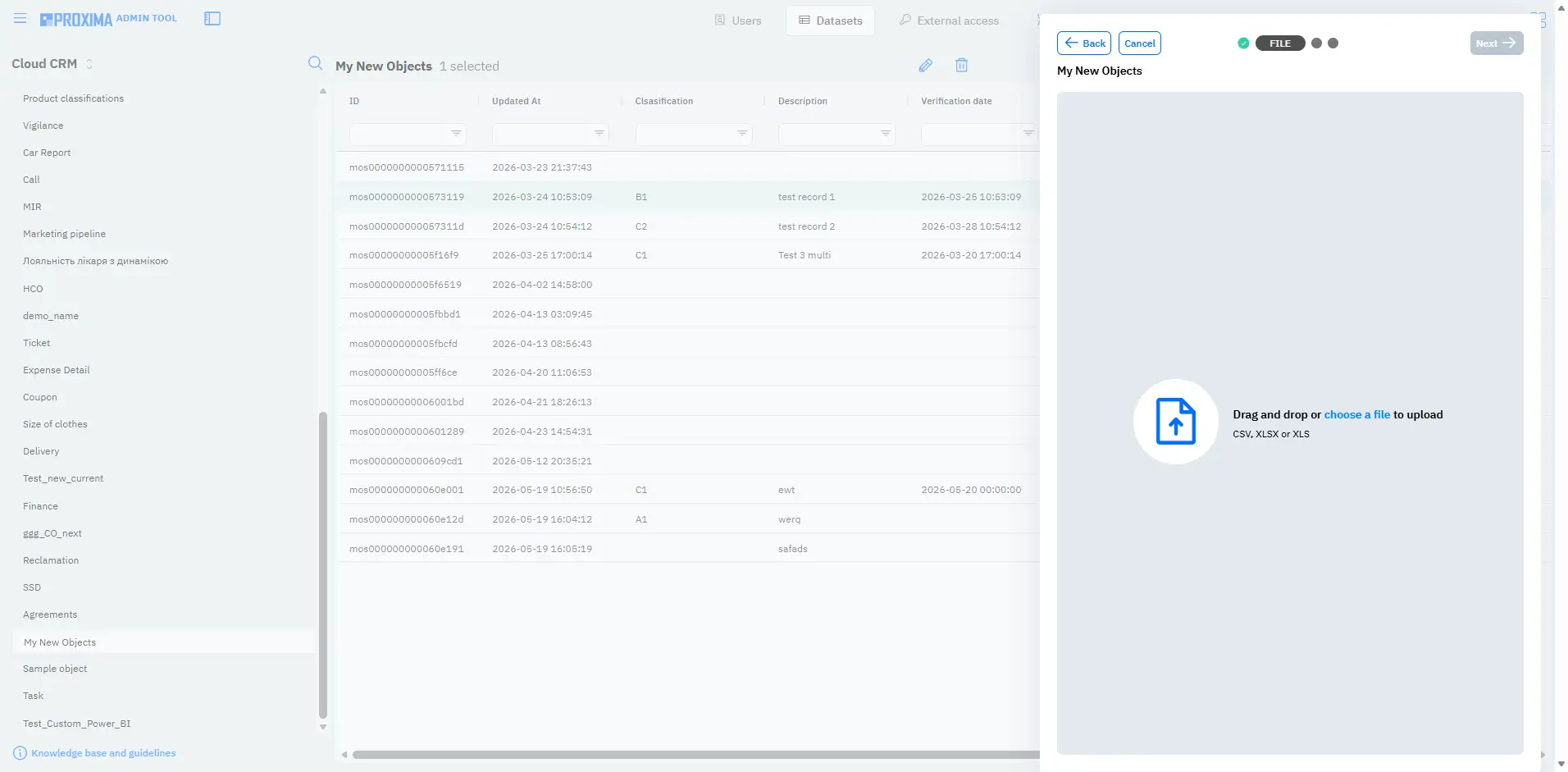
  • Custom Objects: Editing And Import via Datasets

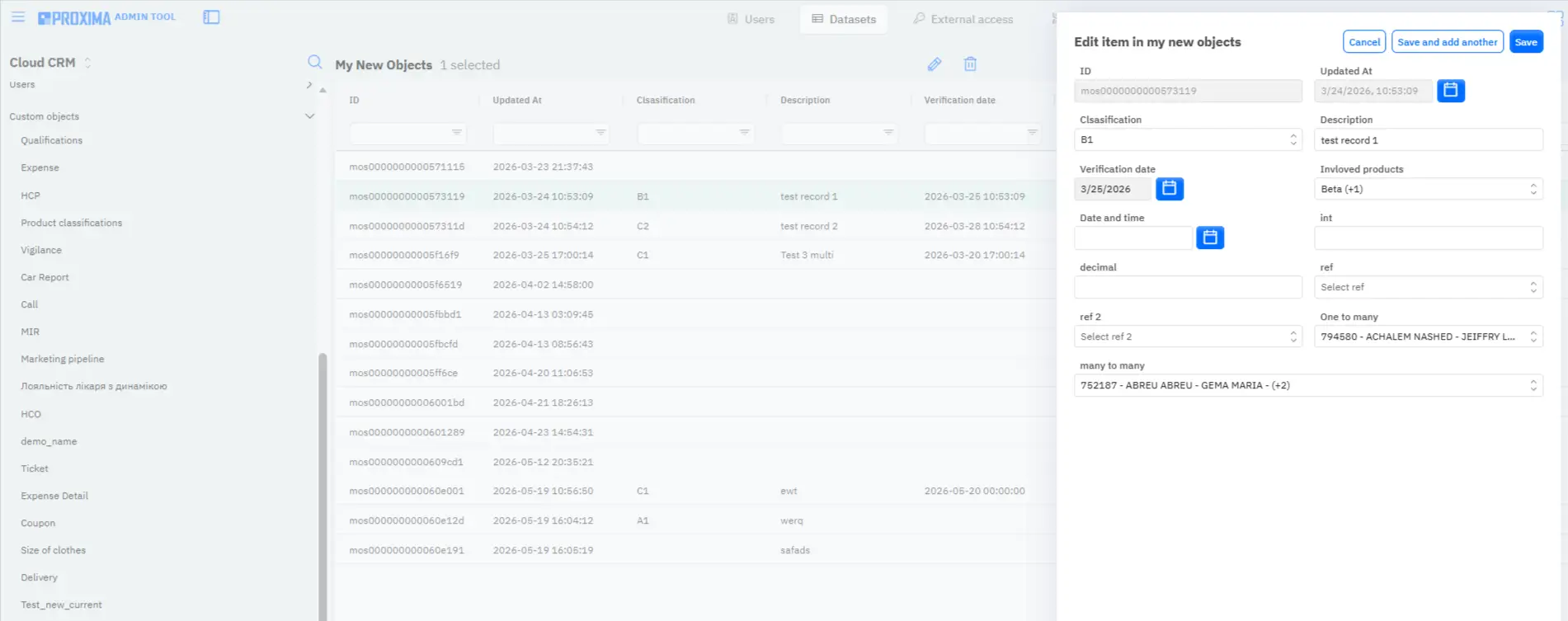
Release v.16.0 expands capabilities for working with Custom Objects. Data in custom objects can now be updated both individually and in bulk via Datasets.

Users can edit individual records or import new data through a mechanism similar to working with standard objects.

Custom Objects Proxima Cloud CRM: Editing and Import via Datasets
Screenshots 13-14. Custom Objects via Datasets: editing individual records and bulk import/export of data in custom objects.
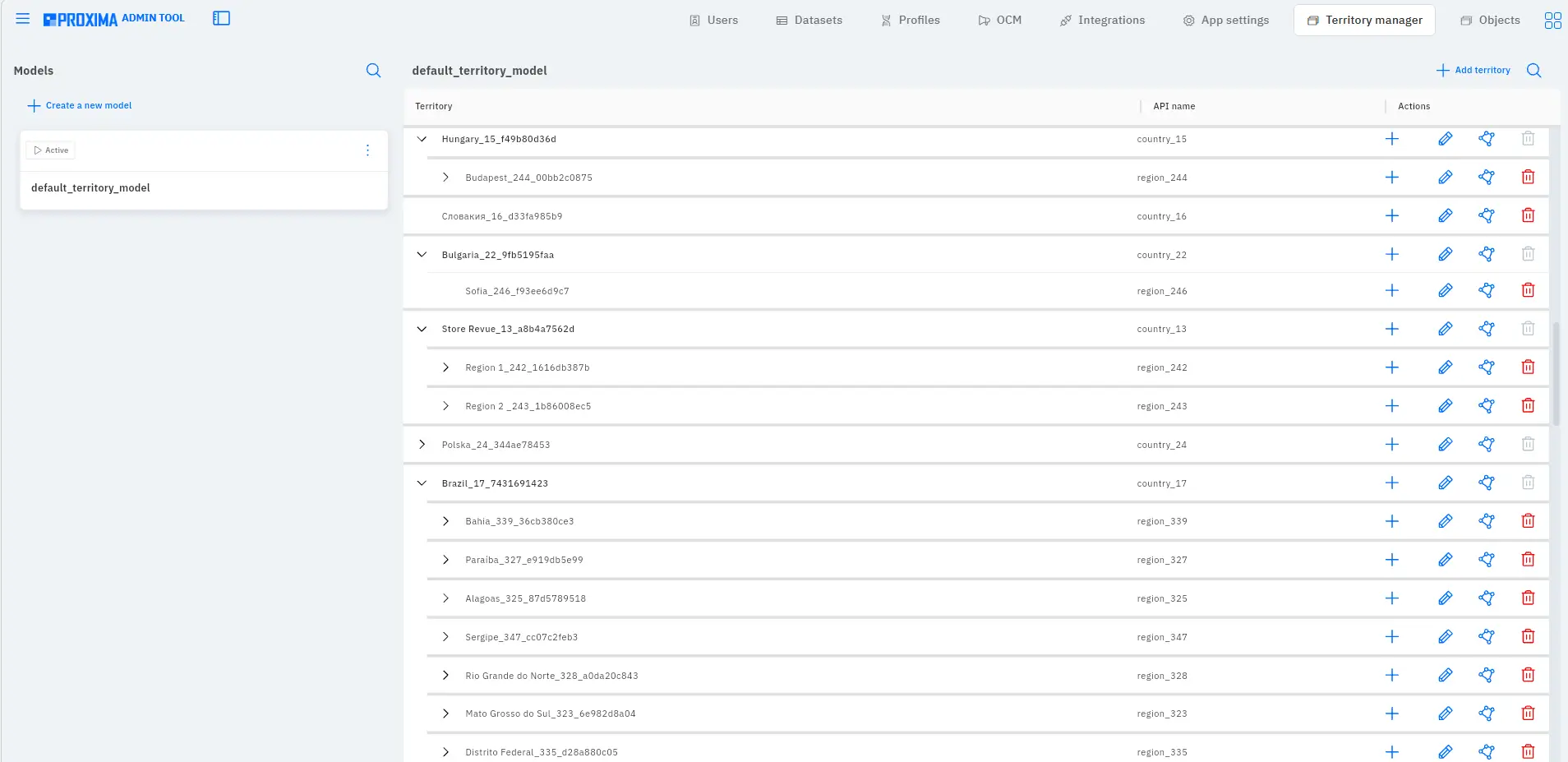
  • Territory Manager (Alpha)

Release v.16.0 includes the first release of the Territory Manager module. This is the start of developing a tool for centralized territory management, which is especially important for companies with large field teams and complex territory structures.

At this stage, Territory Manager allows users to:

  • create territory structures;
  • assign clients, organizations, and users.
Territory Manager (Alpha) Proxima Cloud CRM
Screenshot 15. Territory Manager (Alpha): creation of territory structures and assignment of clients, organizations, and users.

1.2.2. Plans

Further development of Territory Manager is planned in upcoming releases. In particular, the following are planned:

  • reporting based on territories;
  • integration with GeoForce for working with territories based on polygons;
  • migration of existing territory models.

This will make it possible to gradually expand territory management capabilities and connect them with analytics, geographic models, and existing field team structures.

1.3. Power BI CRM Analytics

Power BI updates in Release v.16.0 are aimed at faster access to current data and more convenient analytics for managers and team leaders.

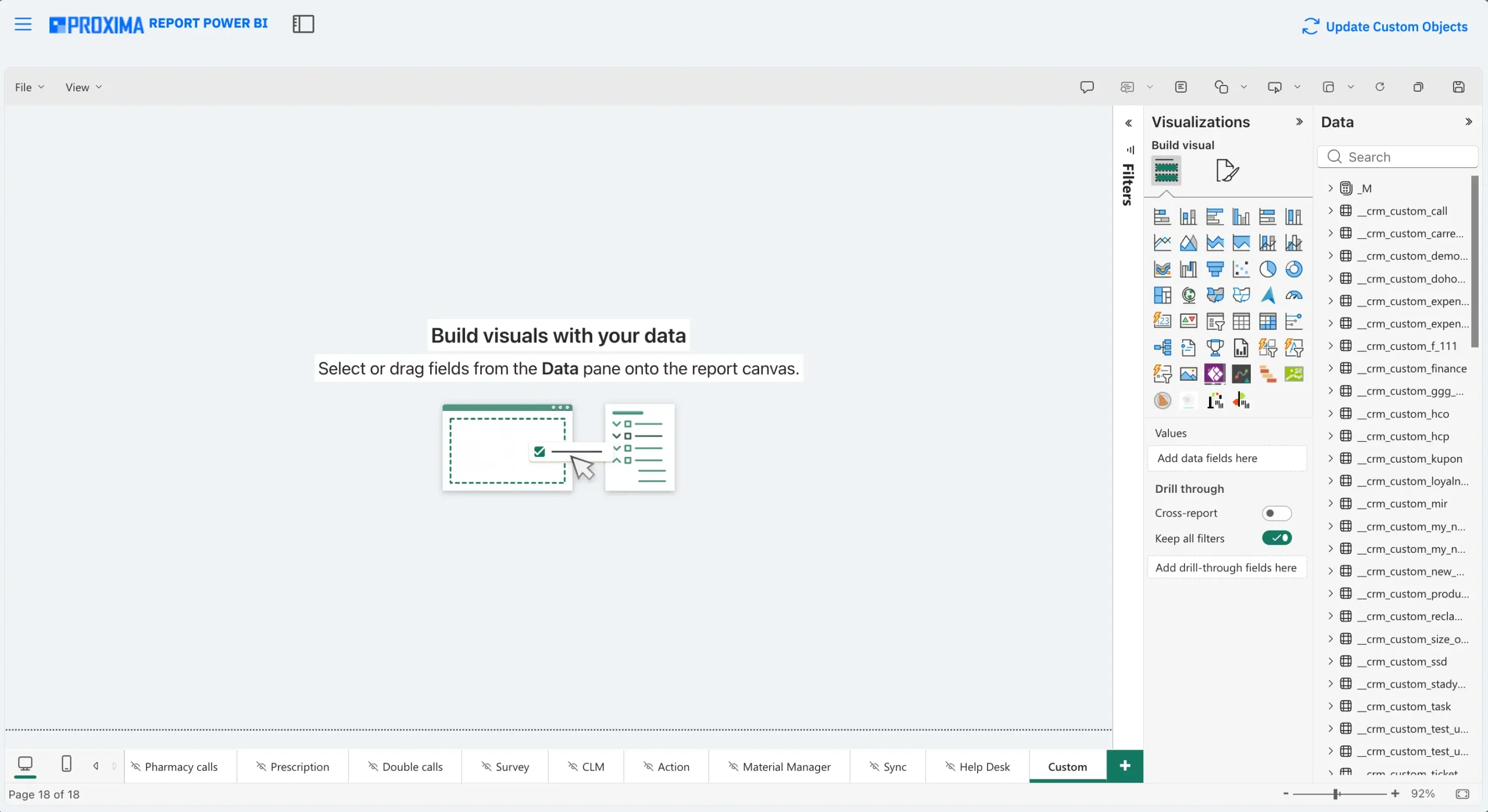
  • Power BI On-Demand Refresh

Release v.16.0 adds the ability to update custom CRM Analytics reports for users with administrator rights.

This update applies to work with custom fields and custom objects in Power BI reports. The administrator can update the custom data structure through the Update Custom Objects action, after which the corresponding tables and fields become available for further work in the report.

The feature helps companies use custom data in analytics faster, reduces dependence on manual report structure updates, and provides more flexibility for companies that adapt CRM to their own business processes.

Power BI On-Demand Refresh Proxima Cloud CRM
Screenshot 16. Power BI On-Demand Refresh: manual report refresh through the Update Custom Objects option.
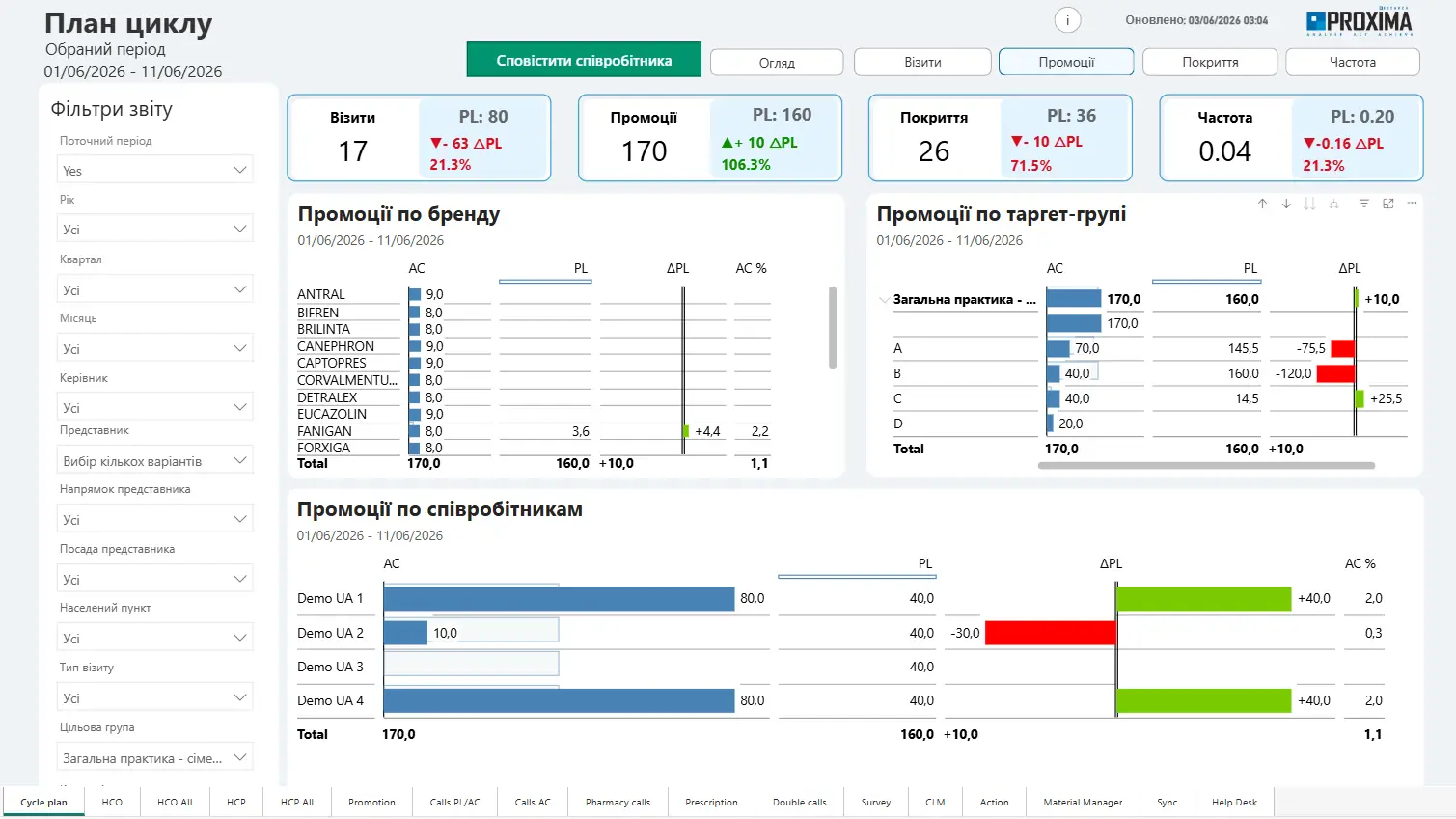
  • Analytics Improvements

The logic for identifying target groups has been improved, and comparison of planned and actual metrics has been added to analytics.

This helps managers see deviations from the plan faster, evaluate activity effectiveness, and make decisions based on more current data.

Analytics Enhancements  Proxima Cloud CRM
Screenshot 17. Analytics improvements: comparison of planned and actual metrics for visits, promotions, coverage, and frequency with target group detail.

1.4. Bug Fixes

  • Visits And Planning: fixed errors during visit creation and duplication, time slot generation, and counting completed actions.
  • CRM Analytics (Survey): resolved an issue where survey data was not displayed in full. Now all surveys for the current period, including surveys for double visits, are displayed correctly.
  • Reports And Analytics: restored correct data display and access to CRM Analytics, including the Survey tab.
  • Custom Objects: fixed data loading, preview display, and access rights issues in custom objects.
  • Synchronization: improved synchronization stability and data processing.
  • Interface And Stability: resolved navigation issues (blank and white screens) and improved opening of visit cards, field display, statuses, and limits.
  • Promotional Materials: fixed an issue where the quantity of promotional materials could be updated incorrectly.

2. Updates v.16.1 + v.16.2

Minor releases v.16.1 + v.16.2 were deployed in client environments on May 29, 2026 as an addition to the main Release v.16.0.

These updates focus on two areas:

  • working with digital signatures during the transfer of drug samples;
  • fixing geolocation validation when closing visits.

Infographic. Release v.16.1 + v.16.2

2.1. Samples — Digital Signatures

In v.16.1, consent processing during the transfer of drug samples was expanded. The system received additional checks that help avoid incomplete records and improve data quality.

  • Support For Two Signatures

HTML consent forms now support two separate signatures. For example, the signature of a company representative and the client signature when completing the transfer of a drug sample.

This is important for scenarios where confirmation must be recorded from both parties.

  • Signature Validation Before Saving

Before saving a sample transfer record, the system automatically checks whether the required number of signatures has been collected according to the selected form type.

If a required signature is missing, the record will not be saved, and the user will receive the corresponding message.

  • More Stable Signing Process

The process of collecting digital signatures in HTML forms has been improved. This makes signing during a visit more stable and convenient for the user.

  • Protection Against Incomplete Records

The system no longer allows users to save sample transfer records with incomplete data for signatures or consent forms. If the required data is missing, the user receives a message.

This helps keep records more complete and accurate and reduces the risk of documentation errors.

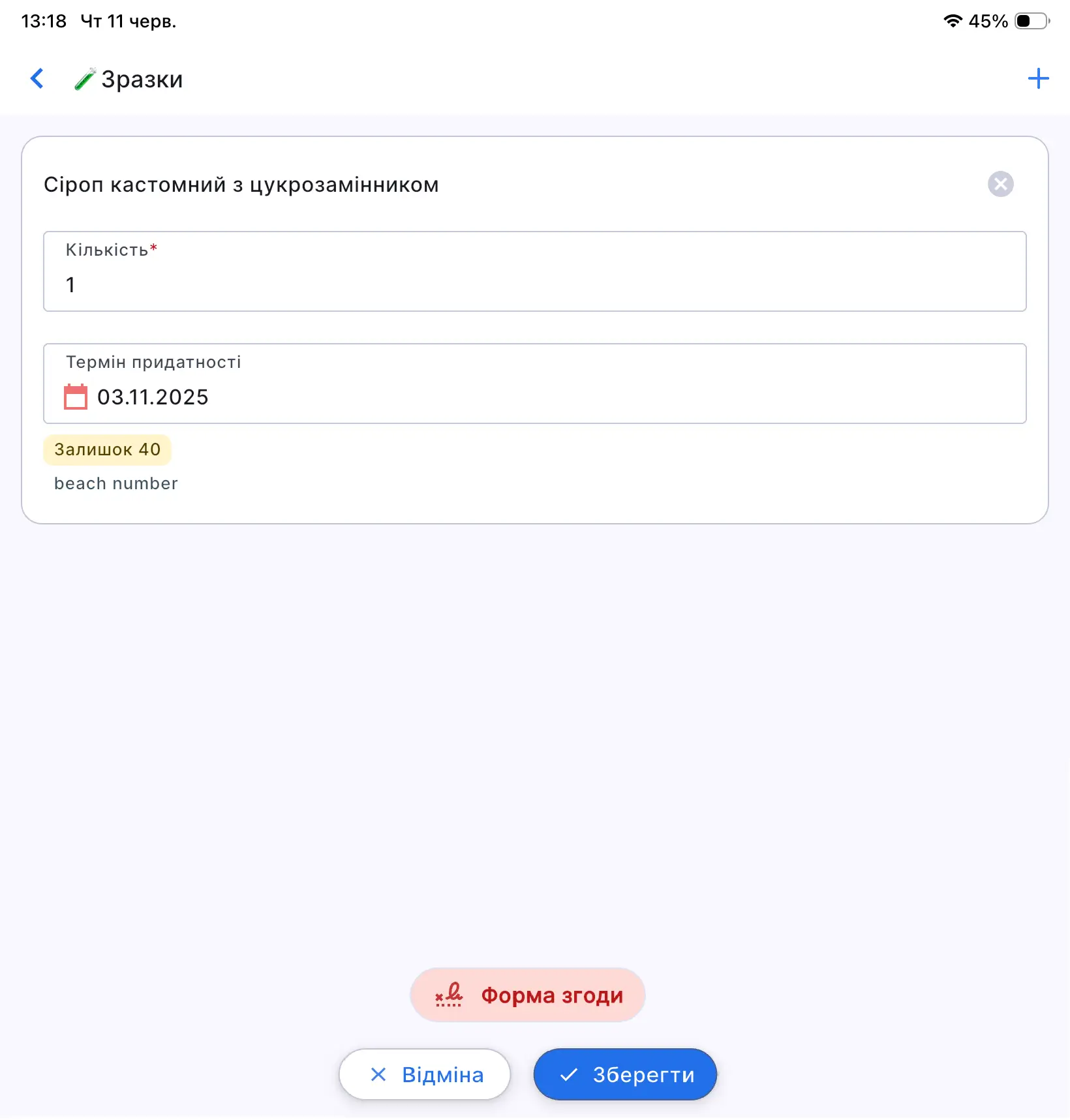
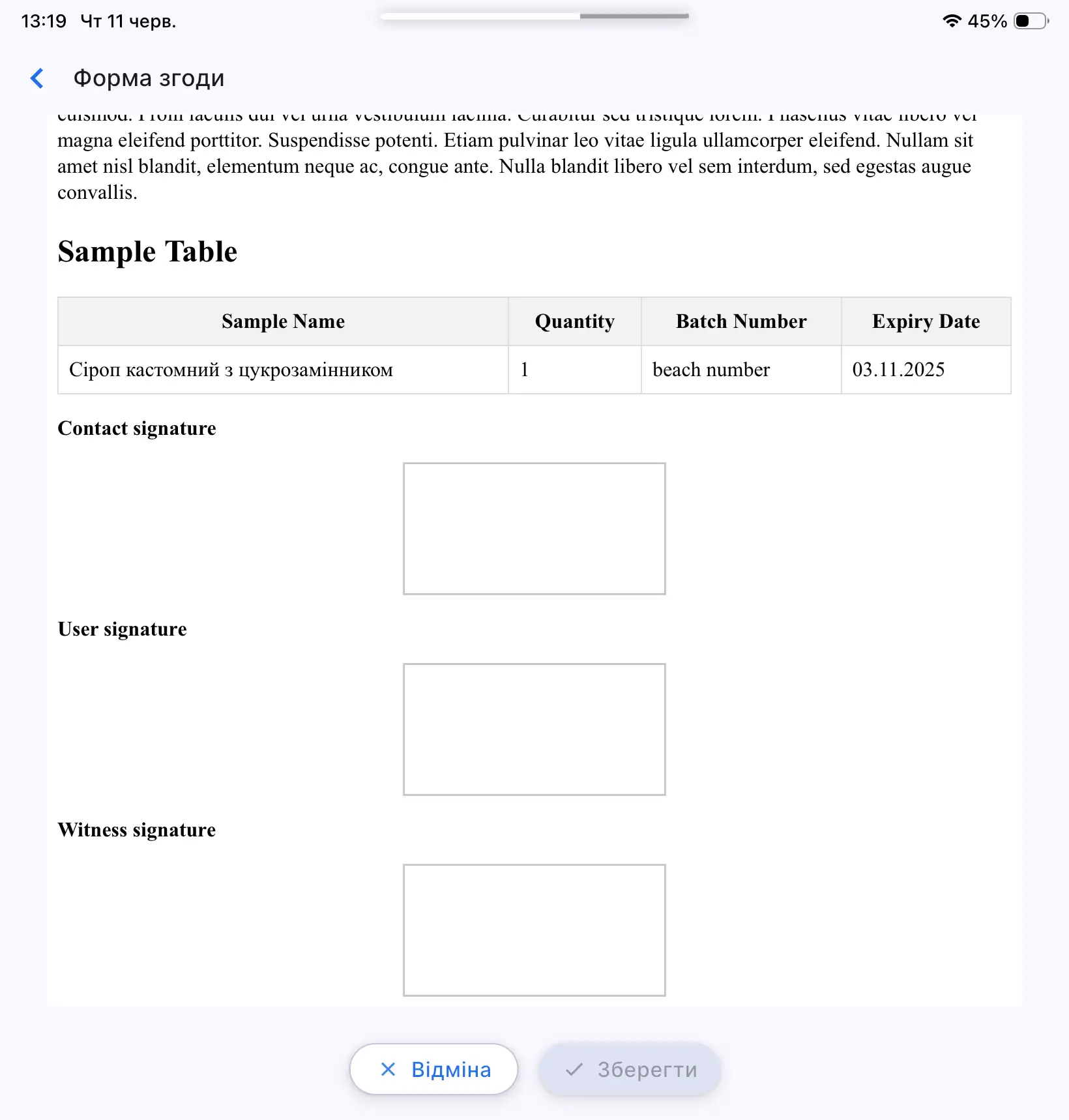
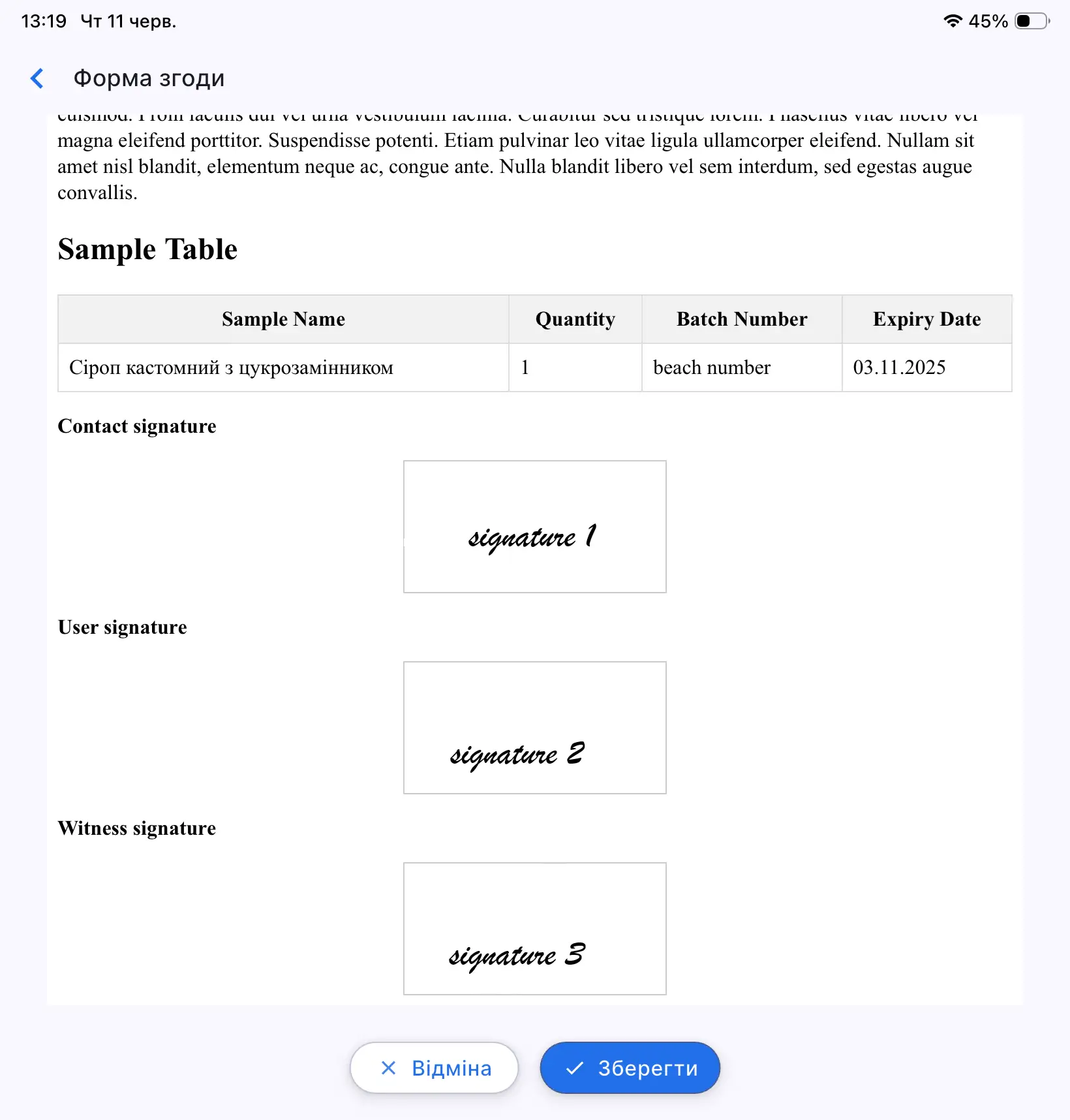
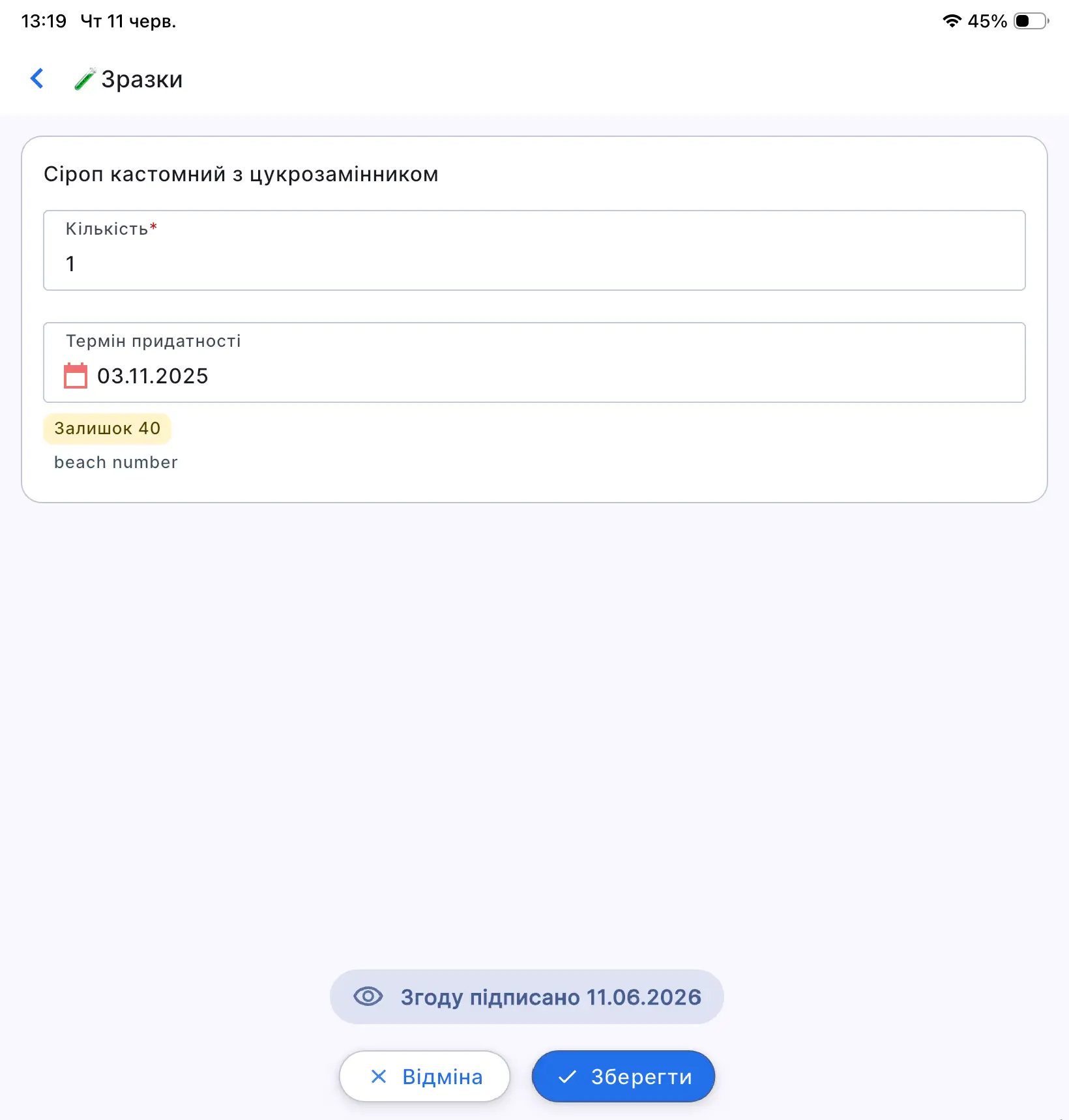
Screenshots 18-21. Saving the digital consent form during sample transfer: support for multiple signatures, validation of their presence, and protection against saving incomplete records.

2.2. Bug Fix — Geolocation Validation During Visit Closure

In v.16.2, geolocation validation during visit closure was fixed.

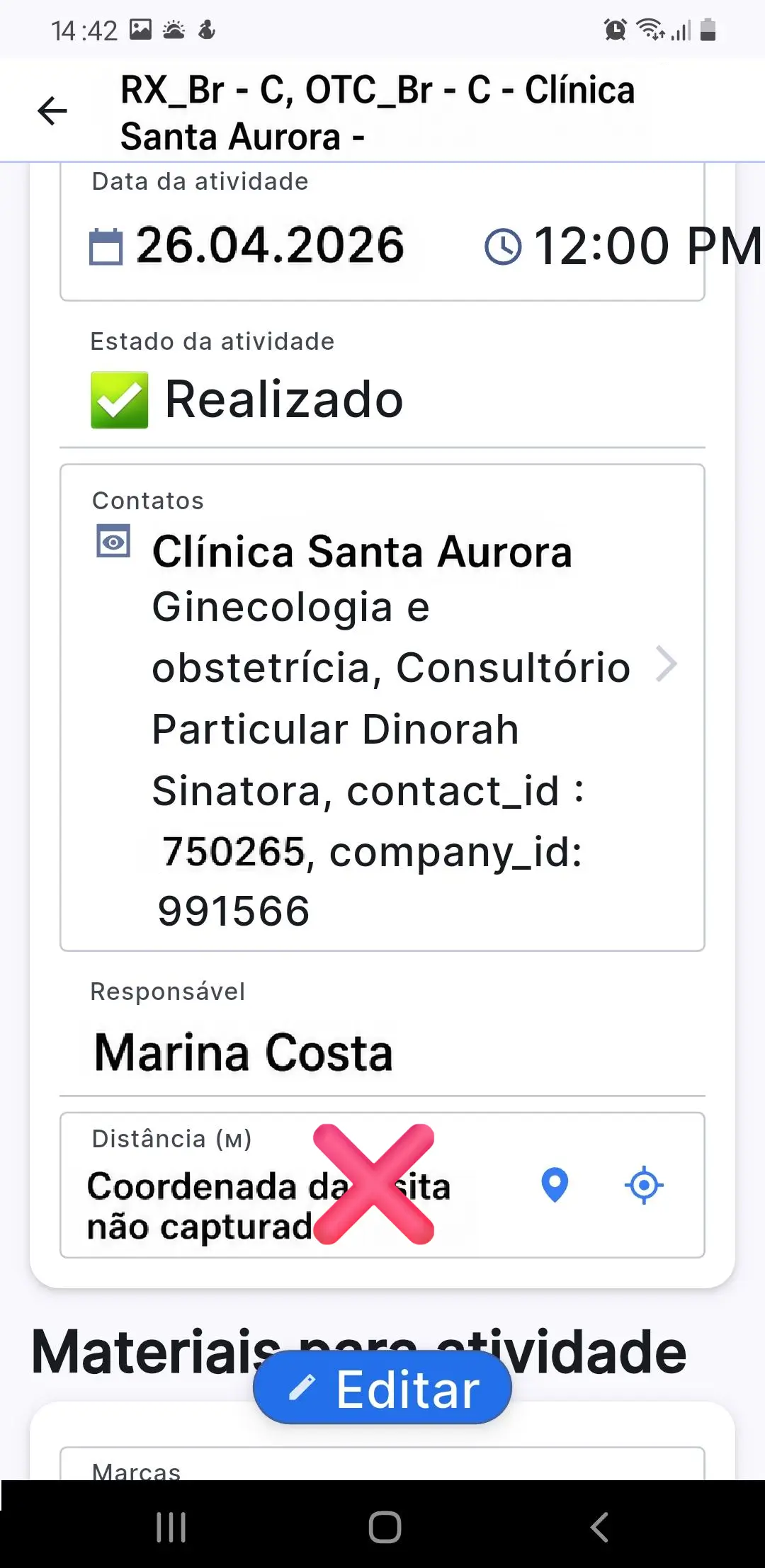
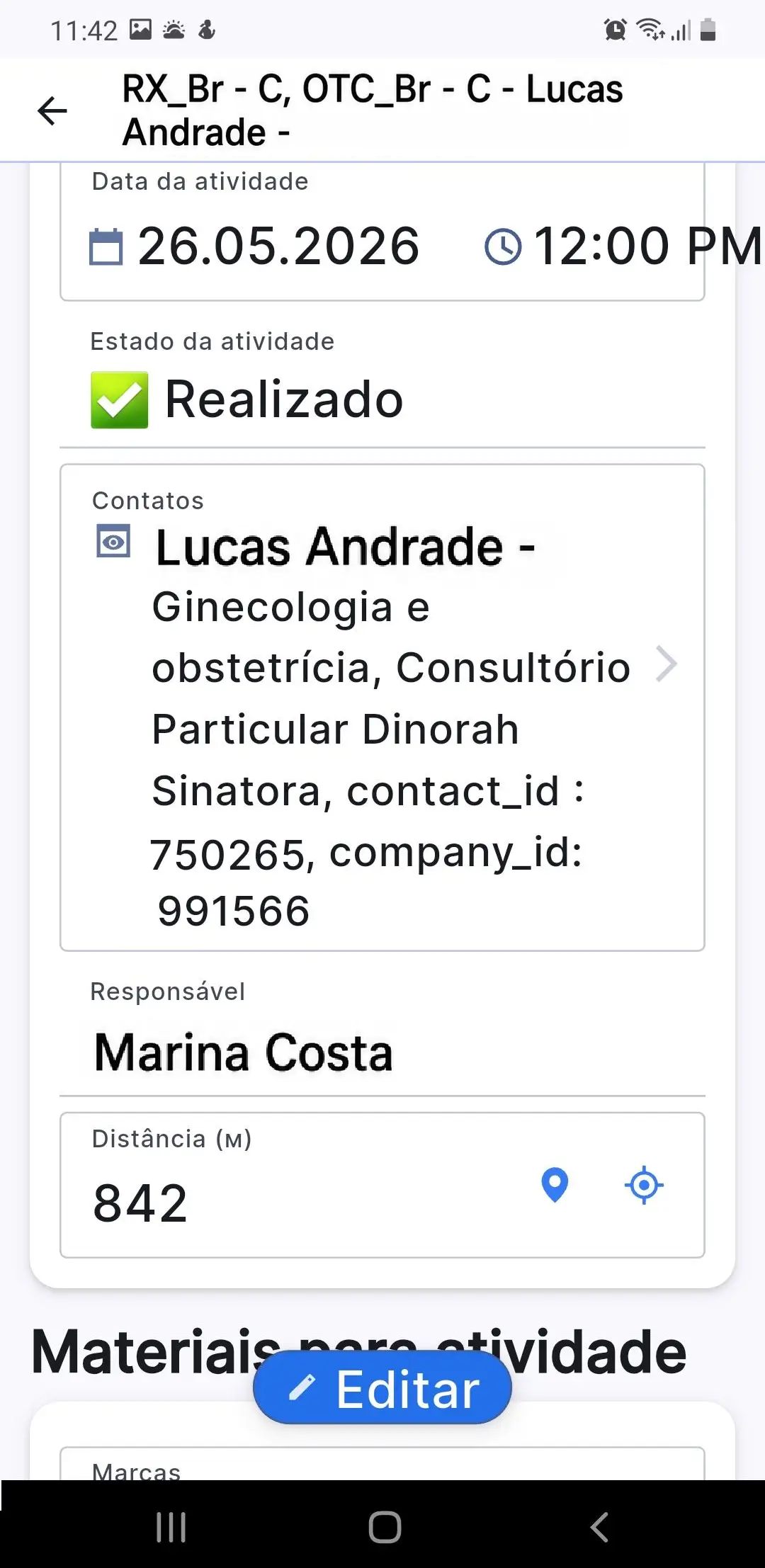
Previously, in some cases, the system could mistakenly show the message “Cannot complete the visit due to too great a distance,” even when the user was actually in the required institution.

The distance validation logic has been adjusted. Visits now correctly save the distance and close without false blocking.

Screenshots 22-23. Geolocation validation during visit closure: the visit closes correctly without an erroneous message about a long distance.

3. A Step Toward A Broader Proxima Cloud CRM Ecosystem

Release v.16 updates also create the foundation for the development of two supporting solutions in the Proxima Cloud CRM ecosystem — Proxima Marketing and Pharm Ordering / Transfer Order.

In particular, digital signatures, promotional material and sample control, more informative Photo Report, Custom Objects in BI reports, and Territory Manager (Alpha) will become important elements for future trade marketing, shelf audit, recommended stock, and order placement scenarios during a visit. These areas will be covered in more detail in future product updates.

Read more about Proxima Cloud CRM ecosystem products

4. Conclusion

Release v.16 and the following updates v.16.1 and v.16.2 are aimed at ensuring that Proxima Cloud CRM remains a key tool for optimizing field team operations, more accurate data management, and analytics. New features help companies accelerate workflows, reduce the number of errors, and make management decisions based on higher-quality data.

Learn More About Proxima Cloud CRM

New capabilities are already available in the user and presentation environment.

Request a Proxima Cloud CRM demo to see how the updated tools work in real business scenarios for a pharmaceutical company. Contact our team.

Note: this material uses screenshots from a demo environment with anonymized or modeled data that does not belong to real people.

Would you like to be contacted, learn more about our product, or receive personalized advice?

Хотите, чтобы с вами связались, узнать больше о продукте или получить персональную консультацию?

Бажаєте, щоб з вами зв’язалися, дізнатися більше про продукт або отримати персональну консультацію?

¿Le gustaría que le contactaran, conocer más sobre nuestro producto o recibir asesoría personalizada?

Gostaria de ser contatado, saber mais sobre nosso produto ou receber uma consultoria personalizada?

BLOG

Related articles

Запросіть демонстрацію функцій Proxima Cloud CRM

Залиште свої дані, щоб дізнатися, як це працює
Будь ласка, введіть коректне ім'я (не лише цифри).
Використовуйте коректну корпоративну адресу пошти.
Введіть коректний номер телефону.

Request a Demo of Proxima Cloud CRM Features

Leave Your Details to See How It Works
Please enter a valid name (not just digits).
Please use a valid corporate email address.
Please enter a valid phone number.

Unlock your free PDF

Choosing a CRM? Avoid These 7 Mistakes

Download our ultimate CRM checklist