
Release v.15 Proxima Cloud CRM: less manual work, more convenient features and concise analytics

Release v.15 Proxima Cloud CRM

The April Release v.15 Proxima Cloud CRM was built around the practical needs of field teams, marketers and sales managers. We focused on simplifying everyday CRM processes, reducing manual operations and making analytics more accessible for faster decision-making.

We have prepared a complete overview of our product updates. Follow the releases on the blog – we publish on a regular basis. 

Contents

Infographics. Release v.15

Key Improvements. Release v.15

Release v.15 Proxima CRM is focused on three areas: convenient everyday work in the CRM app, flexible administration and planning, and improved CRM analytics and Power BI reporting that help turn large volumes of data into clear visualizations.

Expanded and Improved Proxima Cloud CRM Functionality

In this section, we review updates that simplify typical user scenarios in the CRM app. They relate to presentations during visits, working with HCOs on the map, and data quality control for information that field teams collect while interacting with physicians and institutions.

More Comfortable Use of CLM Presentations on Mobile Devices

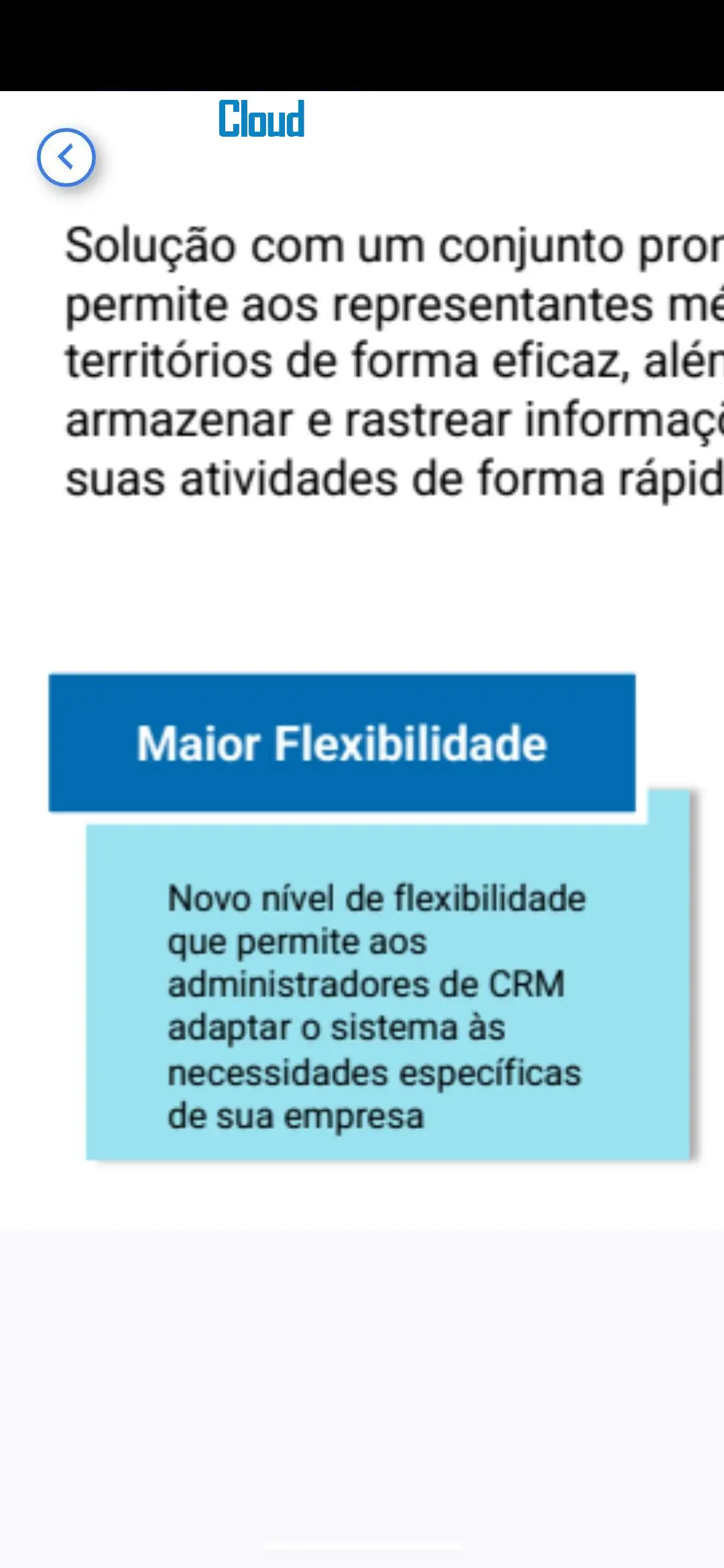
One of the key updates of the release is CLM Presentation Zoom. Now, in CLM presentations in PDF format on mobile devices, users can zoom slides with the pinch-to-zoom gesture up to 400%.

This is especially important for presentations with small text, tables, diagrams, detailed product information or clinical materials. A medical representative can quickly zoom in on the required part of the slide during a visit without leaving the presentation or interrupting communication with the physician.

The zoom level automatically returns to the standard 1:1 when switching between slides, so the presentation remains convenient for sequential viewing.

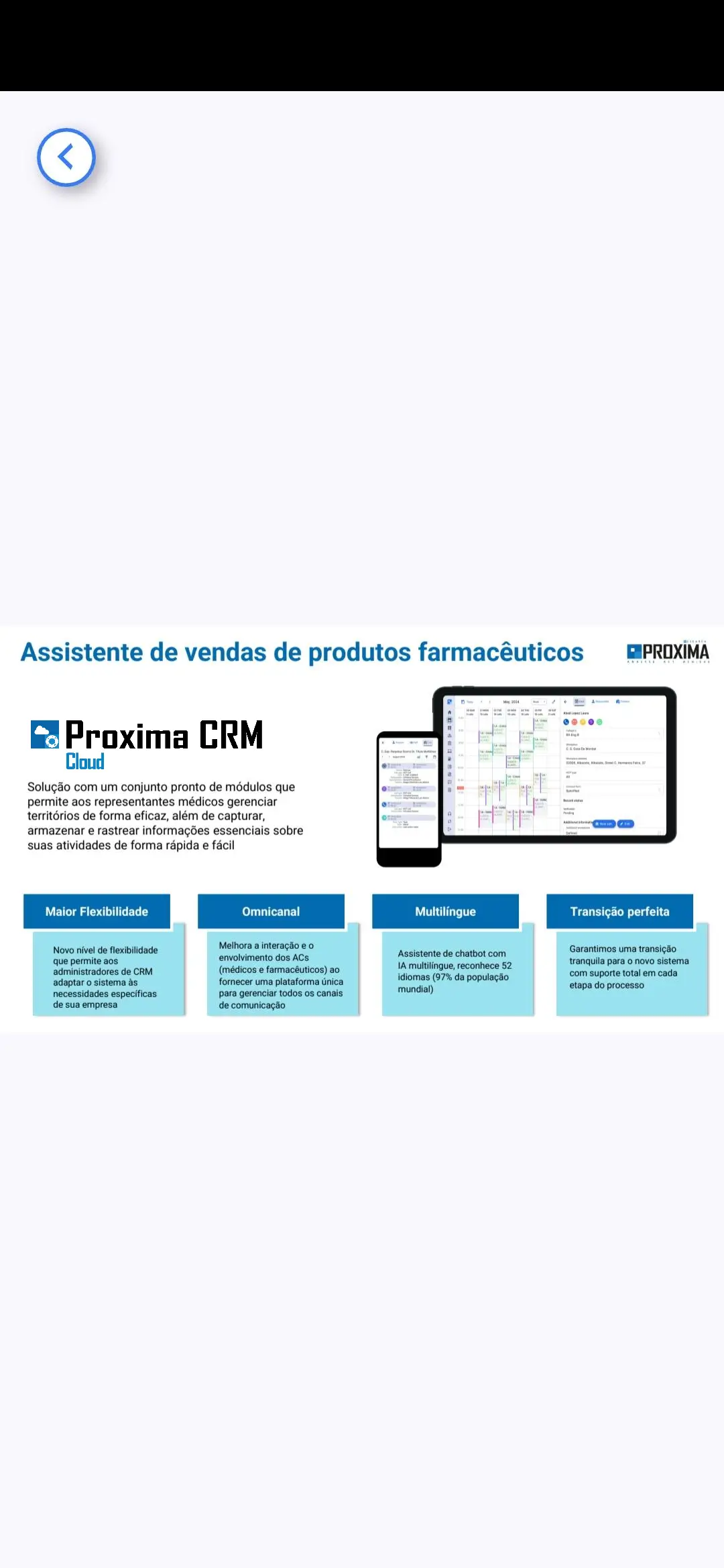
Screenshots 1, 2, 3. CLM Presentation Zoom: scaling PDF slides in a CLM presentation on the medical representative’s mobile device. Slides can be viewed at the standard scale or zoomed up to 400% for easier text reading and detail review.

Google Maps in the Web Version for Working with HCOs

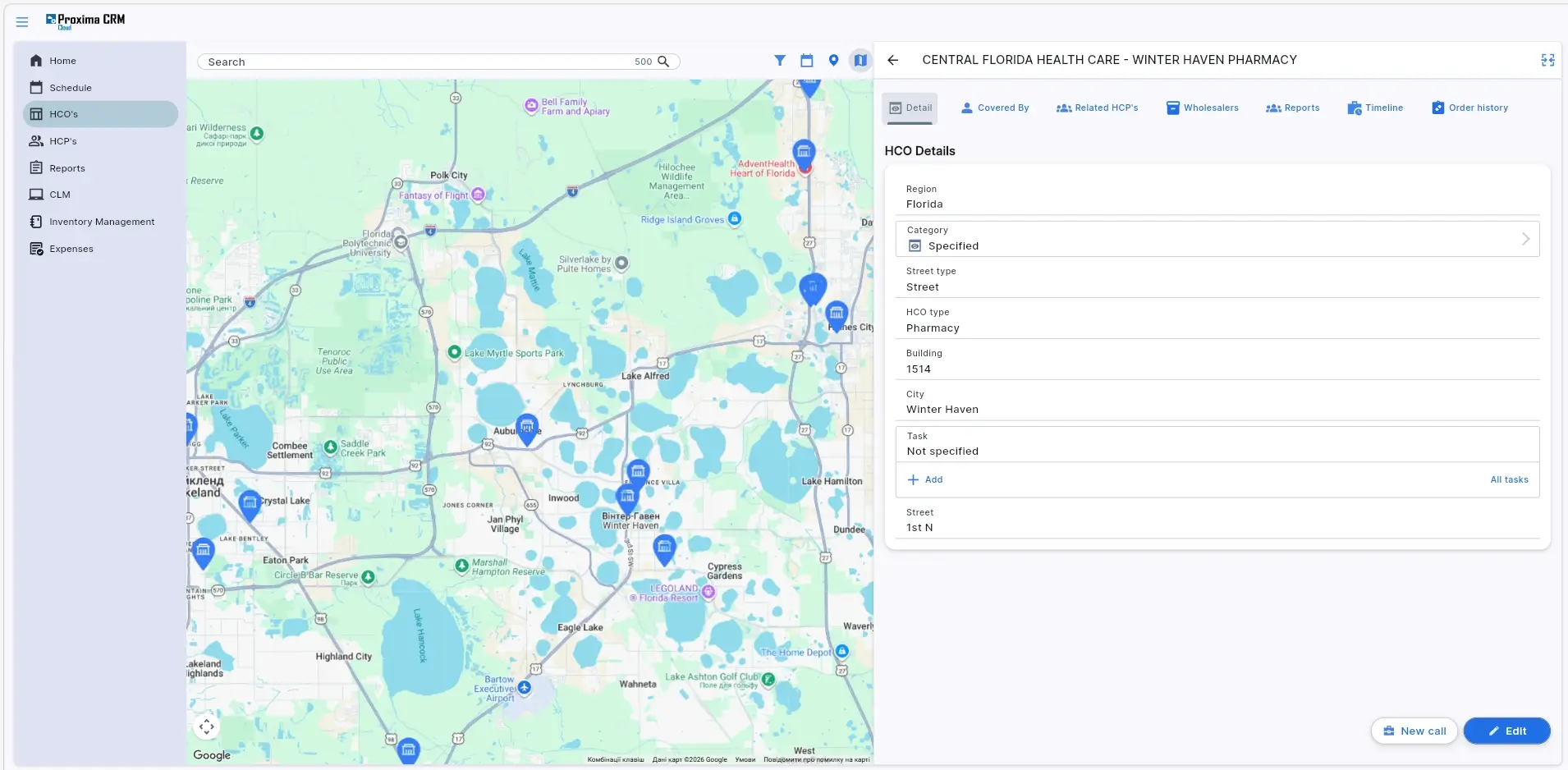
The Web version now includes full support for Google Maps for HCO organizations. Users can view institution locations on the map and open their visit cards in one click.

This update simplifies work with territories, institutions and activity planning. For the user, the map becomes not just a visual reference point, but part of the workflow: from viewing an HCO location to quickly opening the institution card.

This capability will be especially useful for teams working with a large number of medical institutions, pharmacies, hospitals or other organizations across different territories.

Google Maps for the Web version_HCO
Screenshot 4. Google Maps in the Web version: viewing HCOs on the map and quickly opening the institution card with basic information.

Survey Quality Control for Better Data Collection

Release v.15 adds Survey Quality Control in Proxima Cloud CRM — a quality check for survey responses.

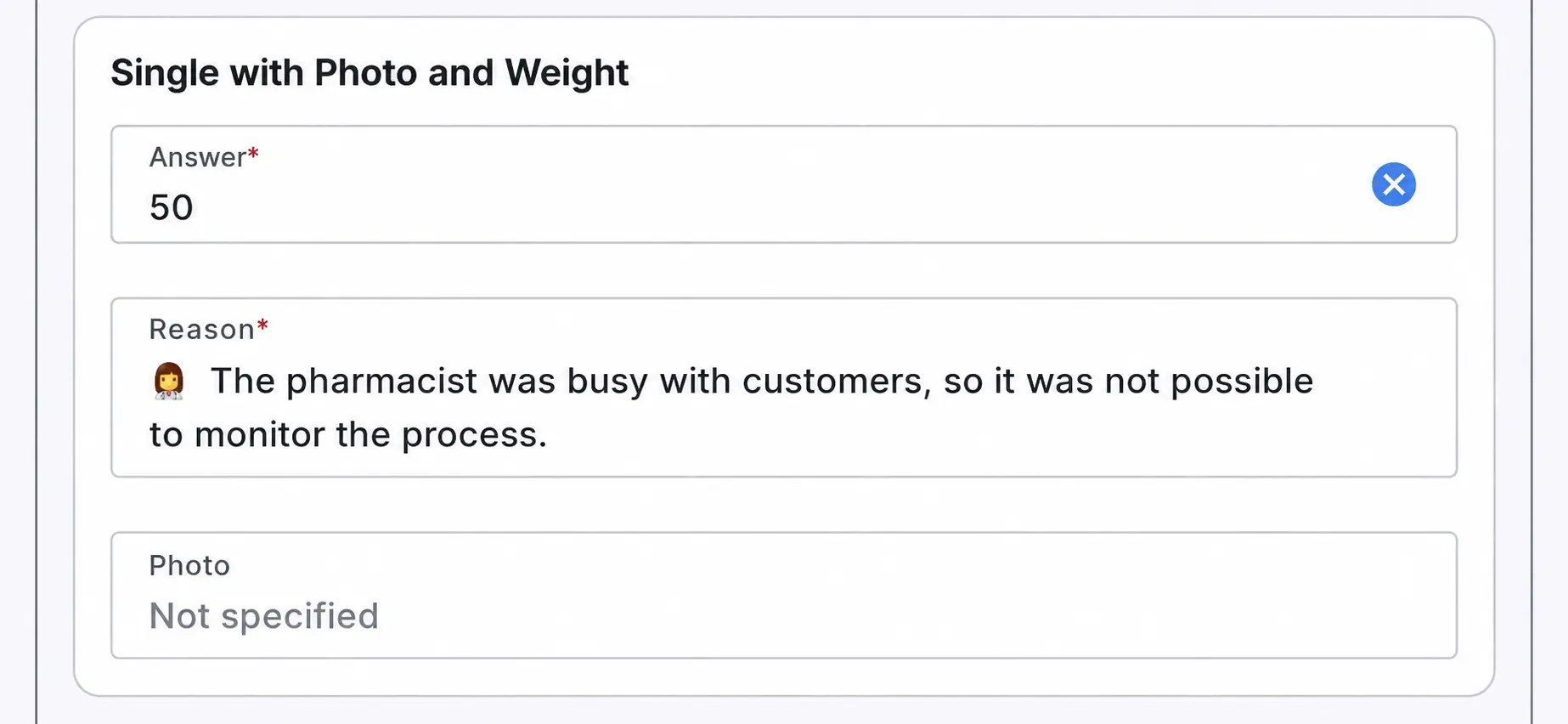
If the total score is below the configured threshold, the system asks the user to specify a reason. The list of possible reasons is configured by the administrator.

This helps make the survey process more controlled and transparent. The company receives not only the survey result itself, but also an additional explanation of why the score or response does not meet the expected level. This approach can be useful for quality control of field activities, evaluation of HCP interactions or analysis of deviations in collected data.

Survey Quality Control
Screenshot 5. Survey Quality Control: if the survey score is below the configured threshold, the system asks the user to specify a reason for transparent result tracking.

More Control in Administration, Planning and Consent Management

The second area of the release relates to administration and process control within CRM. The updates help teams work faster with custom objects, configure task execution periods in cycle plans more precisely, and save consent-related changes more reliably.

Convenient Work with Custom Objects

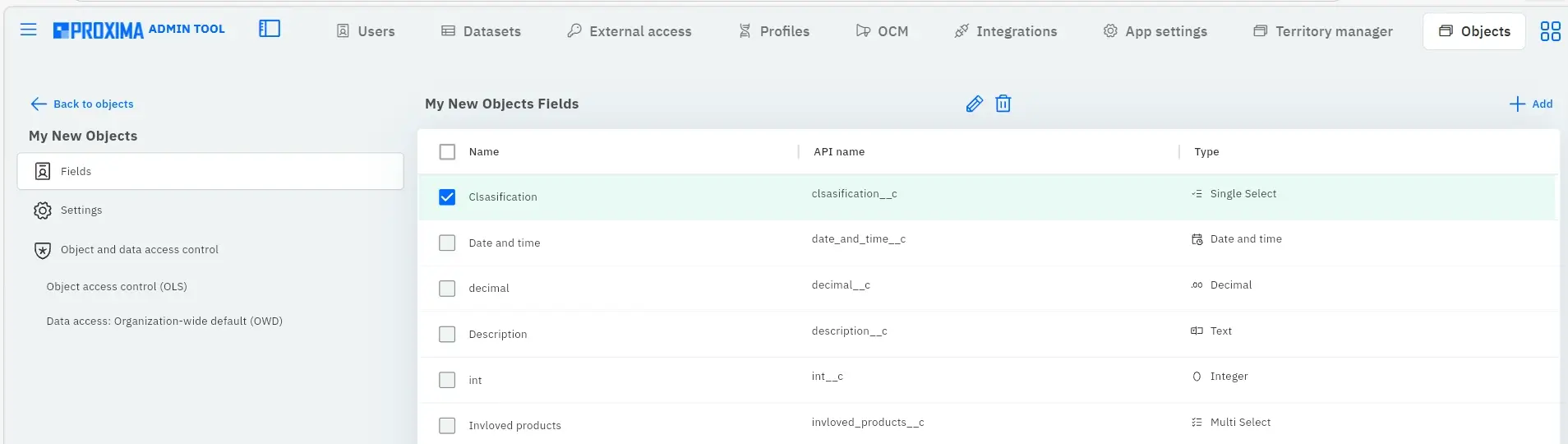
The release updates Object Manager (AdminTool) — a tool that helps administrators work with the object structure of Proxima Cloud CRM.

  • A quick search function by object name and label has been added, making it easier to find the required object. This is important for systems with a large number of system and custom objects, where manual search through the list can take a lot of time.
  • The “Smart Sorting” function has also been added: objects are grouped by type and then sorted alphabetically. System objects are displayed higher, making the structure clearer for the administrator.
  • Another important update —deleting custom objects through the user interface. Custom objects can now be deleted directly in the interface. This is a permanent deletion: it is irreversible and removes all related data and card layouts. This capability is presented as a tool for controlled administration, not simply as “object deletion.”
Object Manager.
Screenshots 6, 7. Object Manager (AdminTool): quick search, intelligent sorting and management of custom objects in the updated interface.

Flexible Task Execution Periods in Cycle Plans

Release v.15 also expands planning capabilities for execution timelines through Cycle Plan.

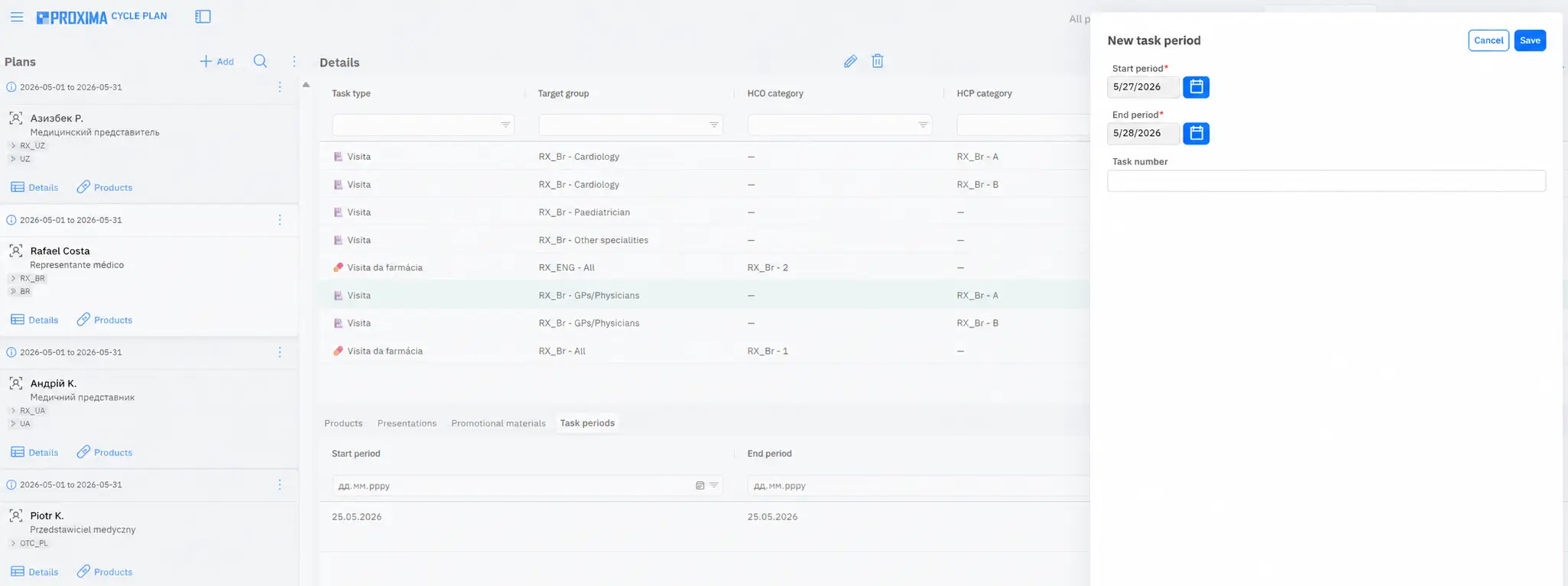
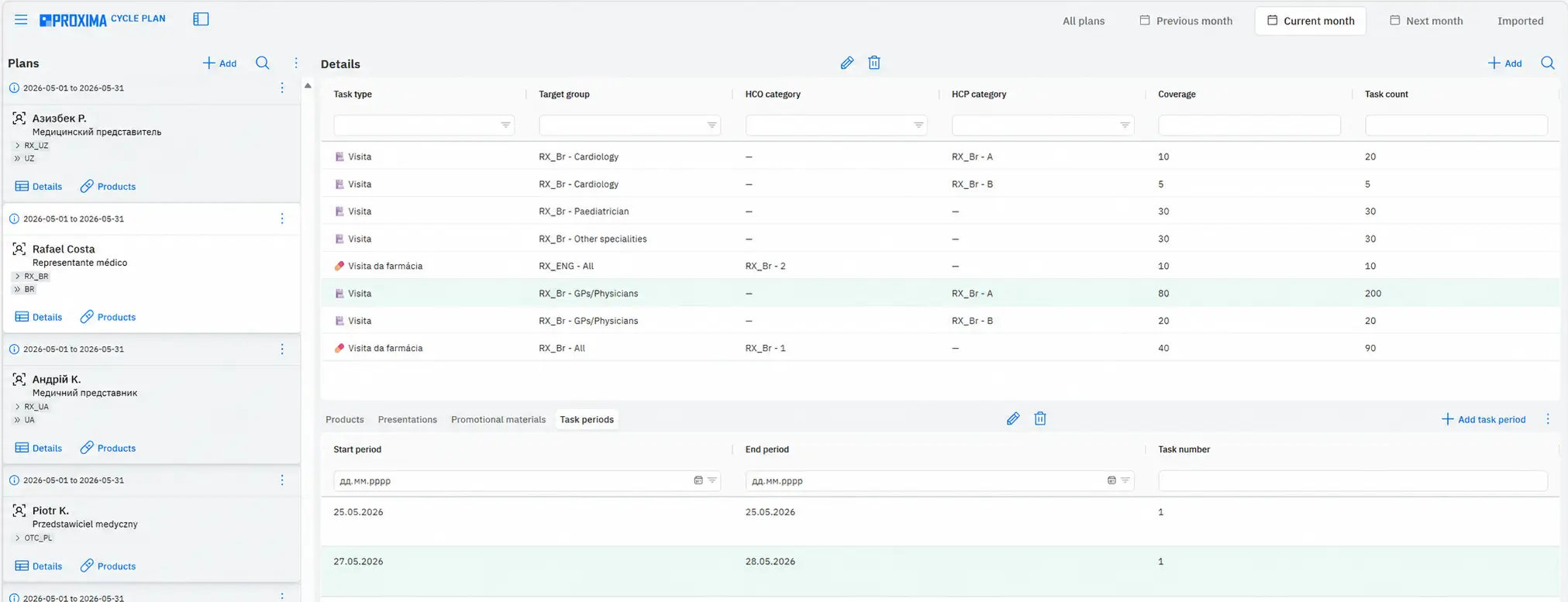
Each task can now have individual start and end dates. This provides more flexibility in working with plans when different tasks within the same cycle need to be completed during different periods.

The system also validates date correctness during creation, editing and import. If periods are updated, the changes are automatically applied to scheduled visits. This helps reduce manual errors and maintain consistency between planning and actual visits.

Cycle Plan
Screenshots 8, 9. Cycle Plan Task Periods: setting individual execution periods for a specific cycle plan detail with a start date and an end date.

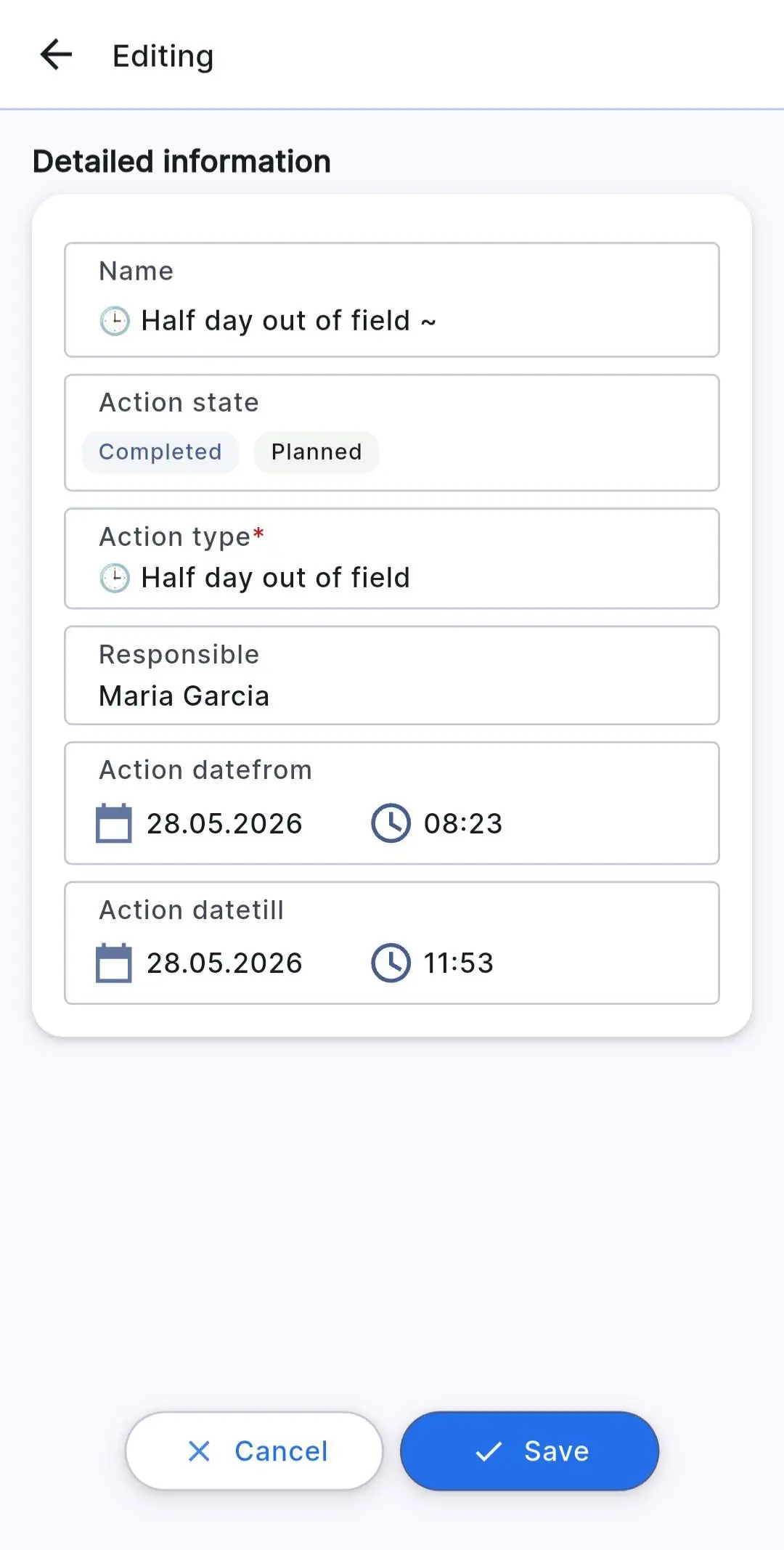
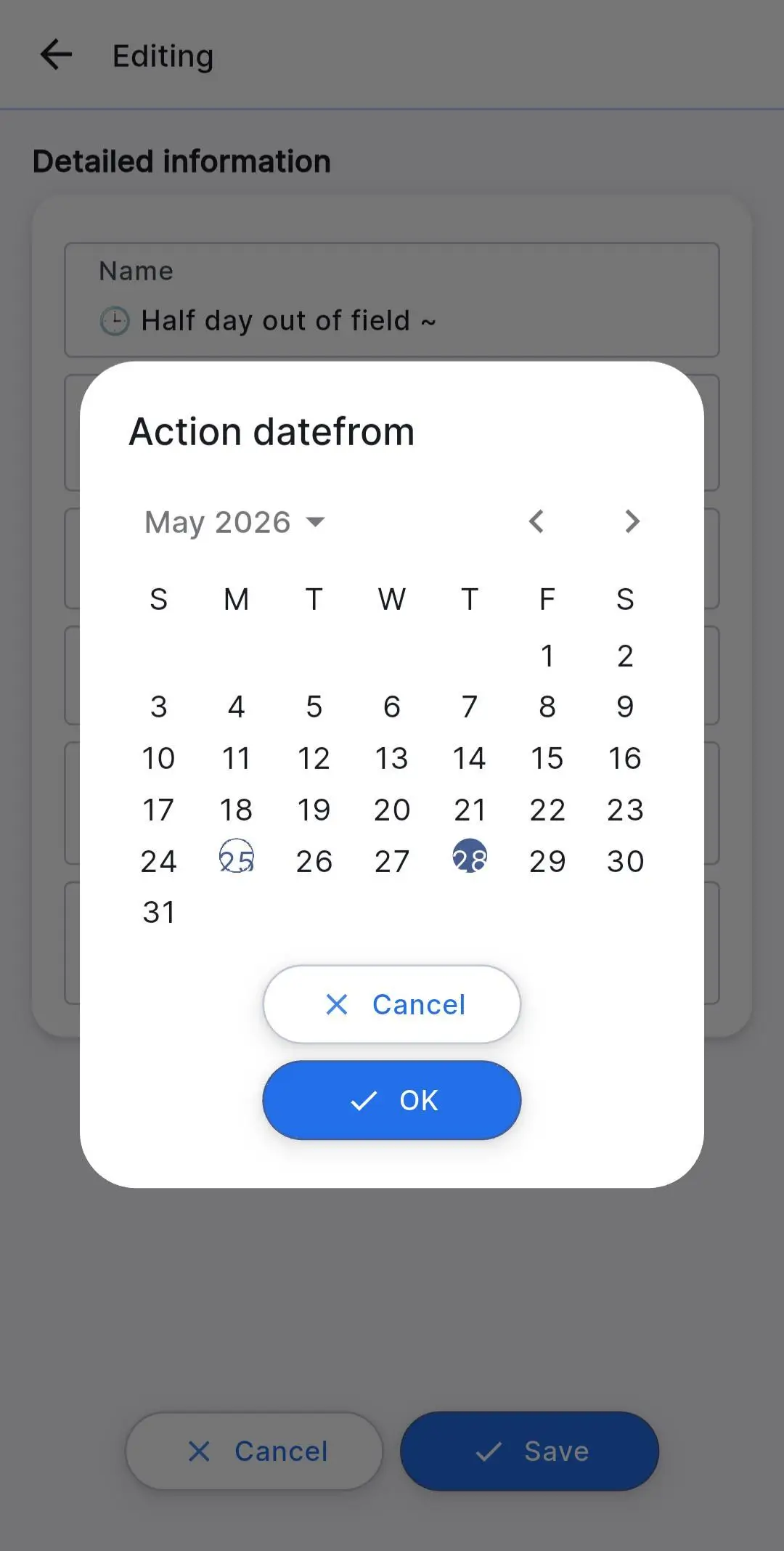
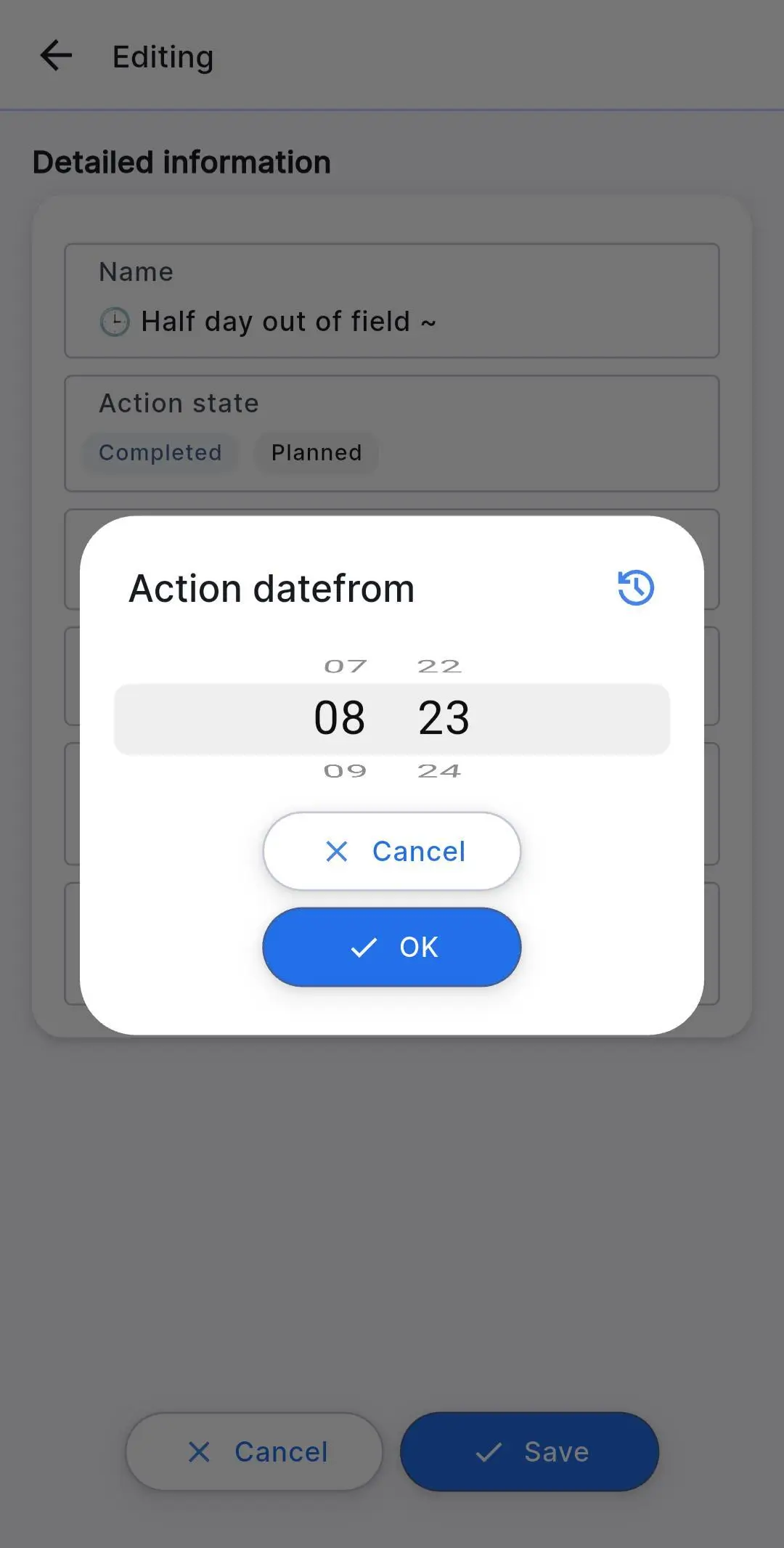
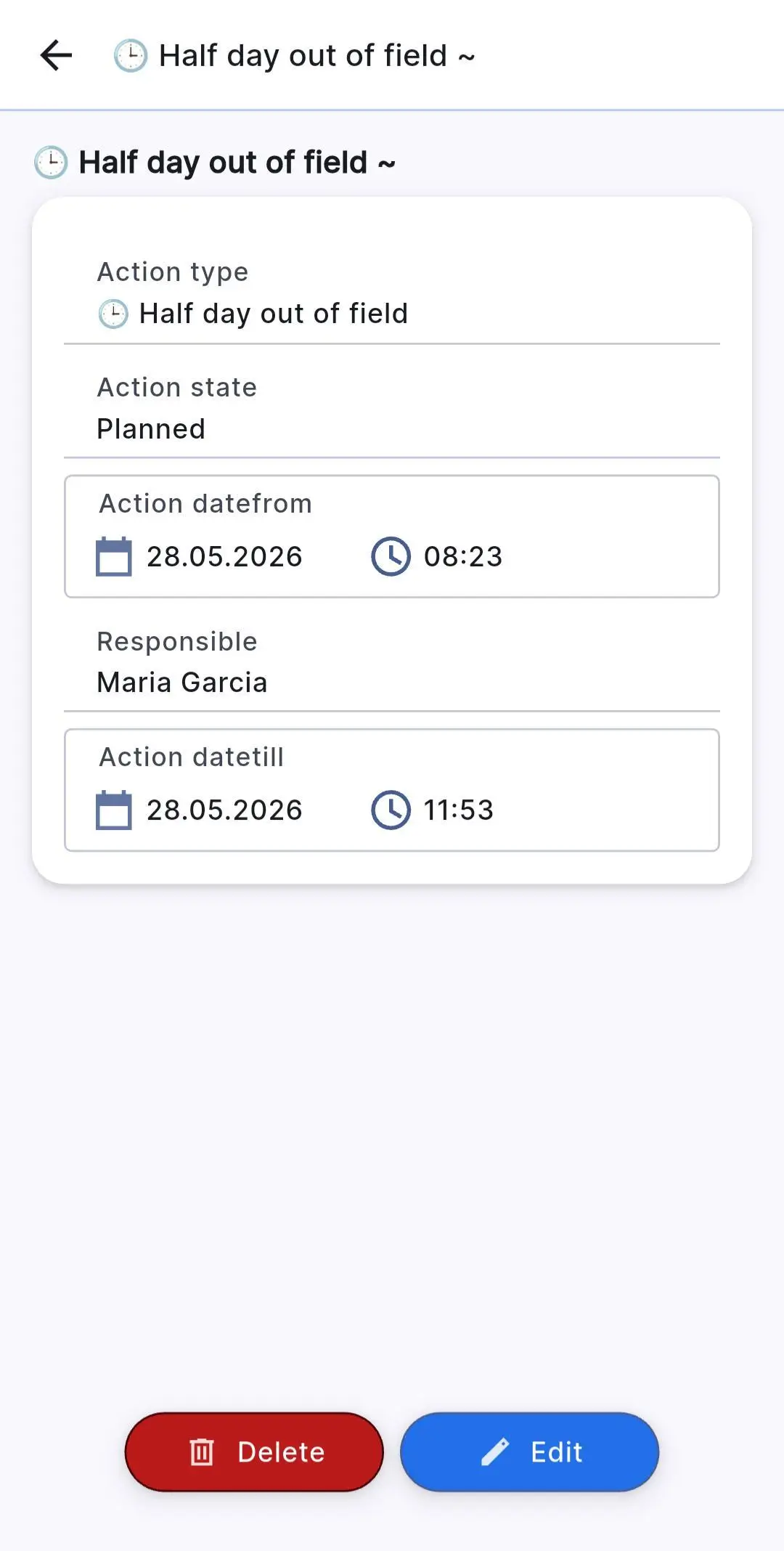
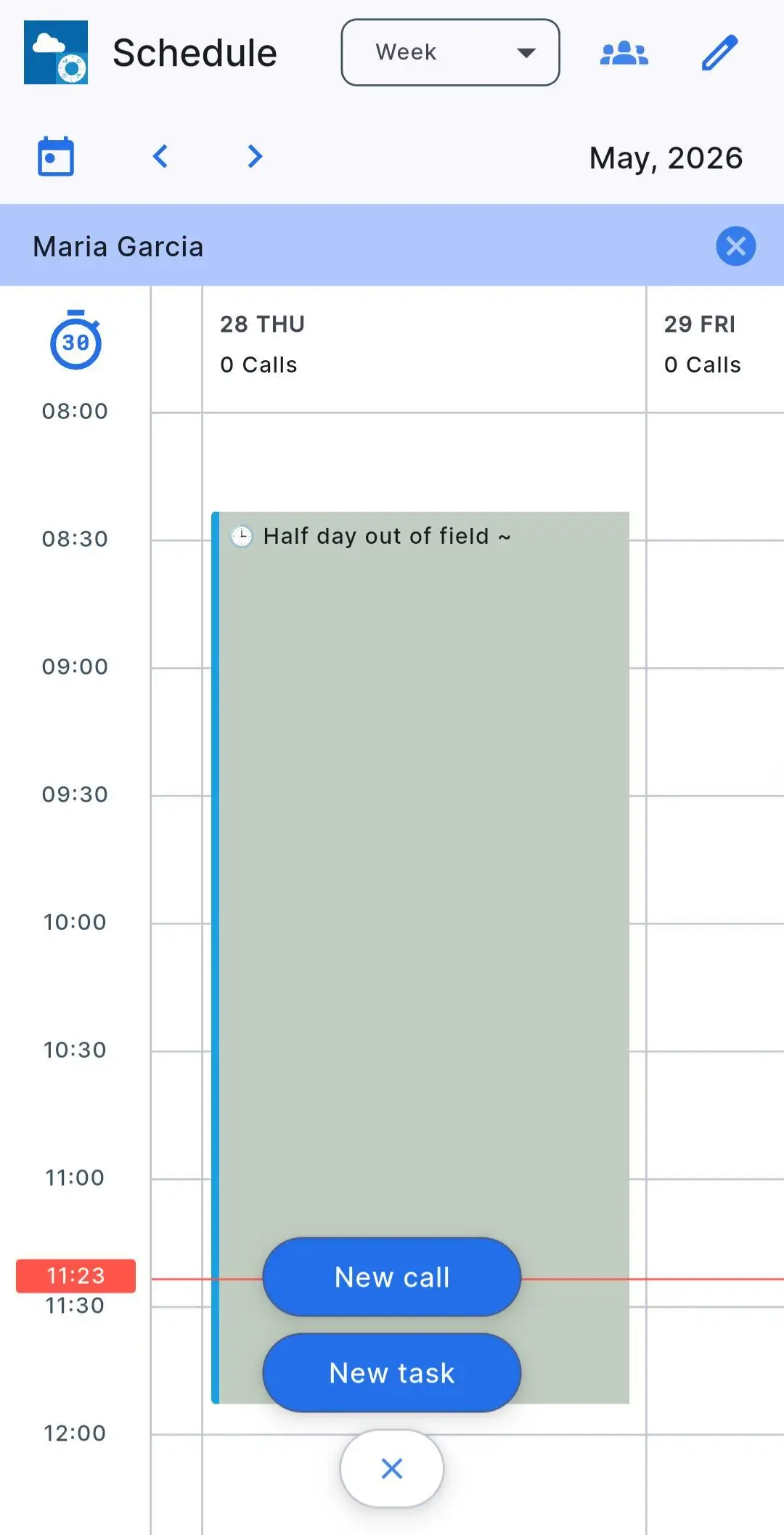
Screenshots 10, 11, 12, 13, 14. Displaying a task with a configured period in the medical representative’s mobile schedule: from editing the date and time to viewing the created task in the mobile app calendar.

Secure Consent Flow and Version Tracking

  • Updated logic for working with user consent
    In Secure Consent Flow, changes related to user consent are saved only together with the user profile card. If the user cancels changes in the profile card, consent-related changes are not applied either.
    This helps avoid situations where consent data is updated separately from the main customer card and improves the integrity of stored information.
  • Update for administrators — version tracking
    A list of current Web and Mobile application versions on the client server is now available. This makes it easier to check which system version is used in a specific environment.

Improving Reporting and Expanding Analytics

The third area of Release v.15 is reporting and analytics for executives, managers and field teams. The updates help users work with large volumes of CRM data not through complex tables, but through clear reports, dashboards and visualizations for controlling costs, activity and plan execution.

Fuel Report for Full Control of Costs and Route Activity

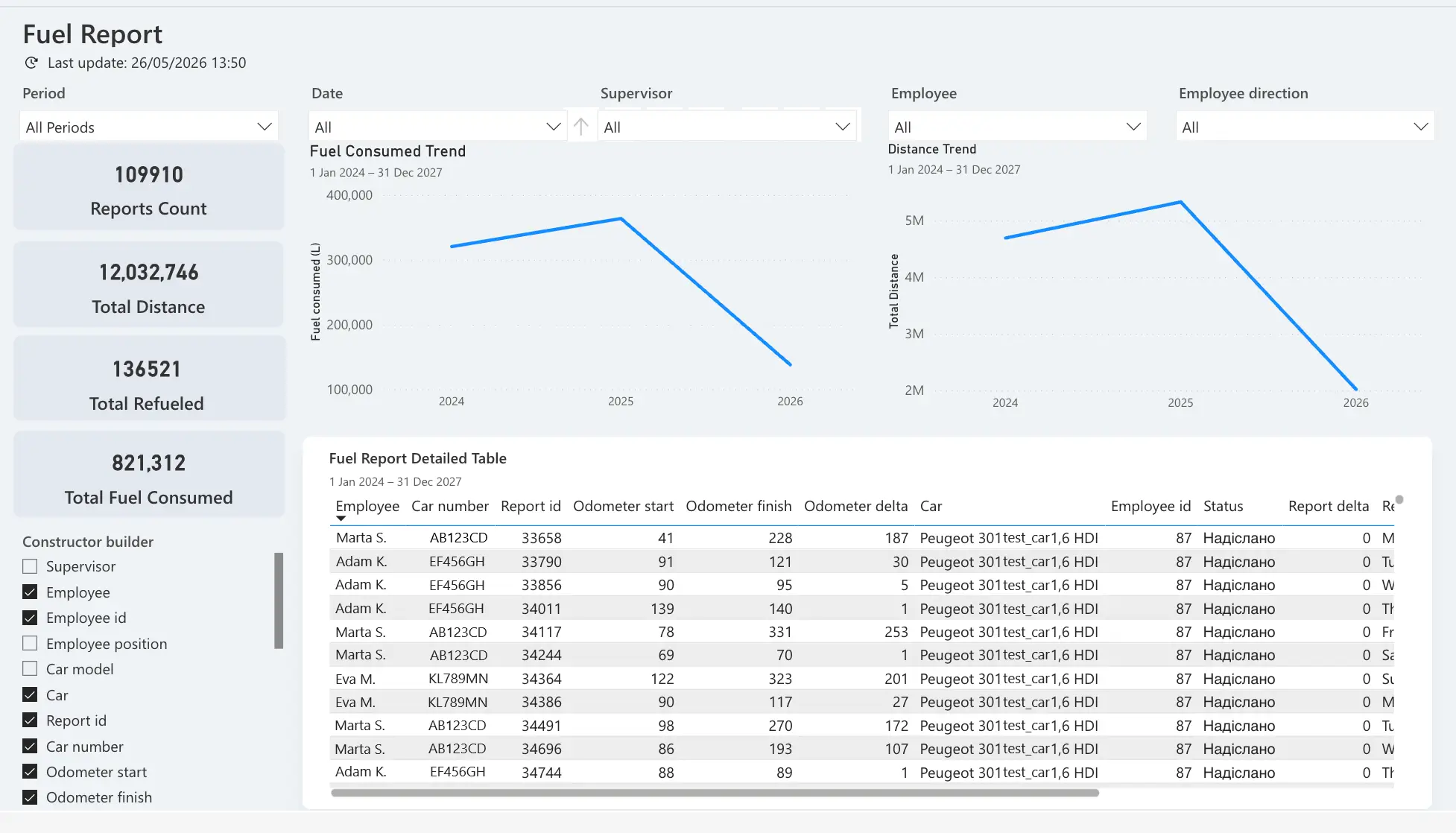
In the Power BI Proxima CRM block, one of the most notable updates is Fuel Report — a standard report for analyzing the use of company cars and fuel expenses.

The report helps track:

  • fuel consumption;
  • distance traveled;
  • vehicle usage;
  • related expenses.

It includes charts for fuel consumption and distance traveled, as well as a builder for creating a table based on the required parameters.
For field team managers, this can be a useful operational control tool: it allows them to analyze expenses faster, compare indicators between employees or territories, and export a complete fuel report as a table.

new Fuel Report
Screenshot 15. Updated Fuel Report: helps control fuel expenses, analyze distance traveled and view detailed data by cars, employees and reporting periods.

CRM Analytics CF Report for Flexible Work with Dashboards

Release v.15 adds CRM Analytics CF Report — a report with advanced capabilities for working with CRM Analytics data, custom fields and custom objects.

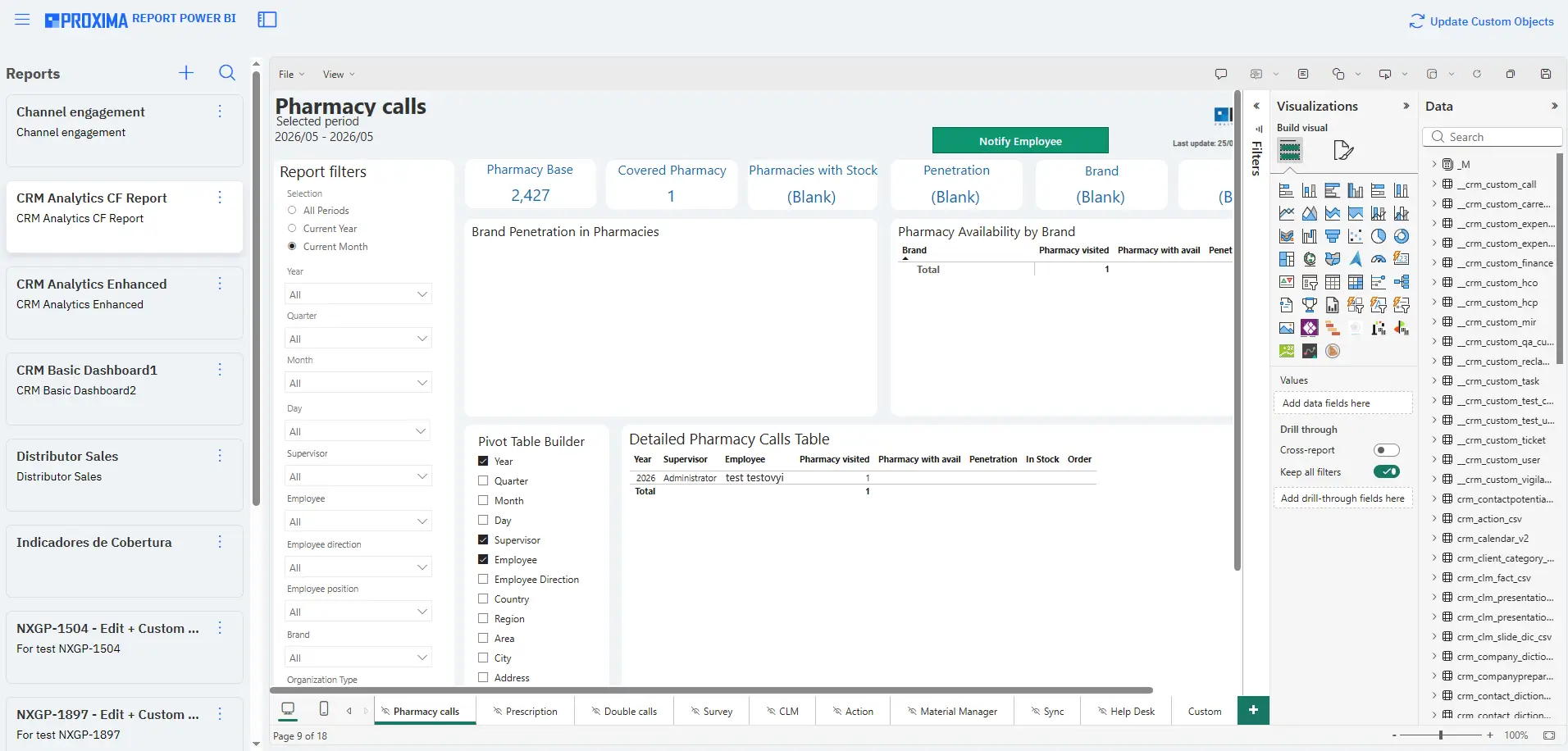
The Proxima Cloud CRM administrator gets access to report editing mode and can create new dashboards based on CRM Analytics data.

Users, in turn, receive view-only access to dashboards created by the administrator.

This update is important for companies that need greater reporting flexibility. The administrator can adapt dashboards to specific business processes, data structures or management KPIs, while users work with already prepared analytics dashboards.

CRM Analytics CF Report
Screenshot 16. CRM Analytics CF Report: report editing mode with access to custom fields and custom objects for creating flexible dashboards based on CRM data.

CRM Light Report for Quick Analysis of Visit Plan Execution

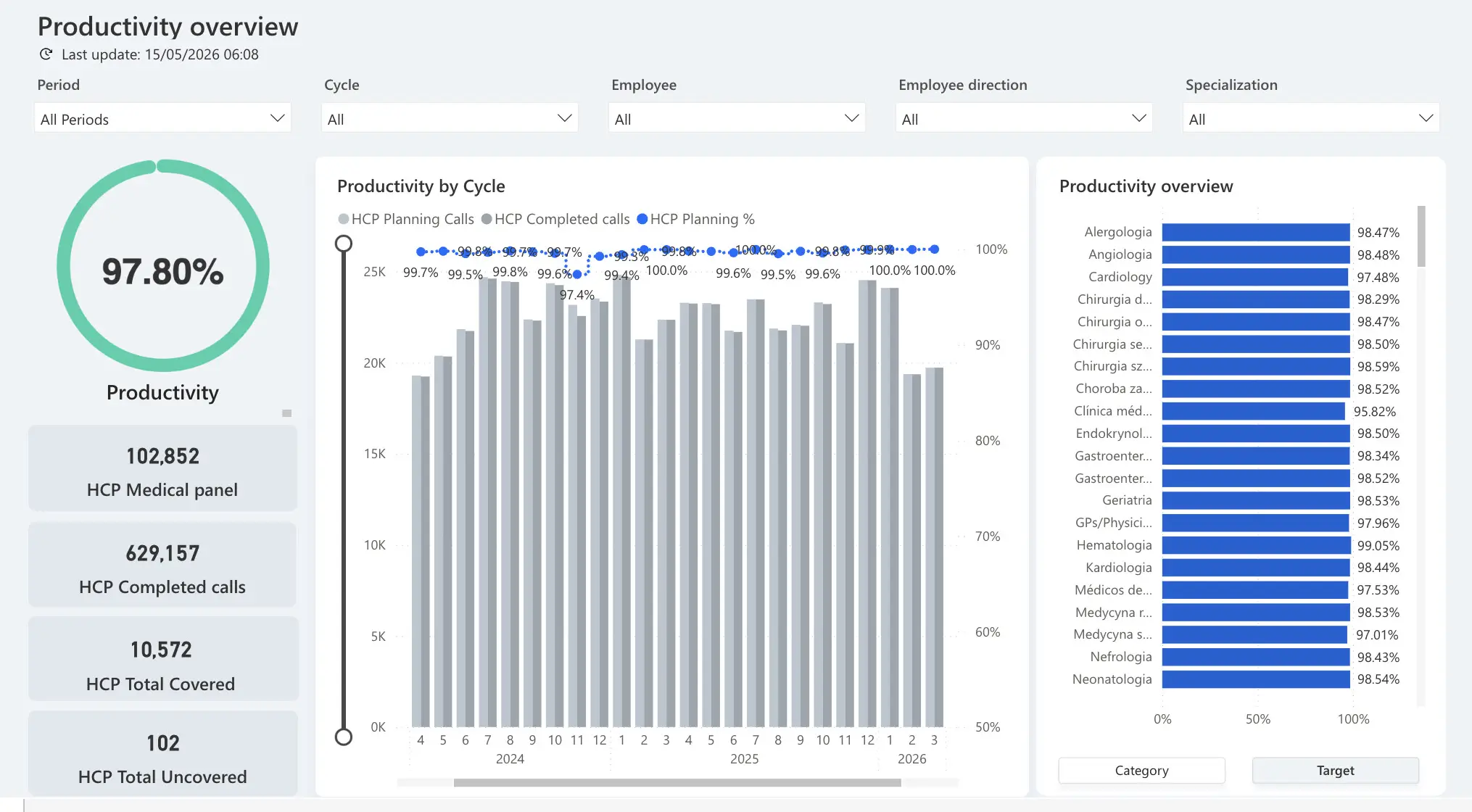
Another new standard report is CRM Light Report. This is a one-page report for quick analysis of medical representatives’ visit plan execution.

It allows users to:

  • view the overall status of visit plan execution;
  • analyze visit distribution by target groups and physician specialization.

This format is convenient for a quick management overview without the need to switch between many pages or review complex detailed reports.

CRM Light Report
Screenshot 17. CRM Light Report: a one-page report for quick analysis of team productivity, visit plan execution and HCP coverage by cycles, target groups and physician specializations.

Expansion of CRM Analytics and Sales Reports

In Calls AC Dashboard

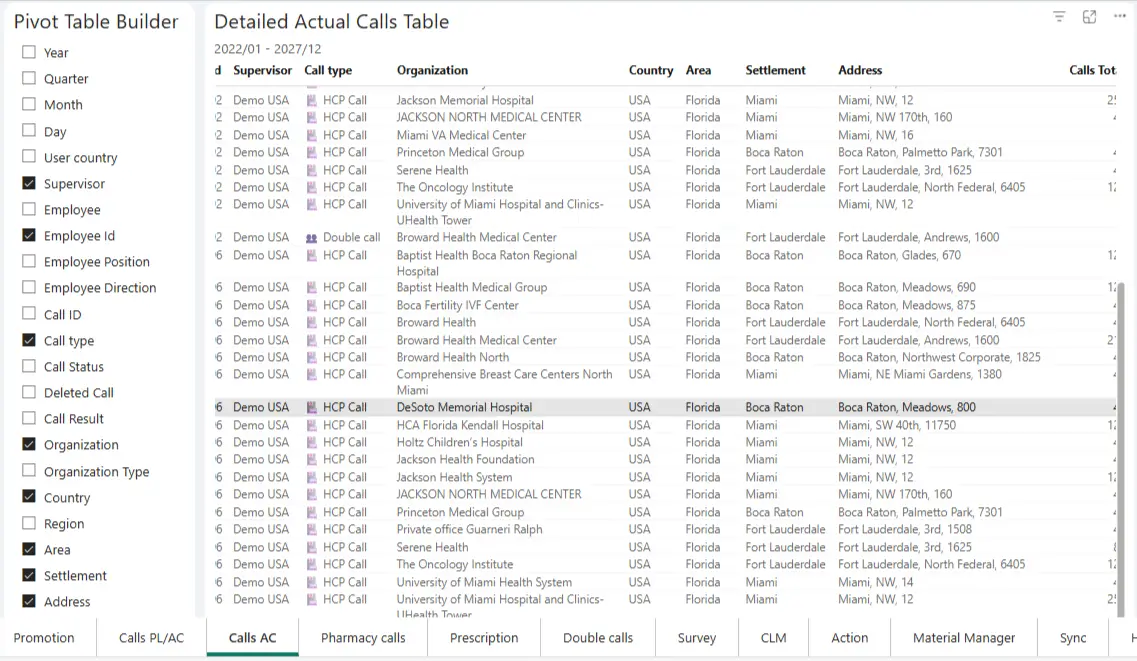
  • new filters have been added: Country, Region, Settlement.
  • the pivot table builder has been expanded: the parameters Country, Region, Settlement and Address are now available.

This provides more opportunities for geographic analysis of activities and more detailed reporting.

Calls AC Dashboard
Screenshot 18. Calls AC Dashboard: expanded geographic detail for actual visits by country, region, settlement and address in CRM Analytics.

The update also applies to Sales Reports.
A multilingual interface has been added for the following dashboards:

  • Distributor Sales Dashboard
  • Chains Report
  • Distributor Stock
  • Daily Distributor Sales
  • Daily Table

The supported languages are UA, EN, RU, TR, ES, PT-BR, RO, KZ and UZ. This is especially important for international teams working in different regions and using a single CRM ecosystem for sales analytics.

What Release v.15 Means for Proxima Cloud CRM Users

Release v.15 makes Proxima Cloud CRM:

  1. More convenient for daily field work.
  2. More flexible for administration.
  3. Stronger in analytics.

For medical representatives, this means more comfortable work with CLM presentations, surveys and HCO maps.

For administrators, it means more control in Object Manager, consent settings, application versions and planning periods.

For managers, it means new capabilities in Power BI: from fuel expense control to visit plan execution analysis and creation of individual dashboards.

The Release v.15 update continues the development of Proxima Cloud CRM as a holistic platform for pharmaceutical companies, where CRM, field activity, administration and analytics work in a single ecosystem.

Learn more about Proxima Cloud CRM capabilities, Power BI analytics and tools for efficient field team operations.

Note: The material uses screenshots from a demonstration environment with depersonalized or simulated data that does not belong to real individuals.

Would you like to be contacted, learn more about our product, or receive personalized advice?

Хотите, чтобы с вами связались, узнать больше о продукте или получить персональную консультацию?

Бажаєте, щоб з вами зв’язалися, дізнатися більше про продукт або отримати персональну консультацію?

¿Le gustaría que le contactaran, conocer más sobre nuestro producto o recibir asesoría personalizada?

Gostaria de ser contatado, saber mais sobre nosso produto ou receber uma consultoria personalizada?

BLOG

Related articles

Кейс Proxima Cloud CRM: GeoForce для управління територіями у фармацевтичній компанії GSK | GSK case study: GeoForce for territory management in a pharmaceutical company

GSK Ukraine

Proxima Cloud CRM Success Stories: GSK Ukraine. Country: Ukraine GSK is one of the leading

Read More

Запросіть демонстрацію функцій Proxima Cloud CRM

Залиште свої дані, щоб дізнатися, як це працює
Будь ласка, введіть коректне ім'я (не лише цифри).
Використовуйте коректну корпоративну адресу пошти.
Введіть коректний номер телефону.

Request a Demo of Proxima Cloud CRM Features

Leave Your Details to See How It Works
Please enter a valid name (not just digits).
Please use a valid corporate email address.
Please enter a valid phone number.

Unlock your free PDF

Choosing a CRM? Avoid These 7 Mistakes

Download our ultimate CRM checklist